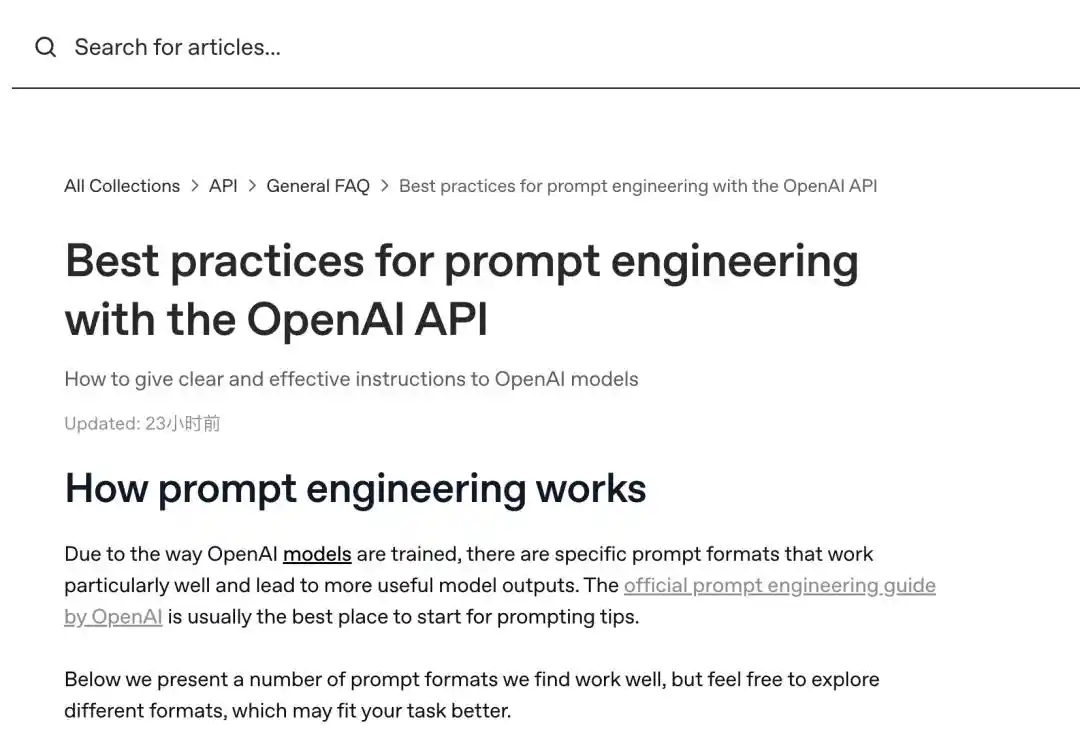
Special Announcement, OpenAI's Latest Prompt Guide is Updated!
If you haven't tamed ChatGPT yet,
or are still struggling with its answers becoming increasingly tangled like a ball of yarn,
then you must save today's latest OpenAI prompt guide!
We have summarized eight little tricks from the official website to make your ChatGPT obedient and generate accurate content;
We also teach you how to use the official "Generate Anything" function to let AI automatically help you write a set of professional and useful instructions, saying goodbye to the pain of designing prompts.
Let's take a look!

First, Please Use GPT-5.6 Sol Whenever Possible
To achieve the best results, we recommend that friends with the capability manually switch to OpenAI's latest and most powerful model, GPT-5.6 Sol. (Newer models are generally easier to execute prompt engineering.)
Be Sure to Specifically Describe the Effect You Want in Your Instructions
When using ChatGPT, you can think of the model as an assistant who delivers acceptable quality but requires patient instructions in advance. Clearly tell it item by item: the content, results, word count, format, style, etc., that you want.
Note, don't give a vague instruction~
Otherwise, the one struggling on the edge of rework and working tirelessly later will still be you (doge).
Vague command:

"Write a poem about OpenAI."
Specific instruction:

Create a short inspirational poem about OpenAI, centered around the recent DALL-E product launch (DALL-E is a text-to-image machine learning model), imitating the writing style of {famous poet}.</n
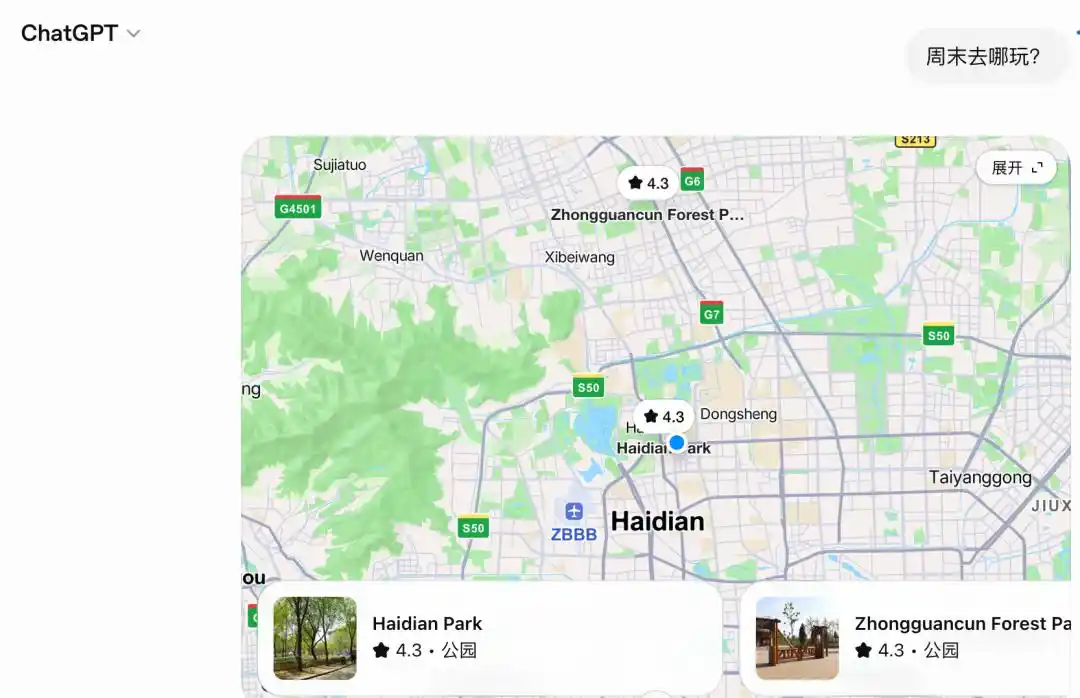
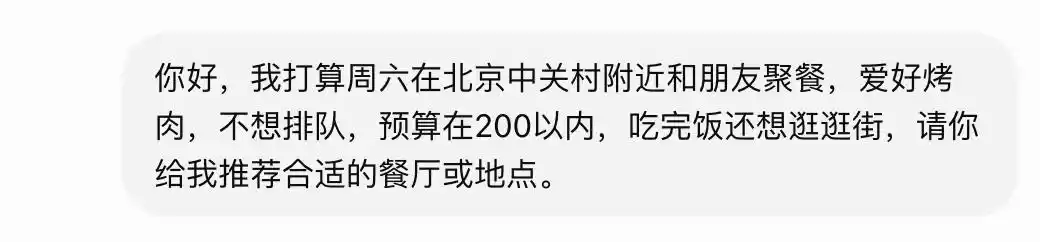
For example, I want AI to help me plan where to go for the weekend.
Then I need to give it a clear goal, letting it know if I want to exercise, visit scenic spots, attend exhibitions, or eat out. Otherwise, you'll have to redo it several times, and your enthusiasm will be largely worn out during the back-and-forth.
Negative example❌:
△
This time it's right✅:
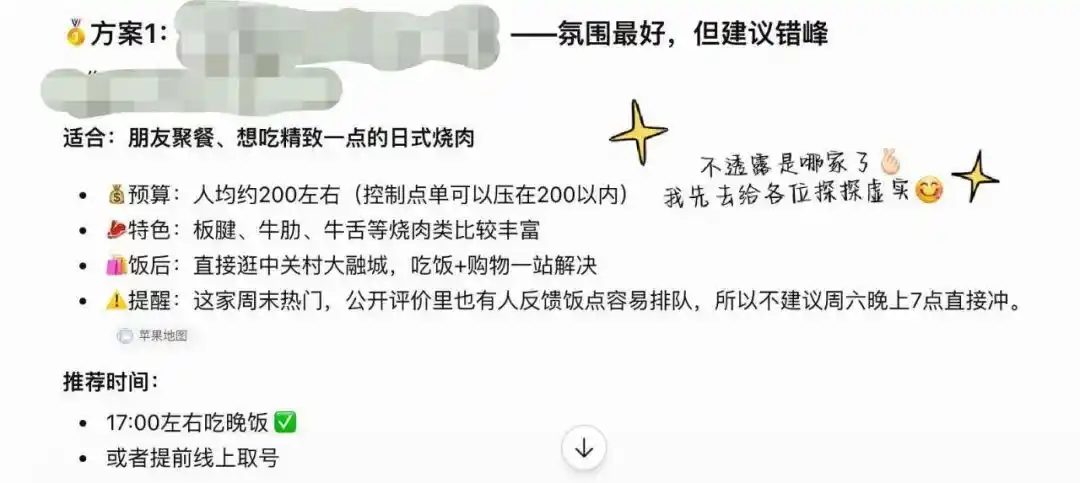
Prompt Optimization Technique: Place Instructions First + Use Correct Delimiters to Isolate Context
Secondly, during use, please place the core requirements at the very beginning (or first line) of the prompt, and use the officially recommended delimiters "###" or """"" to clearly separate "instructions" from "text to be processed":
❌Mixing them together is a NO:

Summarize the key points of the following text into a bulleted list.
{Enter text here}
Clear separation is a YES:
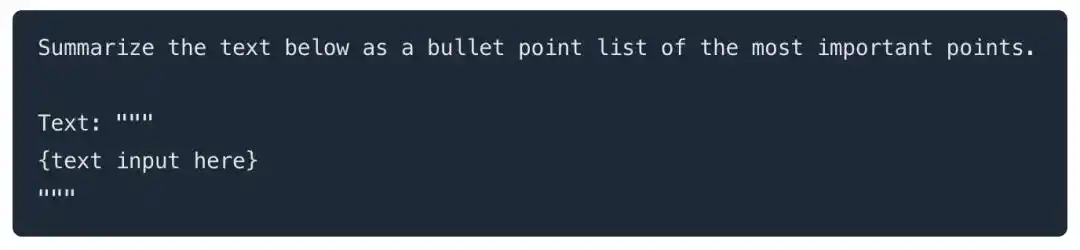
Summarize the key points of the following text into a bulleted list. Text: """{Enter text here}"""
This structure effectively improves the model's understanding accuracy of the task. For example, I used it to optimize a rhyming essay (randomly written, and only used the official delimiter "###" once before the text), and it really did it well. I'm very satisfied:
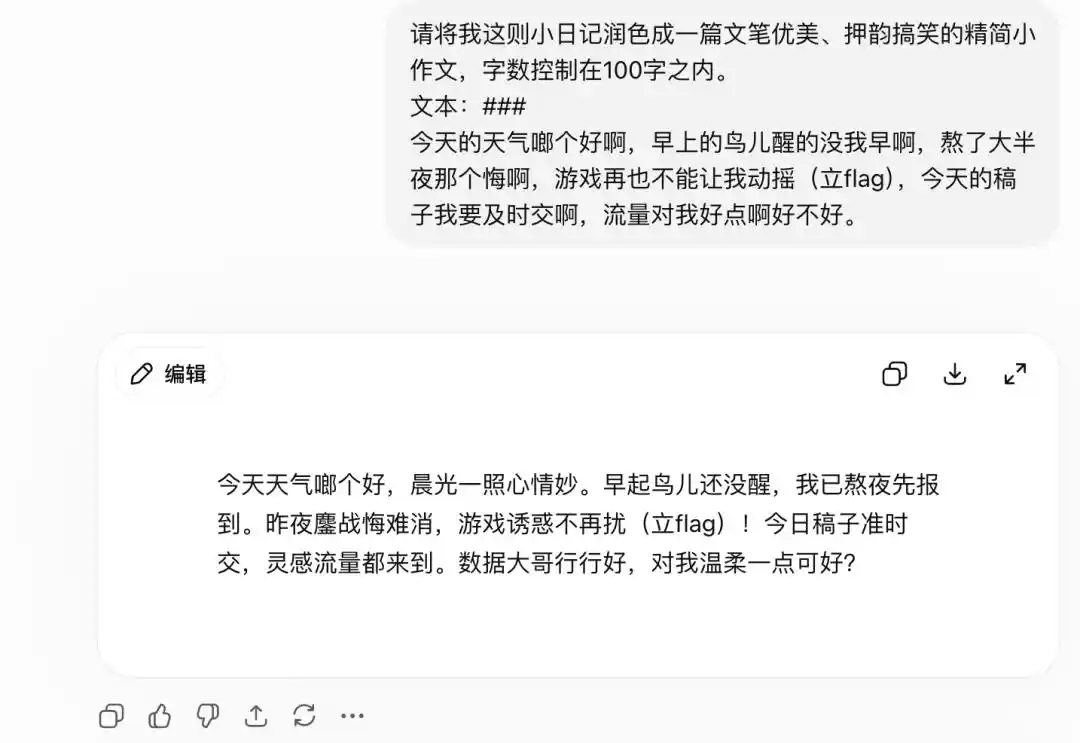
Before using this format, ChatGPT's output was always a bit off🤔:
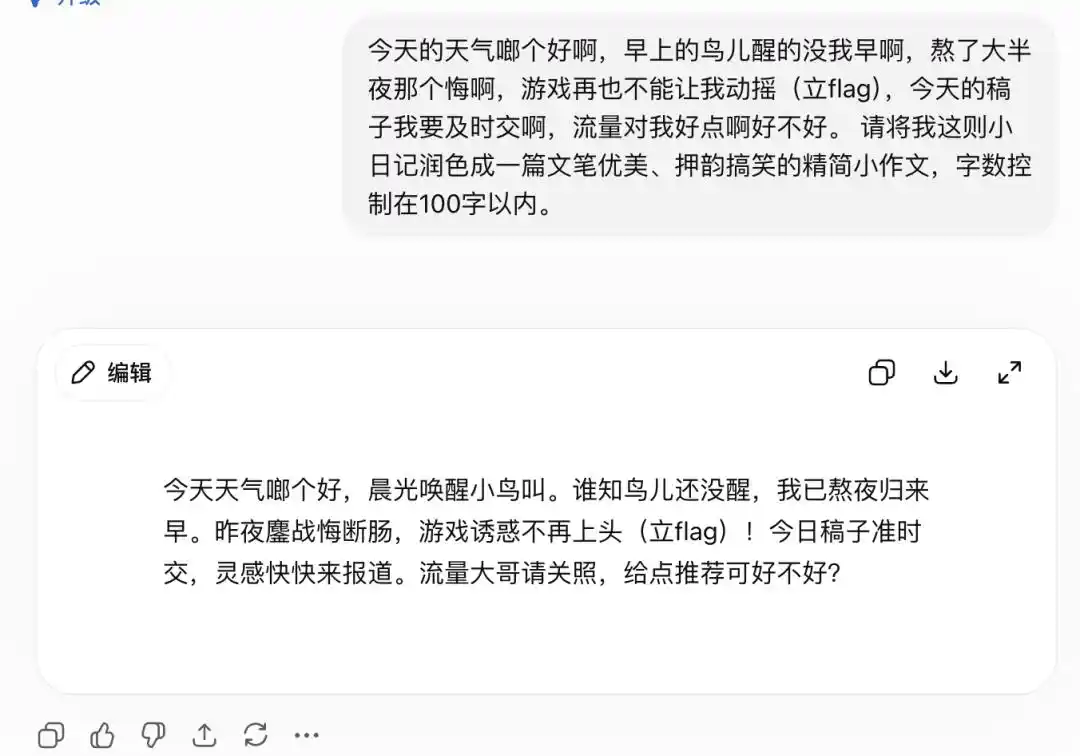
However, it should be noted that what I used to test was just a very simple topic. When you put it into practice, it's best to use the official format completely~
Use Examples and Explanations to Make OpenAI Understand the Format You Want
For example, if I want to create a meme, it's best to give it some references and explanations first, letting it understand what kind of slogan I want to add, where to add it, and what effect I want. This way, ChatGPT can complete the task more thoroughly and respond faster:
Take the creation process of a meme in this article as an example. Don't let it improvise, it will be disastrous❌:
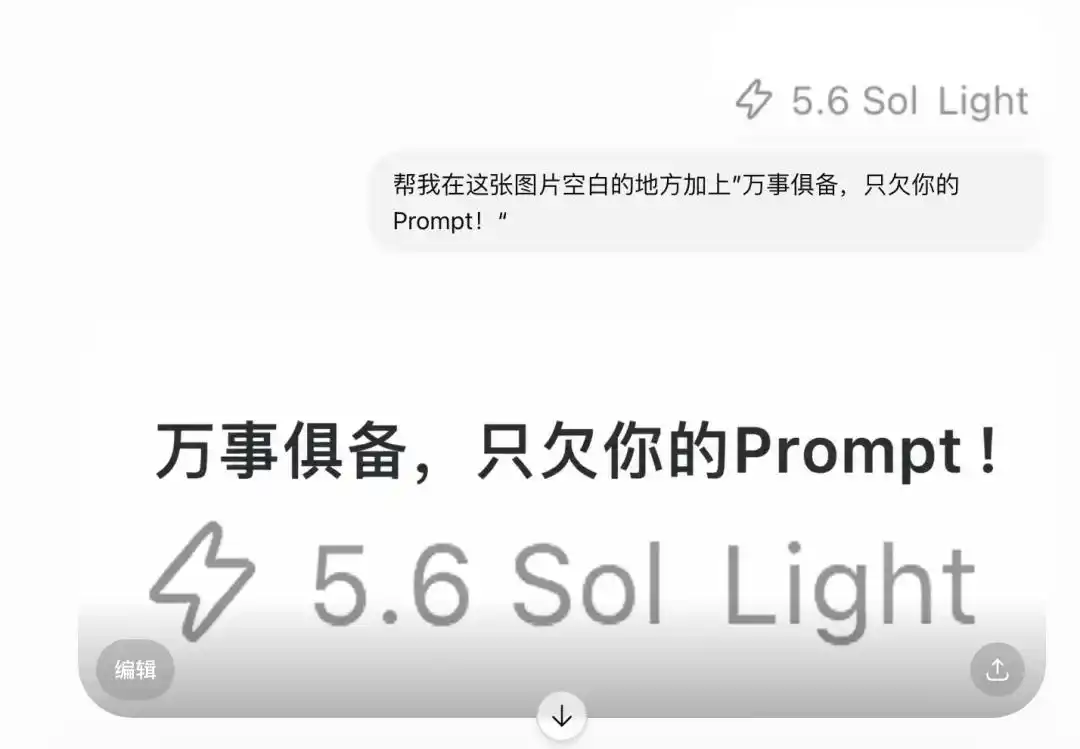
△
Explain it clearly and give a reference✅:
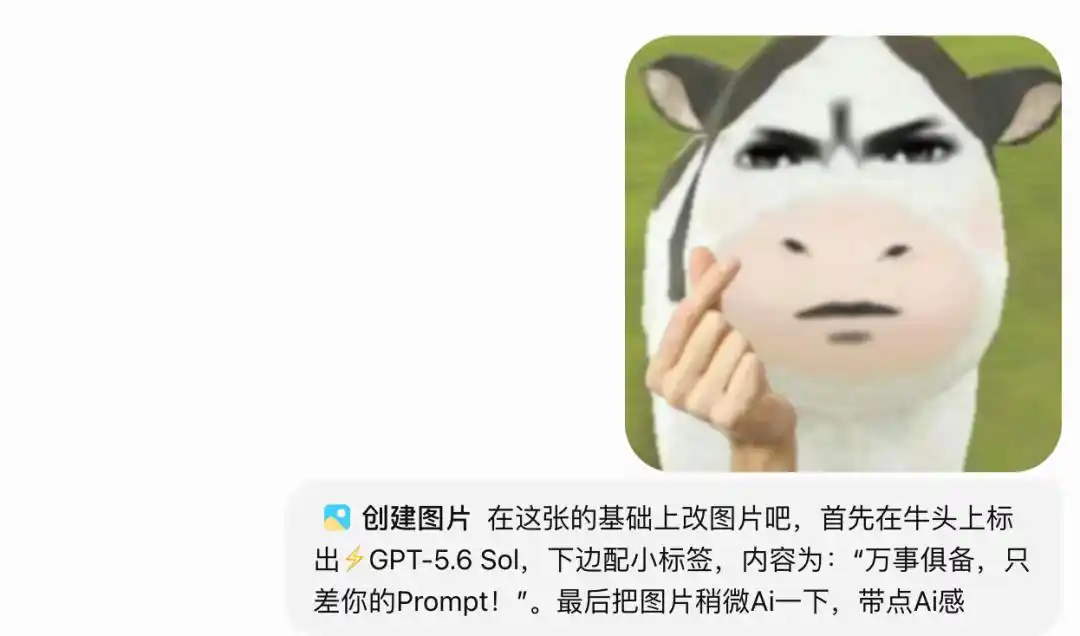
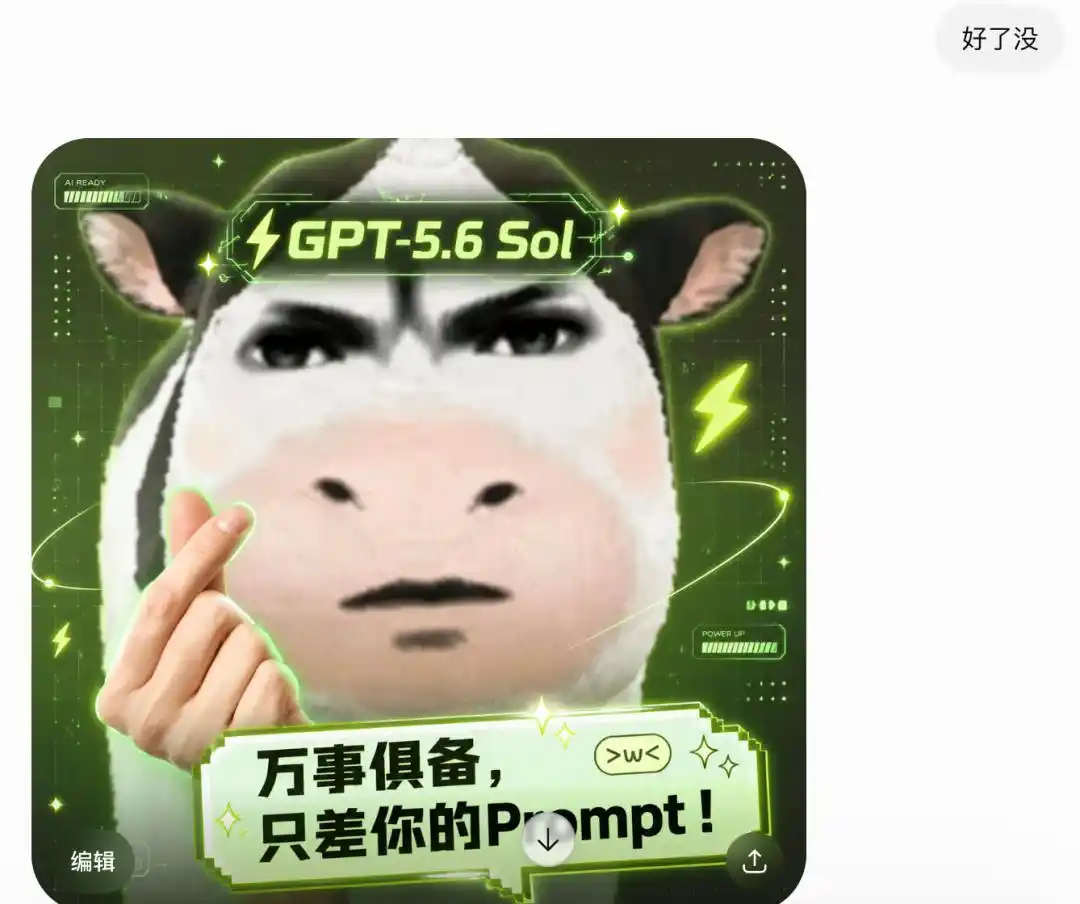
△
Start with Zero-Shot, Then Consider Adding a Few Examples, and Finally Consider Fine-Tuning Data
When performing a task, you don't need to throw all the data to AI at once;
You can give an instruction first and see how it does;
Then, based on its shortcomings, feed it a few examples.
If it still can't handle it at this step, you can prepare to do some "ideological work" for it—feed the model a large number of correct examples, train it, and solidify this ability into the model's parameters.
You can look at the examples👇:
Zero-shot
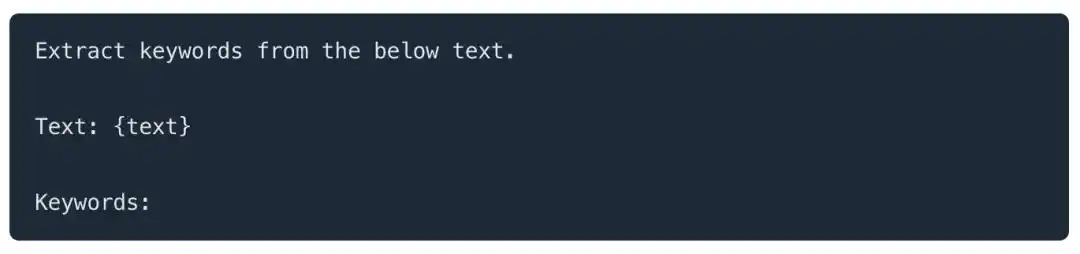
Extract keywords from the following text
Text:{Text content}
Keywords:
Few-shot - provide a couple of examples
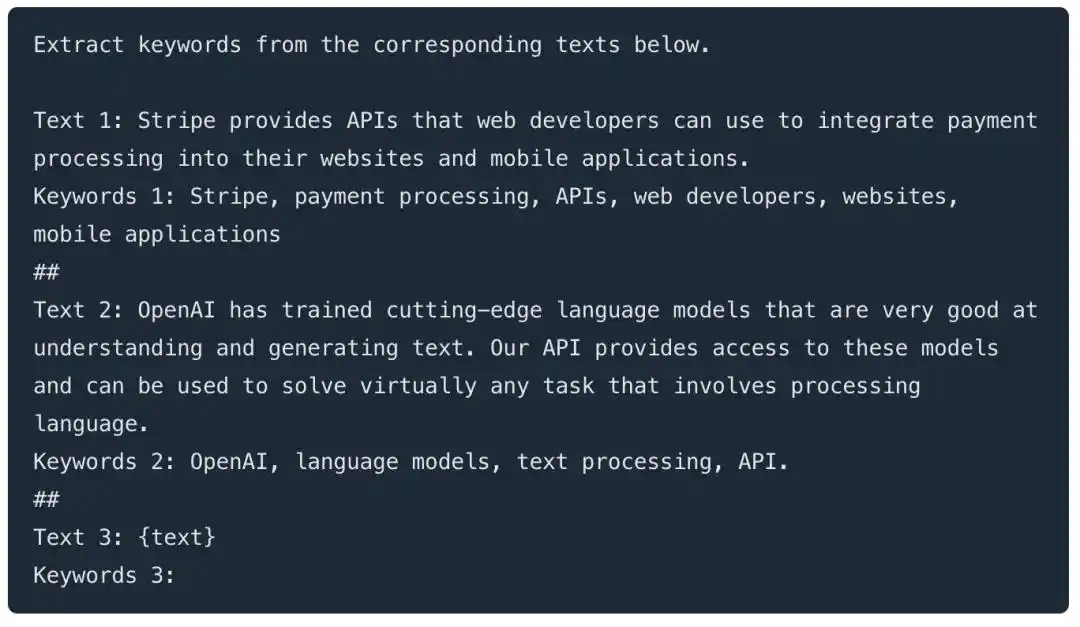
Extract keywords from the corresponding text below.
Text 1: Stripe provides APIs that web developers can use to integrate payment processing into their websites and mobile applications. Keywords 1: Stripe, payment processing, APIs, web developers, websites, mobile applications##
Text 2: OpenAI has trained cutting-edge language models that excel at understanding and generating text. Our API provides access to these models and can solve almost any task that involves language processing. Keywords 2: OpenAI, language models, text processing, APIs##
Text 3:{Text content} Keywords 3:
Fine-tune: see fine-tune best practices here.

△
Reduce Vague or Imprecise Descriptions
When buying fruit in the summer, the real "tragedy" is often not spending a lot of money on a durian with a clear price;
But being lured by a promotional blackboard on the street, buying a seemingly cheap "blind box" where the quality relies entirely on a gamble.
After all, sometimes, expensive has its reasons. When you buy it, the price is clear, you know what you're getting, and the taste is sweet;
But once deceived, even if the seller's scale is honest, what you get might be a fruit with vague cost-effectiveness, no after-sales service, and its quality entirely up to fate.
For ChatGPT, the principle is exactly the same—you need to use precise instructions to make it "work steadily," not let it guess:
✅ChatGPT: Let's get to work, folks!

Describe this product in 3-5 sentences.
❌ChatGPT: A few sentences??(@#¥%&)

The introduction of this product should be as concise as possible, just a few sentences, no need for extra elaboration.
Don't Just Say "What Not to Do," Also Say "What Should Be Done" and "How"
Many friends, when using AI, might be too worried about AI generating results we don't want. So after stating what to do, they anxiously repeat instructions like "You cannot delete my first sentence," "Don't change the original meaning," etc.
Such concerns are completely normal.
It's just that OpenAI wants to remind everyone: After saying a series of "don'ts," you still need to tell ChatGPT what to do and how to do it~

✅What situation, what I want to do:
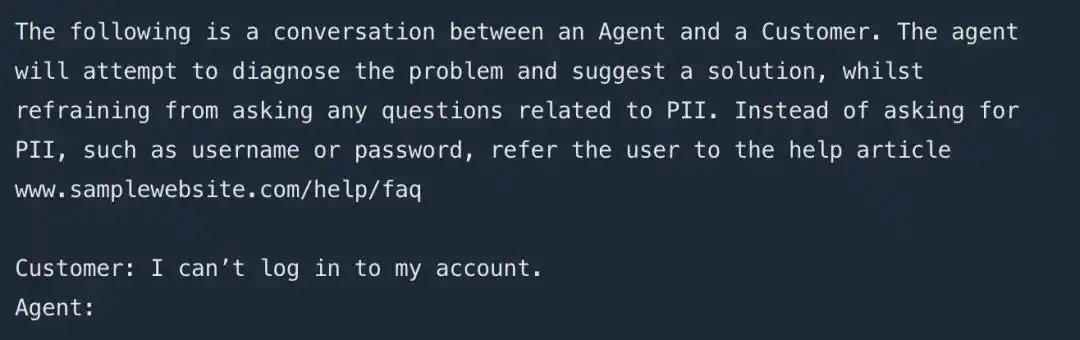
Context: Below is a conversation between an Agent and a user. The Agent needs to try to identify the problem and provide a solution, while refraining from asking for any personally identifiable information (PII). Do not request private information such as usernames or passwords; instead, guide the user to check the help documentation.
User: I can't log into my account.
Agent:......(Provide a response)
AI: Sometimes I feel quite helpless:

Below is a conversation between an Agent and a user. It is strictly forbidden to ask for usernames or passwords, and repetition is prohibited.
User: I cannot log into my account.
Agent:......(Provide a response)
Code Generation Specific Technique: Use "Leading Words" to Prompt the Model to Follow Specific Code Patterns
Additionally, when you need ChatGPT to help you generate code, the correct approach is to explicitly add leading words like "import," "SELECT," etc., before the content.
For example, adding "import" prompts the model that it should start writing Python code;
Similarly, when you add a "SELECT" statement, OpenAI prompts the model to start writing SQL statements.
Never just throw the requirements directly at it❌:

Write a simple Python function
Let me input a value in miles
Convert miles to kilometers
Instead✅:
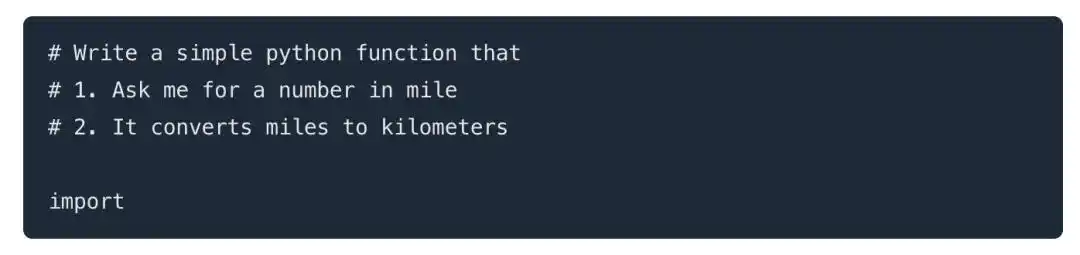
Write a simple Python function
Let me input a value in miles
Convert miles to kilometers
import (don't forget~)
Learn to Use the "Generate Anything" Function
If, after mastering the above 8 tricks, you still find writing prompts challenging, or wish to further free your hands, then this final function is your ultimate shortcut.
With OpenAI's latest "Generate Anything" function, you only need to clearly state what you want to do and that you need a suitable prompt. GPT will automatically generate the most appropriate prompt for you, helping you easily achieve your task goals.
For example, removing accidentally captured passersby from photos and beautifying the image, or creating a humorous poem based on your current mood... GPT will try its best to help you do it. (You can try it out yourself~)
Anyway, knowledge from paper is ultimately shallow, so quickly take this guide and go tame your ChatGPT!
Or if you have handy prompt techniques, feel free to compete in the comments section~~~
This article is from the WeChat public account "QbitAI" (ID: QbitAI), author: Focus on Cutting-Edge Technology