
Original Author: Boris Cherny, Claude Code Developer
Compiled & Edited: XiaoHu AI
You may have heard of Claude Code, or even used it to write some code or edit documents. But have you ever thought: if AI is not just a "temporary tool," but a formal member of your development process, or even an automated collaboration system—how would it change the way you work?
Boris Cherny, as the father of Claude Code, wrote a very detailed tweet sharing how he efficiently uses this tool, and how he and his team deeply integrate Claude into the entire engineering process in their actual work.
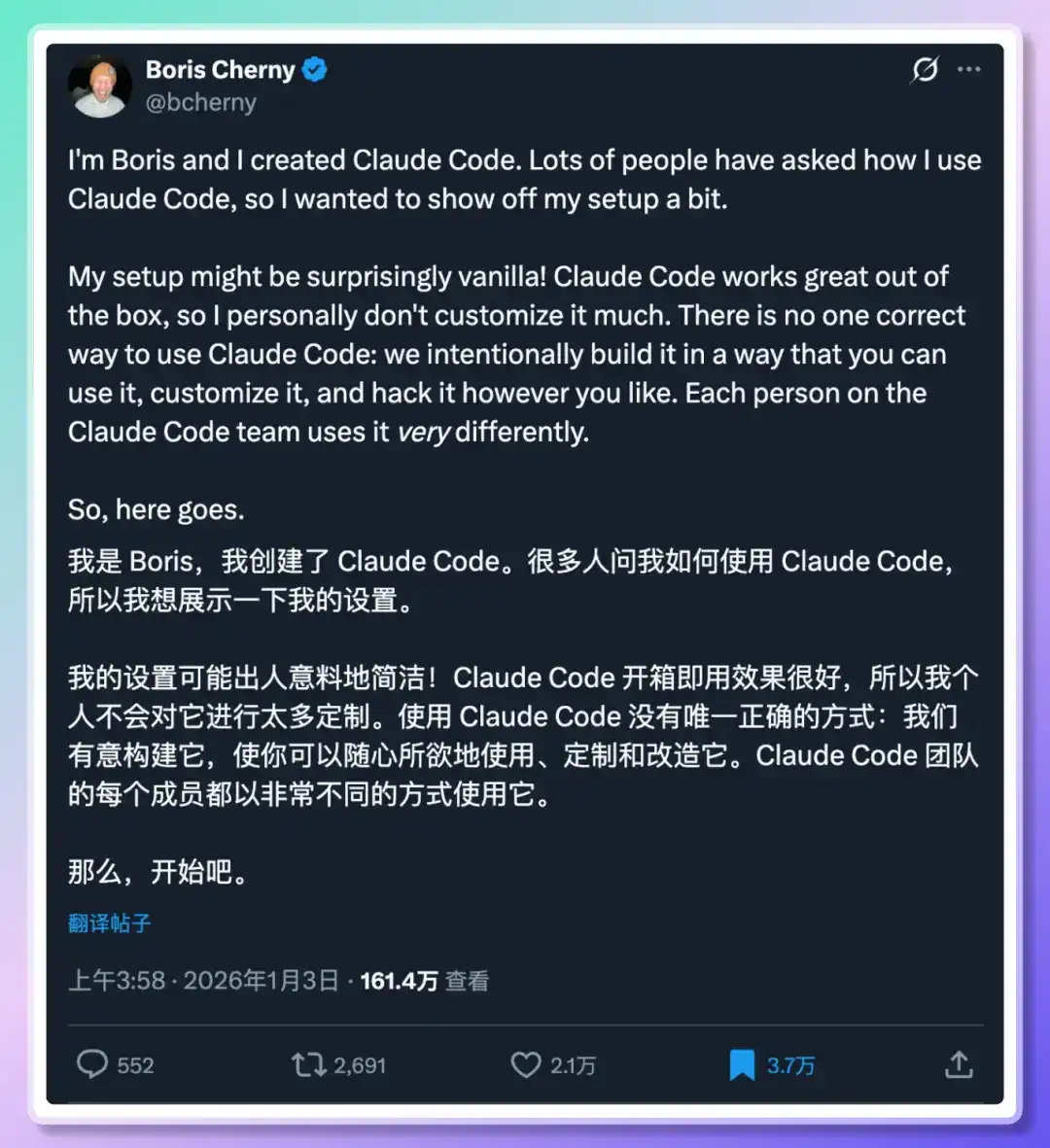
This article will systematically organize and provide a通俗的解读 (popular interpretation) of his experience.
How did Boris make AI an automated partner in his workflow?
Core Points:
He introduced his workflow, including:
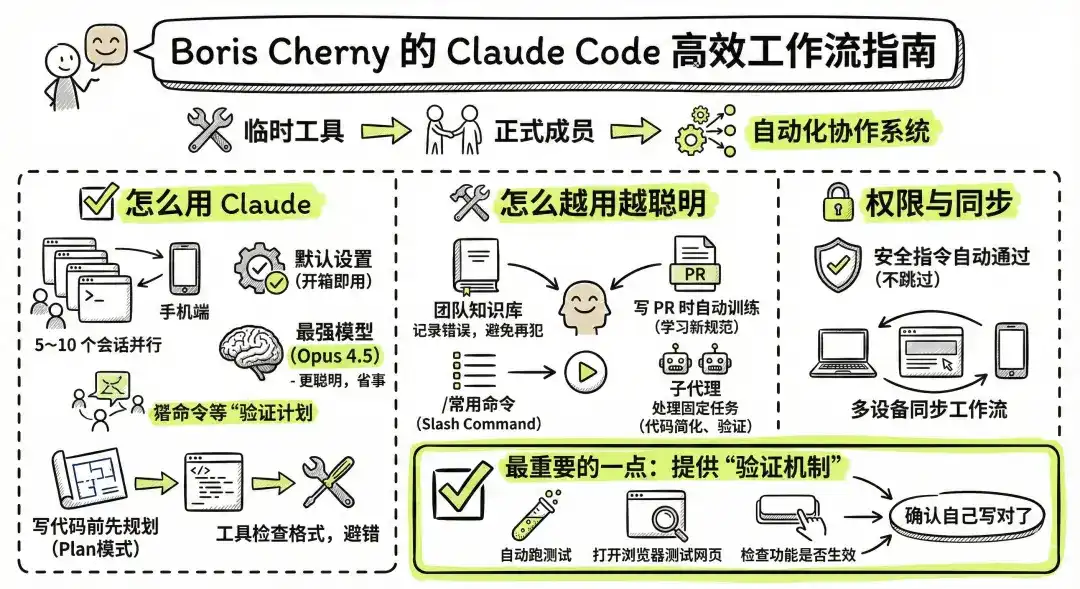
How to use Claude:
Run many Claudes simultaneously: Open 5~10 sessions in the terminal and web to handle tasks in parallel, and also use the mobile Claude.
Don't blindly change default settings: Claude works well out of the box, no need for complex configuration.
Use the strongest model (Opus 4.5): Although a bit slower, it's smarter and easier to use.
Plan before writing code (Plan mode): Let Claude help you think clearly before writing, increasing the success rate.
Use tools to check formatting after generating code to avoid errors.
How to make Claude smarter with use:
The team maintains a "knowledge base": Whenever Claude writes something wrong, add the experience to it, so it won't make the same mistake next time.
Automatically train Claude when writing PRs: Let Claude review PRs to learn new usages or specifications.
Turn frequently used commands into slash commands, allowing Claude to call them automatically, saving repetitive work.
Use "sub-agents" to handle some fixed tasks, such as code simplification, feature verification, etc.
How to manage permissions:
Don't skip permissions arbitrarily; instead, set up safe instructions for automatic approval.
Synchronize Claude workflow across multiple devices (web, terminal, mobile).
The most important point:
Always provide Claude with a "verification mechanism" so it can confirm whether what it wrote is correct.
For example, Claude automatically runs tests, opens the browser to test web pages, checks if features work.
Claude Code is a "Partner," not a "Tool"
Boris first conveyed a core idea: Claude Code is not a static tool, but an intelligent partner that can cooperate with you, continuously learn, and grow together.
It doesn't need much complex configuration; it's very powerful out of the box. But if you are willing to invest time in building better ways to use it, the efficiency gains can be multiplied.
Model Selection: Choose the Smartest, Not the Fastest
Boris uses Claude's flagship model Opus 4.5 + thinking mode ("with thinking") for all development tasks.
Although this model is larger and slower than Sonnet:
- It has stronger comprehension
- Better ability to use tools
- Requires less repeated guidance, fewer back-and-forth exchanges
- Overall, it saves more time than using a faster model
- Revelation: True productivity lies not in execution speed, but in "fewer errors, less rework, less repeated explanation."
1. Plan Mode: When Using AI to Write Code, Don't Rush to Let It "Write"
When we open Claude, many people intuitively type "help me write an interface," "refactor this code"... Claude will usually "write something," but it often goes off track, misses logic, or even misunderstands the requirements.
Boris's first step is never to let Claude write code. He uses Plan mode—first, he and Claude work together to formulate the implementation approach, and then they move to the execution phase.
How does he do it?
When starting a PR, Boris doesn't let Claude write code directly; instead, he uses Plan mode:
1. Describe the goal
2. Work with Claude to create a plan
3. Confirm each step
4. Then let Claude start writing
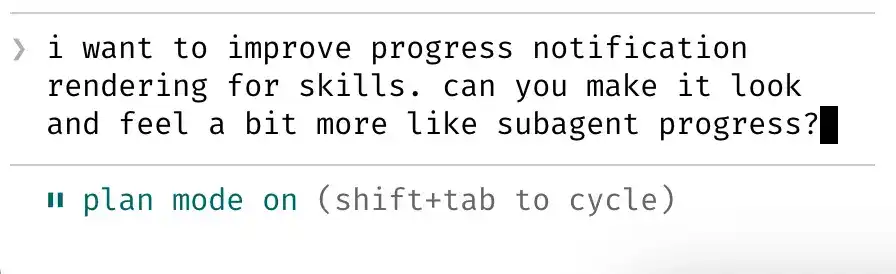
Whenever a new feature needs to be implemented, such as "adding rate limiting to an API," he confirms step by step with Claude:
- Should it be implemented with middleware or embedded logic?
- Does the rate limit configuration need to support dynamic changes?
- Is logging needed? What should be returned upon failure?
This "planning negotiation" process is similar to two people drawing up "construction blueprints" together.
Once Claude understands the goal clearly, Boris turns on the "auto-accept edits" mode, and Claude to directly modify the code and submit PRs, sometimes even without needing manual confirmation.
"The quality of Claude's code depends on whether you reached an agreement before writing the code." — Boris
Revelation: Instead of repeatedly fixing Claude's mistakes, it's better to draw the roadmap clearly from the start.
Summary
Plan mode is not a waste of time; it's about exchanging upfront negotiation for stable execution. No matter how strong the AI is, it needs "you to explain clearly."
2. Multiple Claudes in Parallel: Not One AI, but a Virtual Development Squad
Boris doesn't use just one Claude. His daily routine is like this:
- Open 5 local Claudes in the terminal, with sessions assigned to different tasks (e.g., refactoring, writing tests, debugging)
- Open another 5–10 Claudes in the browser, running in parallel with the local ones
- Use the Claude iOS app on the phone to initiate tasks at any time
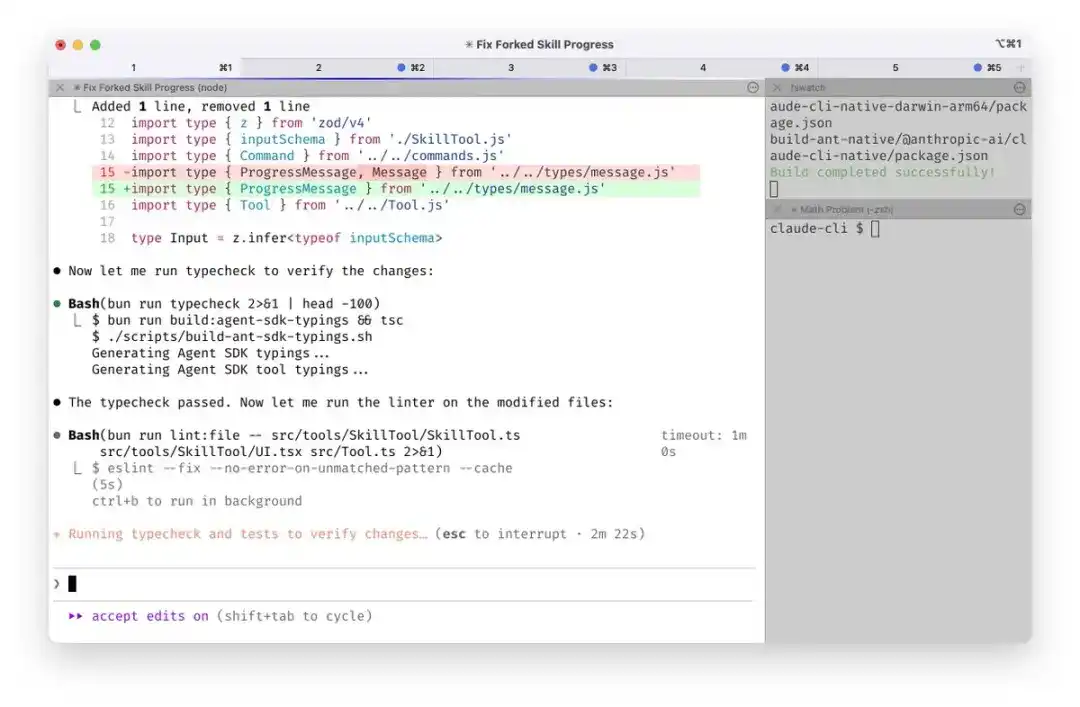

Each Claude instance is like a "dedicated assistant": some are for writing code, some for completing documentation, some run test tasks in the background long-term.
He even set up system notifications so that when Claude is waiting for input, he gets alerted immediately.
Why do this?
Claude's context is local and not suitable for "doing everything in one window." Boris splits Claude into multiple roles for parallel processing, reducing both waiting time and "interference memory."
He also reminds himself through system notifications: "Claude 4 is waiting for your reply," "Claude 1 finished testing," managing these AIs like a multi-threaded system.
Analogy for Understanding
You can imagine having five smart interns sitting next to you, each responsible for one task. You don't need to see every task through to the end; just "switch people" at key moments to keep the tasks flowing.
Revelation: Treating Claude as multiple "virtual assistants," each承担 (undertaking) different tasks, can significantly reduce waiting time and context-switching costs.
3. Slash Commands: Turn What You Do Daily into Claude's Shortcut Commands
Some workflows we do dozens of times a day:
- Modify code → commit → push → create PR
- Check build status → notify team → update issue
- Synchronize changes to web and local multiple sessions
- Boris doesn't want to prompt Claude every time: "Please commit first, then push, then create a PR..."
He encapsulates these operations into Slash commands, such as:
/commit-push-pr
These commands are backed by Bash script logic, stored in the .claude/commands/ folder, added to Git management, and can be used by all team members.
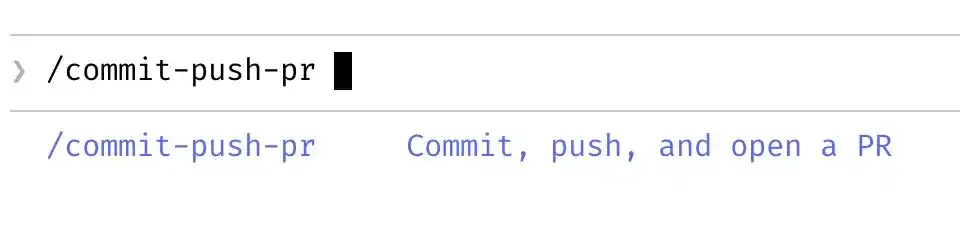
How does Claude use these commands?
When Claude encounters this command, it doesn't just "execute the instruction"; it understands the workflow this command represents and can automatically execute intermediate steps, pre-fill parameters, and avoid repeated communication.
Key Understanding
Slash commands are like "automatic buttons" you install for Claude. You train it to understand a task flow, and afterwards it can execute it with one click.
"Not only can I save time with commands, but Claude can too." — Boris
Revelation: Don't repeatedly input prompts every time; abstract high-frequency tasks into commands so that your cooperation with Claude can become "automated."
4. Team Knowledge Base: Claude Learns Not from Prompts, but from a Team-Maintained Knowledge Gene
Boris's team maintains a .claude knowledge base, added to Git management.
It's like an "internal Wikipedia" for Claude, recording:
- What writing style is correct
- What are the team's agreed-upon best practices
- How to correct issues when encountered
Claude automatically refers to this knowledge base to understand context and judge code style.
What to do when Claude does something wrong?
Whenever Claude has a misunderstanding or writes incorrect logic, add the lesson to the knowledge base.
Each team maintains its own version.
Everyone collaborates on editing, and Claude refers to this knowledge base in real-time for judgment.
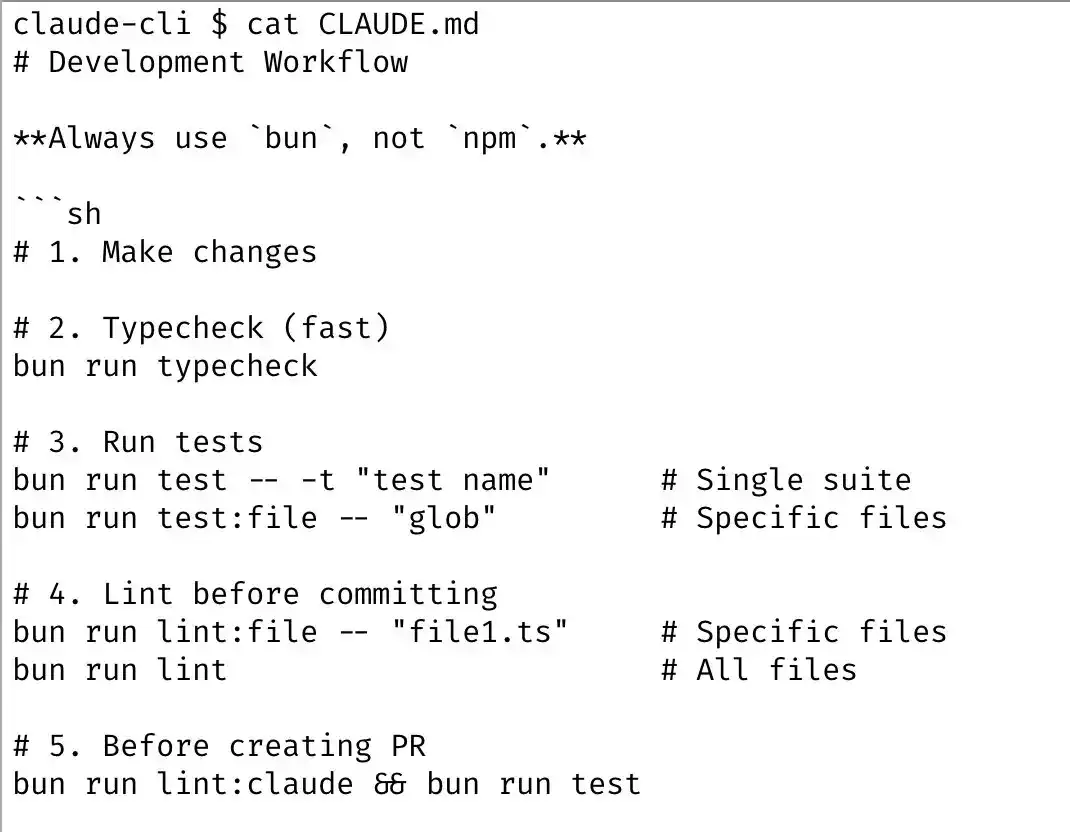
For example:
If Claude keeps writing pagination logic wrong, the team just needs to write the correct pagination standard into the knowledge base, and every subsequent user can automatically benefit.
Boris's approach: Don't scold it, don't turn it off, but "train it once":
We don't write code like this, add it to the knowledge base
Next time, Claude won't make this mistake again.
More importantly, this mechanism is not maintained by Boris alone; the entire team contributes and modifies it weekly.
Revelation: Using AI is not about每个人单打独斗 (everyone fighting alone), but about building a system of "collective memory."
5. Automatic Learning Mechanism: PRs Themselves are Claude's "Training Data"
During code reviews, Boris often @ mentions Claude on the PR, for example:
@.claude Add the writing style of this function to the knowledge base
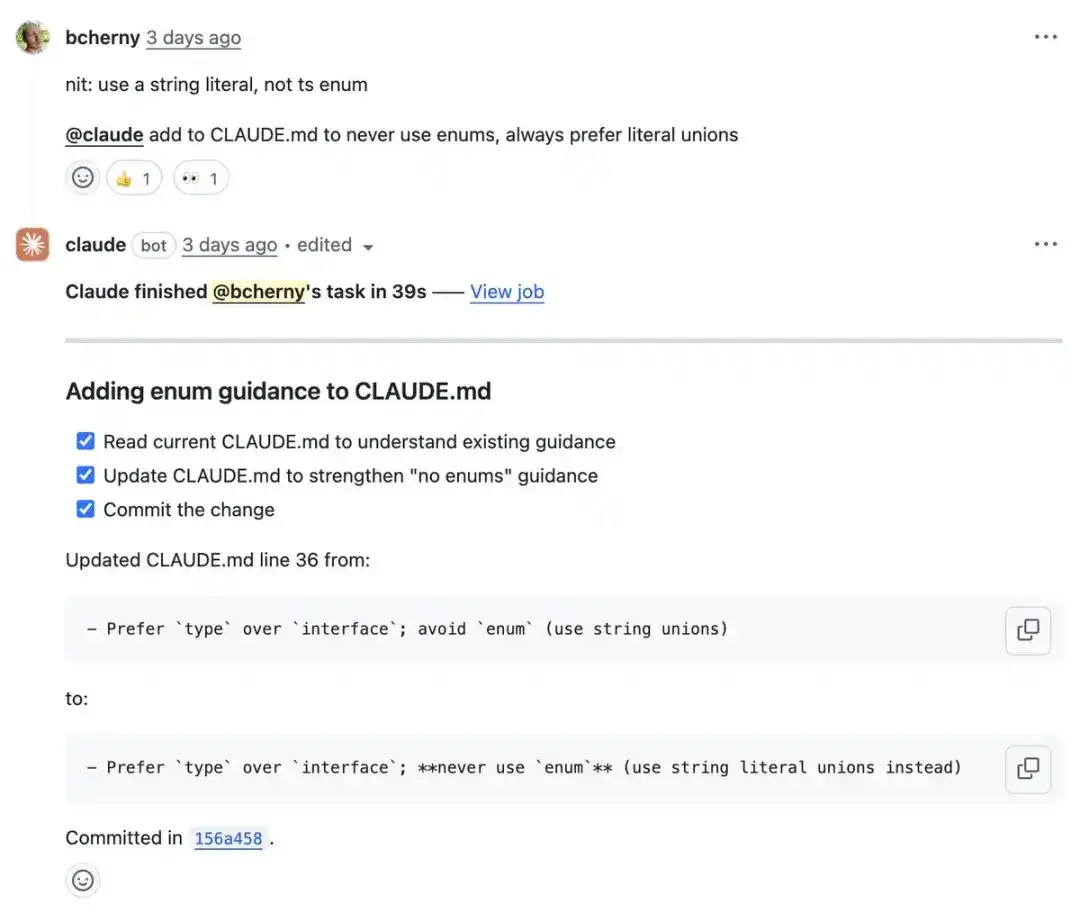
With GitHub Action, Claude automatically learns the intent behind this change and updates its internal knowledge.
This is similar to "continuously training Claude"; each review not only merges code but also improves the AI's capabilities.
This is no longer "后期维护" (late-stage maintenance); it's about integrating the AI's learning mechanism into daily collaboration.
The team uses PRs to improve code quality, and Claude同步提升 (synchronously improves) its knowledge level.
Revelation: PRs are not just a code review process; they are also an opportunity for AI tools to self-evolve.
6. Subagents: Let Claude Modularly Execute Complex Tasks
In addition to the main task flow, Boris also defines some subagents (Subagents) to handle common auxiliary tasks.
Subagents are automatically running modules, such as:
- code-simplifier: Automatically simplifies the structure after Claude writes code
- verify-app: Runs complete tests to verify if new code is usable
- log-analyzer: Analyzes error logs to quickly locate problems
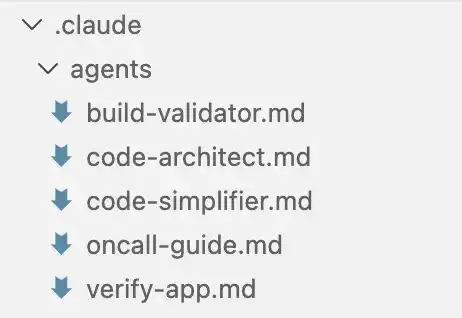
These subagents, like plugins, automatically integrate into Claude's workflow, run协作 (collaboratively) automatically, and don't require repeated prompting.
Revelation: Subagents are Claude's "team members," upgrading Claude from an assistant to a "project commander."
Claude is not just one person; it's a little manager you can bring a team to.
7. Additional Paragraph 1: PostToolUse Hook — The Final Gatekeeper of Code Formatting
In a team, getting everyone to write code in a unified style is not easy. Although Claude has strong generation capabilities, it inevitably has minor flaws like slightly off indentation or extra blank lines.
Boris's approach is to set up a PostToolUse Hook—
Simply put, this is a "post-processing hook" that Claude calls automatically after "completing a task."
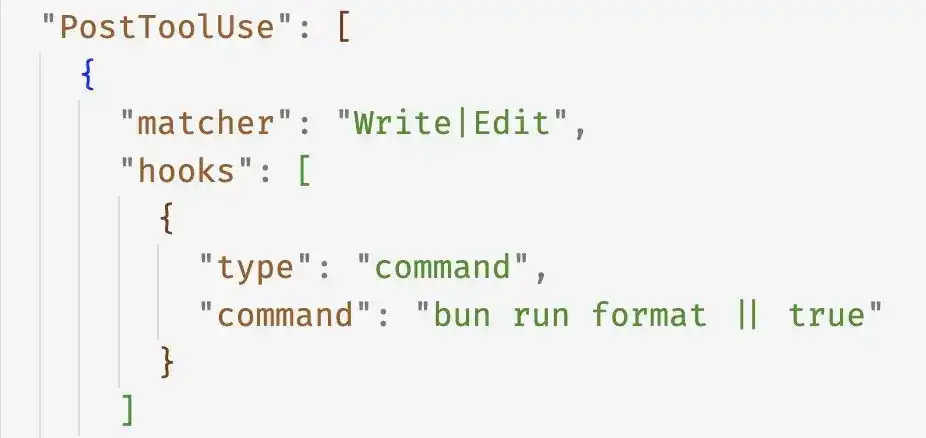
Its functions include:
- Automatically fixing code formatting
- Adding missing comments
- Handling lint errors to avoid CI
This step is usually not complicated but crucial. It's like running Grammarly one more time after finishing an article, ensuring the delivered work is stable and neat.
For AI tools, the key to being easy to use often lies not in generation power, but in finishing ability.
8. Permission Management: Pre-authorization Instead of Skipping
Boris clearly stated that he does not use --dangerously-skip-permissions — this is a parameter of Claude Code that can skip all permission prompts when executing commands.
It sounds convenient but can also be dangerous, such as accidentally deleting files or running the wrong script.
His alternative is:
1. Use the /permissions command to explicitly declare which commands are trusted
2. Write these permission configurations into .claude/settings.json
3. Let the entire team share these security settings
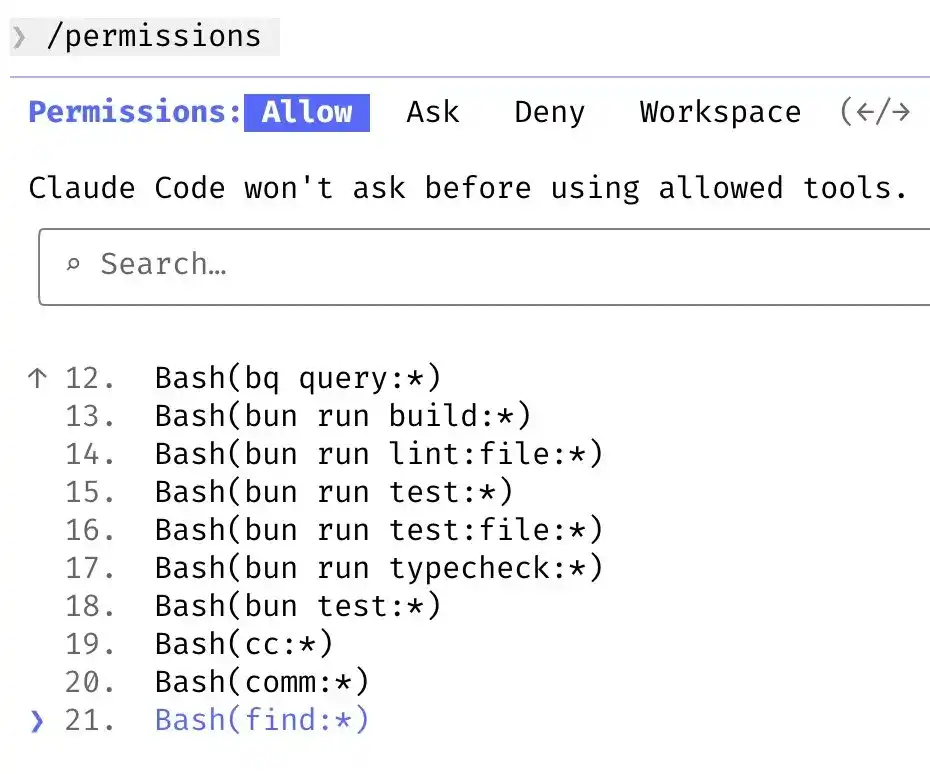
This is like预先开了一批 (pre-opening a batch of) "whitelist" operations for Claude, such as:
"preApprovedCommands": [
"git commit",
"npm run build",
"pytest"
]
Claude executes these operations directly when encountered, without interruption each time.
This permission mechanism is designed more like a team operating system than a standalone tool. He uses the /permissions command to pre-authorize commonly used, safe bash commands. These configurations are saved in .claude/settings.json and shared by the team.
Revelation: AI automation does not mean loss of control. Incorporating security policies into the automation process itself is true engineering.
9. Multi-tool Integration: Claude = Versatile Robot
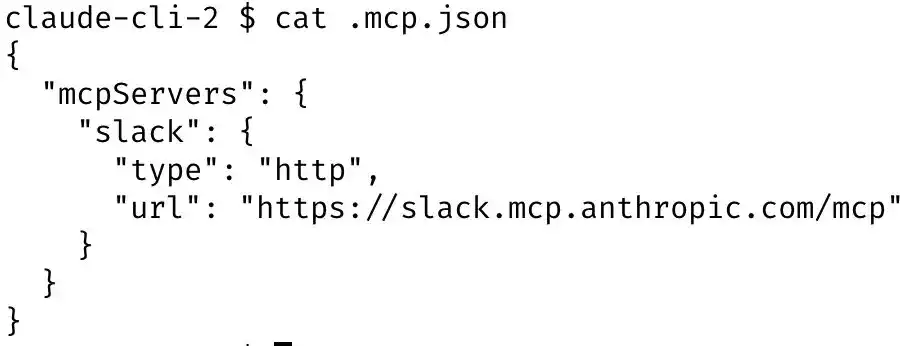
Boris doesn't just let Claude write code locally. He configured Claude to access multiple core platforms through MCP (a central control service module):
- Automatically send Slack notifications (e.g., build results)
- Query BigQuery data (e.g., user behavior metrics)
- Fetch Sentry logs (e.g., online exception tracking)
How is it implemented?
MCP configuration is saved in .mcp.json
Claude reads the configuration at runtime and independently executes cross-platform tasks
The entire team shares a set of configurations
All of this is done through MCP (Claude's central control system) integrated with Claude.
Claude is like a robotic assistant that can help you:
"Write code → submit PR → check results → notify QA → report logs."
This is no longer an AI tool in the traditional sense, but the neural center of an engineering system.
Revelation: Don't let AI work only "in the editor";
it can become the scheduler in your entire system ecosystem.
10. Long Task Asynchronous Processing: Background agent + Plugin + Hook
In real projects, Claude sometimes needs to handle long tasks, such as:
- Build + test + deploy
- Generate report + send email
- Data migration script running
Boris's handling is very engineering-oriented:
Three ways to handle long tasks:
1. After completion, Claude uses a background Agent to verify results
2. Use Stop Hook, automatically trigger subsequent actions when the task ends
3. Use the ralph-wiggum plugin (proposed by @GeoffreyHuntley) to manage long process states
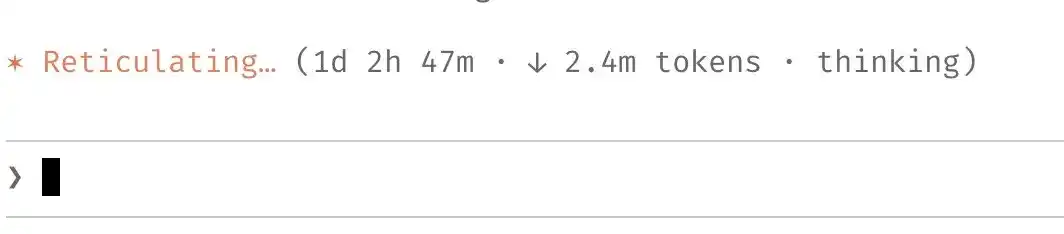
In these scenarios, Boris will use:
--permission-mode=dontAsk
Or put the task into a sandbox to run, avoiding interruption of the entire process due to permission prompts.
Claude is not something you need to "watch all the time"; it's a collaborator you can trust to host.
Revelation: AI tools are suitable not only for short, quick operations but also for long-cycle, complex processes — provided you build a "hosting mechanism" for them.
11. Automatic Verification Mechanism: The Value of Claude's Output Depends on Its Ability to Verify Itself
The most important point in Boris's experience is:
Any result output by Claude must have a "verification mechanism" to check its correctness.
He adds a verification script or hook to Claude:
- After writing code, Claude automatically runs test cases to verify if the code is correct
- Simulates user interaction in the browser to verify front-end experience
- Automatically compares logs and metrics before and after running
If it doesn't pass, Claude automatically modifies and re-executes until it passes.
This is like Claude bringing its own "closed-loop feedback system."
This not only improves quality but also reduces the human cognitive burden.
Revelation: What truly determines the quality of AI results is not the model's parameter count, but whether you have designed a "result checking mechanism" for it.
Summary: Not Replacing Humans with AI, but Making AI Cooperate Like Humans
Boris's method does not rely on any "hidden features" or black technology; it's about using Claude in an engineering way, upgrading it from a "chat tool" to an efficient component of a work system.
His way of using Claude has several core characteristics:
- Multiple sessions in parallel: Clearer task division, higher efficiency
- Planning first: Plan mode improves Claude's goal alignment
- Knowledge system support: The team共同维护 (jointly maintains) the AI's knowledge base, continuously iterating
- Task automation: Slash commands + subagents, making Claude work like a process engine
- Closed-loop feedback mechanism: Every output from Claude has verification logic, ensuring stable and reliable output
Actually, Boris's method demonstrates a new way of using AI:
- Upgrading Claude from a "conversational assistant" to an "automated programming system"
- Turning knowledge accumulation from the human brain into the AI's knowledge base
- Transforming processes from repetitive manual operations into scripted, modular, collaborative automated workflows
This approach does not rely on black magic but is a reflection of engineering capability. You can also learn from these ideas to use Claude or other AI tools more efficiently and intelligently.
If you often feel that "it understands a bit, but is unreliable" or "the written code always needs me to fix it" when using Claude, maybe the problem is not with Claude, but that you haven't given it a mature collaboration mechanism yet.
Claude can be a qualified intern or a stable and reliable engineering partner, depending on how you use it.