How to Start Copy Trading on HTX

#HTX Tutorial#Contract

HTX Copy Trading offers a simple and transparent way for users to copy excellent strategies. Novice traders can choose a suitable strategy from veteran traders, building a mutually beneficial relationship. Tap to copy trades
By copy trading, you synchronize your trades with those of copied traders to obtain higher yields, while the copied traders will earn a share of your profits.
How to Start Copy Trading on Huobi
This guide to futures copy trading will help you kickstart your copy trading journey on Huobi.
Step 1: Tap Copy Trading on the homepage to enter the Futures Copy Trading page.

Step 2: Tap Leaderboard to filter traders by leaderboard, ROI, total profits, and follower's PnL.
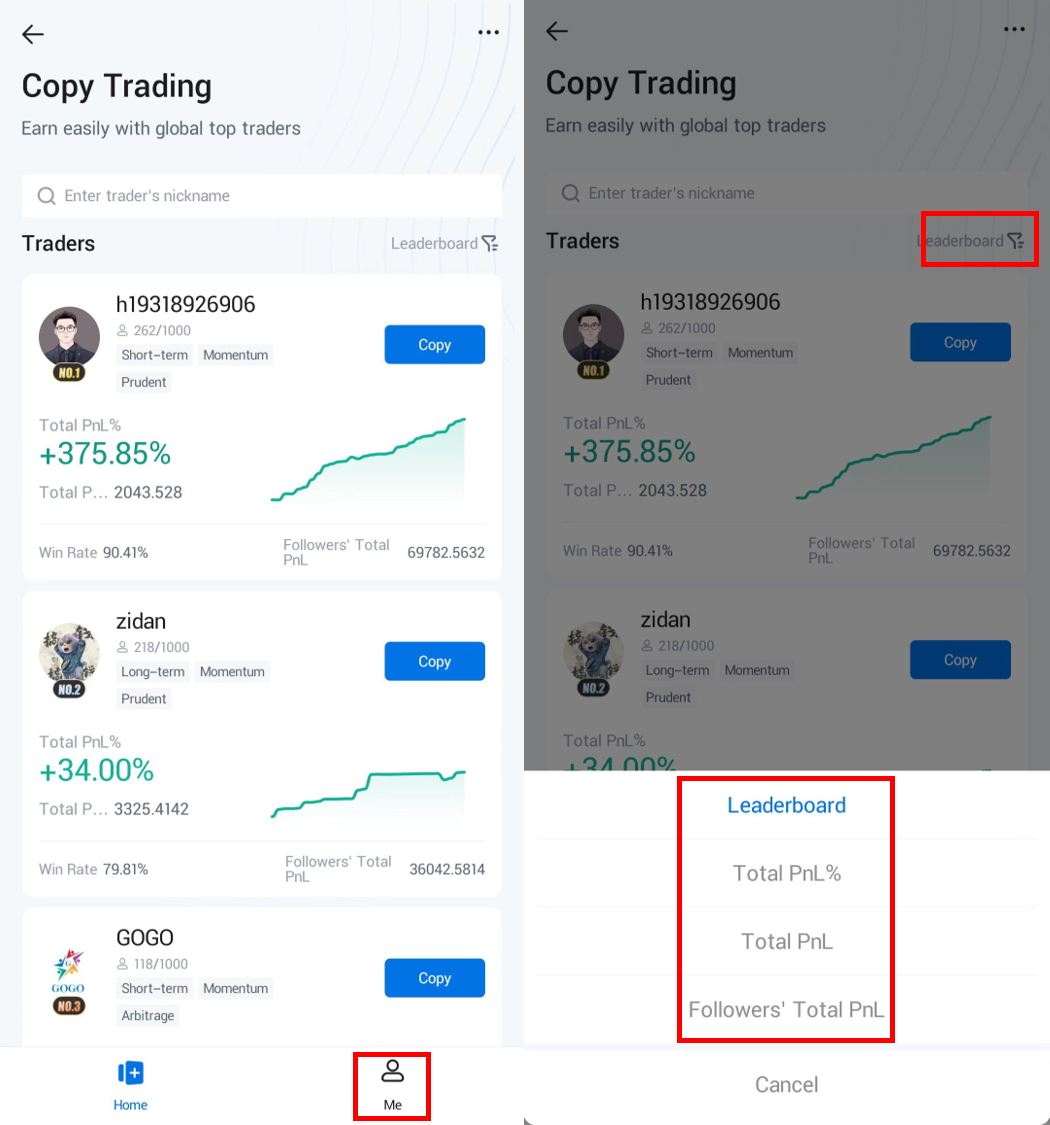
Step 3: Choose the trader you want to follow and complete your copy trading settings.
After selecting a trader, tap Follow at the upper right corner of the trader's card to enter the setup page. First, deposit/transfer at least 20 USDT as margin to your copy trading account. Then, set the margin limit, take profit ratio, stop loss ratio, and trading pairs based on your investment expectations. Finally, tap Confirm to complete your copy trading settings.
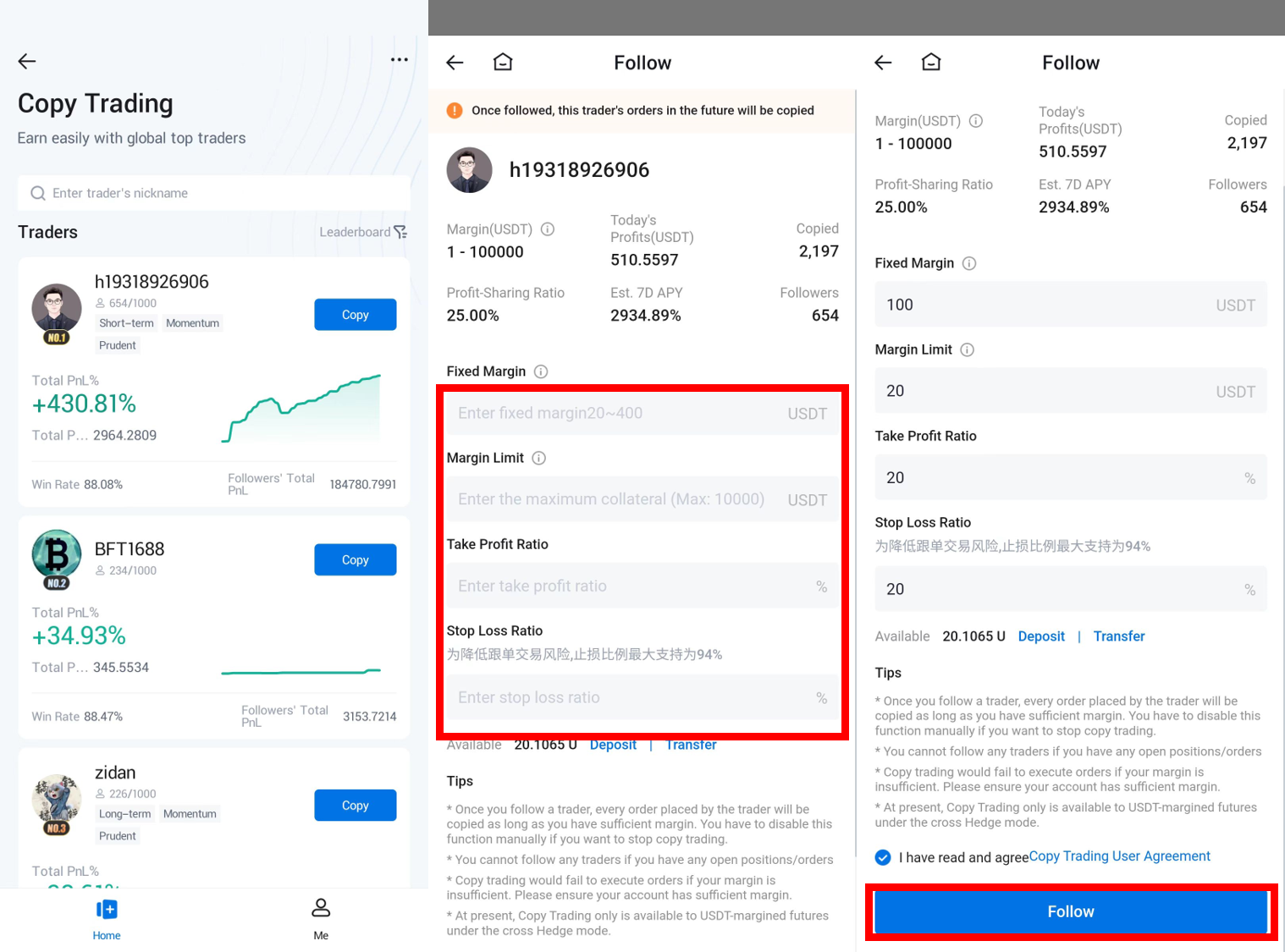
Step 4: Check and modify your copy trading
You can tap Me at the bottom of the Copy Trading Page to check your current copied trades. Additionally, you can modify your copied trades by tapping Edit in the upper right corner of the trader's card.

Step 5: Once completed, the settings will take effect after the trader places a new order. You can view your PnL on Me page.