

HTX Learn
10/23 08:27
How to Complete KYC Identity Verification
Level 1 Basic Permissions
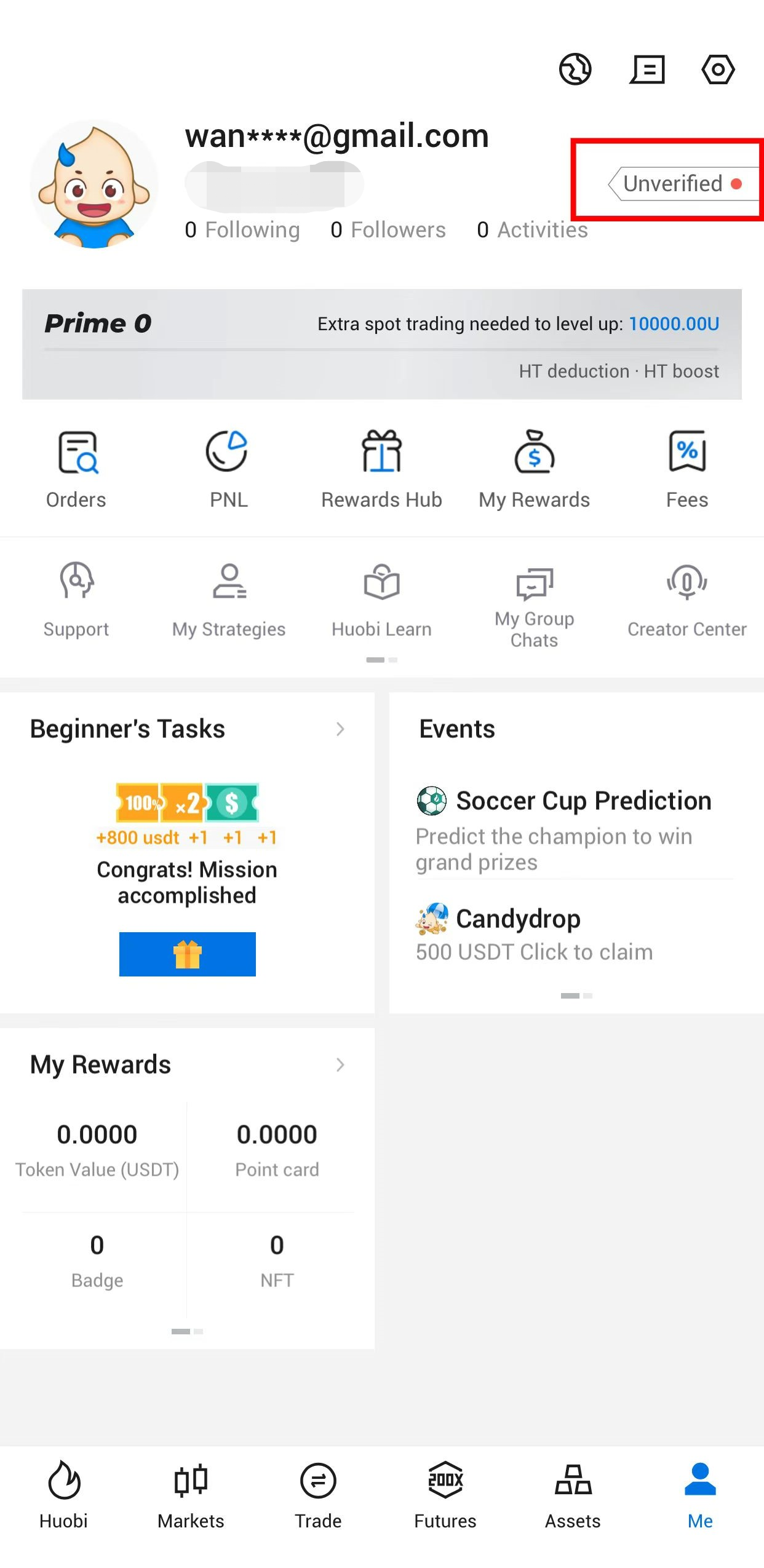
Open your HTX App and tap Me on the bottom of the homepage.
Then tap Unverified in the upper right corner.
Tap Verify in the Level 1 Basic Permissions section.
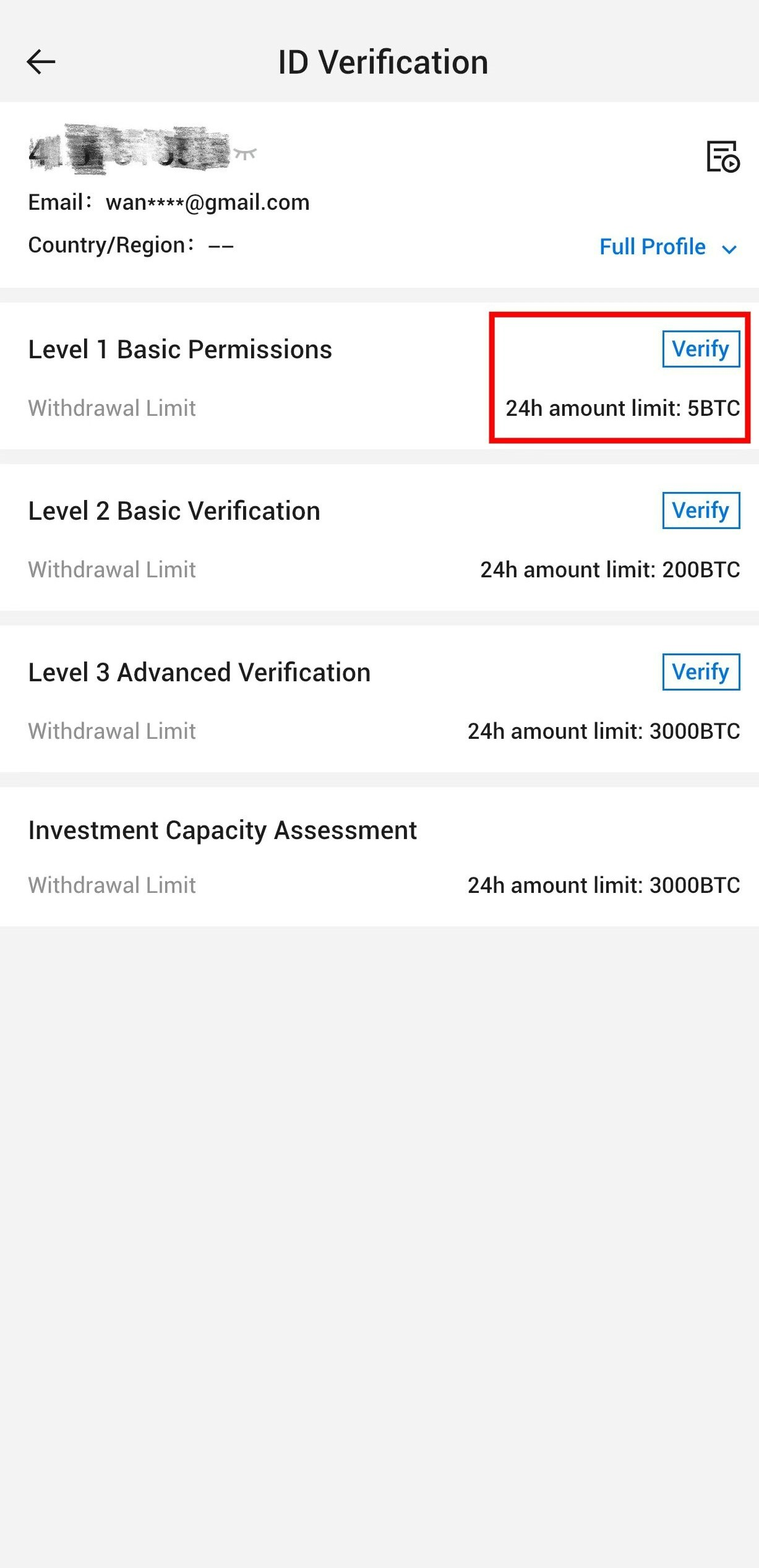
On this page, you can view your full profile and select the verification levels.
Fill in your personal information in order as required including your nationality, country of residence, last name, first name, and date of birth.
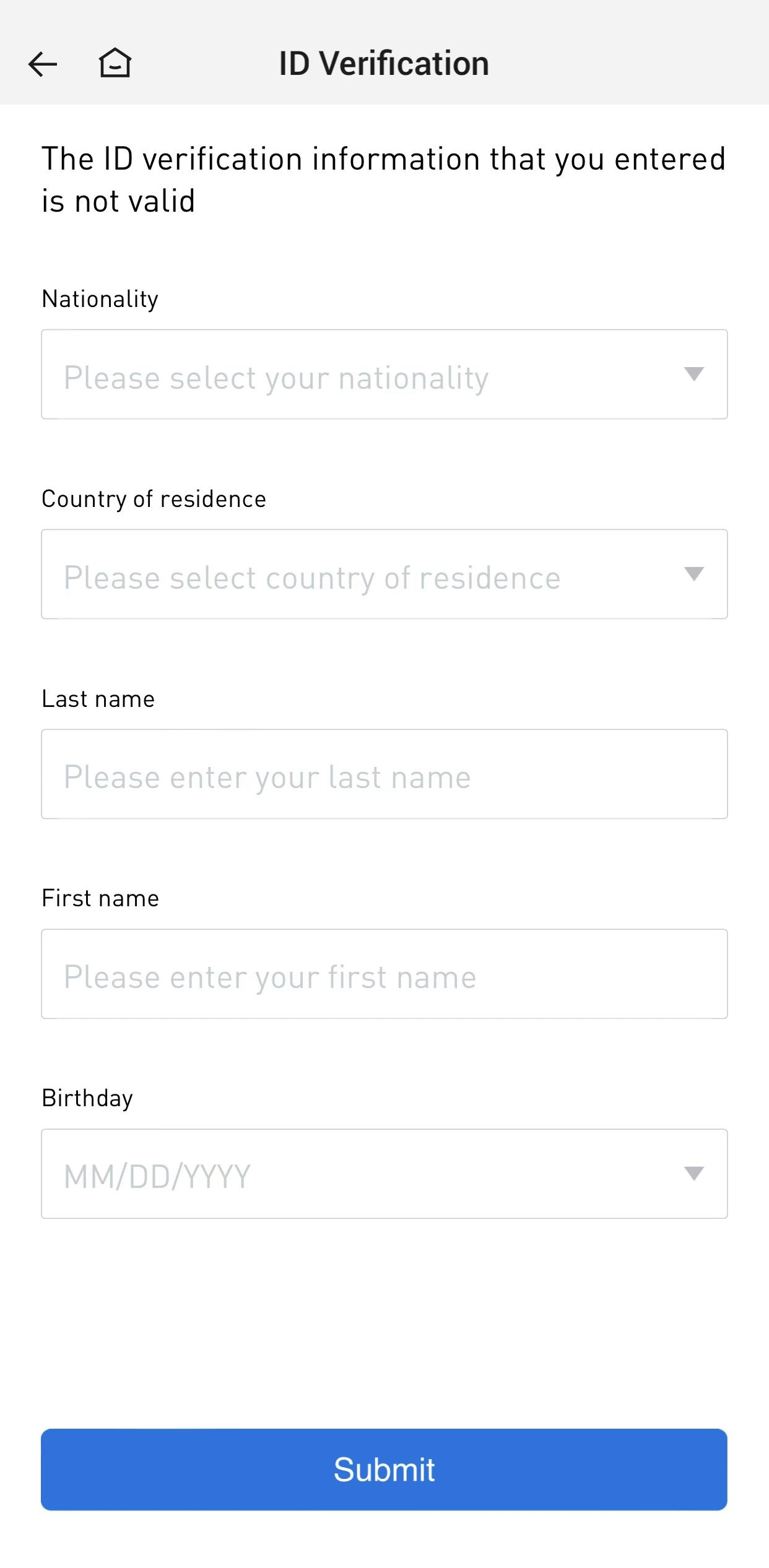
After submitting the information you have filled in, you have completed your L1 permissions.
Level 2 Basic Verification
Tap Verify in the Level 2 Basic Verification section.
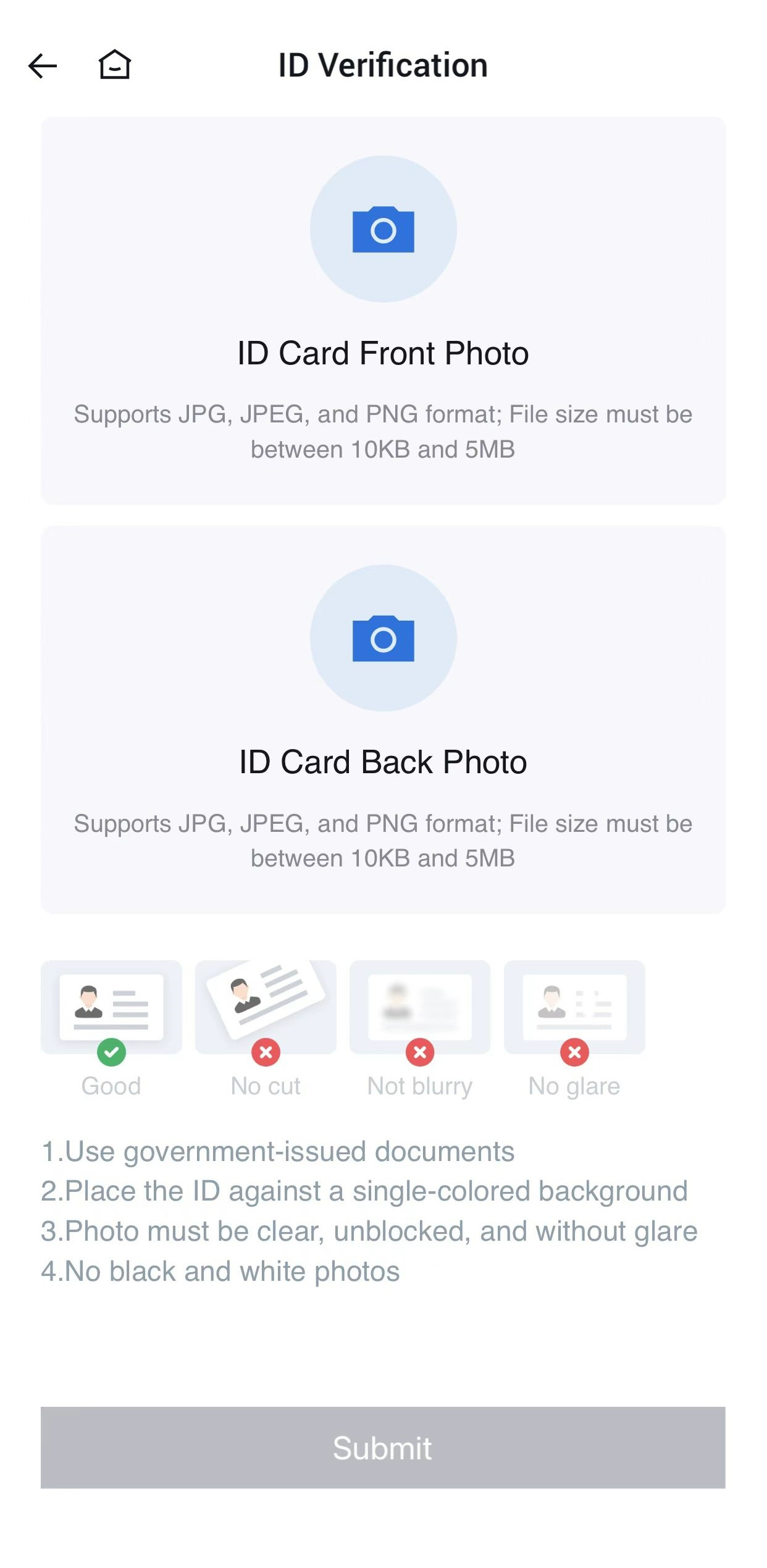
Select your ID type. ID card

Upload the proper photo of your identity document and submit the verification application. The level 2 verification will be successful after your application has been approved.
Level 3 Advanced Verification
Tap Verify in the Level 3 Advanced Verification section.
Complete the facial recognition. The level 3 verification will be successful after your application is approved.
Go complete KYC.
Tất cả bình luận0Mới nhấtPhổ biến
Không có hồ sơ