Even Altman thinks the name ChatGPT Work was too small?
ChatGPT Work is amazing, and the name "work" undersells it.
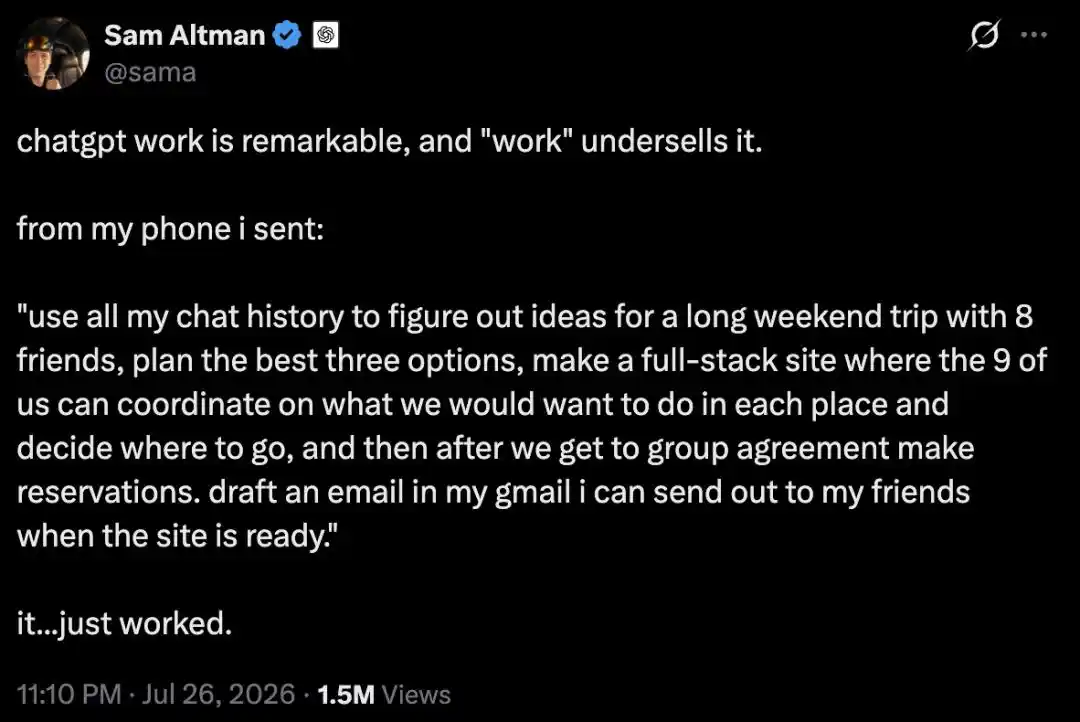
Late on July 26th, Altman said this on X.
Before posting, he had just used his phone to have ChatGPT plan a long weekend trip for himself and 8 friends.
His instruction was like this:
Use my entire chat history to come up with ideas for a long weekend trip for me and 8 friends, plan out the top three best options, build a full-stack website where we 9 can discuss what we want to do in each place, decide where to go, and then make bookings after everyone agrees. Also, draft an email in my Gmail so I can send it to my friends once the site is ready.
Altman said, it just ran and worked.

Tibo Sottiaux, head of Codex and Work, retweeted this post.
He said ChatGPT now handles about twenty things for him every day: negotiating internet bills with providers, unsubscribing from spam emails, searching for product discounts.
None of these are work-related, but Work handles them all.
It's precisely because of this that Tibo joked on X a few days ago, wondering if ChatGPT Work should be renamed to "ChatGPT HelpMeWithEverything."

OpenAI President Greg Brockman retweeted Tibo's post, saying ChatGPT is increasingly becoming your personal AGI.

Less than a month since the product launch, three executives have spoken out in succession.
What they want to say is the same thing: The name "Work" is a bit "too narrow," ChatGPT Work is targeting more than just your job.
Say One Sentence to Your Phone, and It Builds a 9-Person Travel Website
If we break down Altman's instruction, ChatGPT helped him do five completely different types of tasks.
"Use all chat history to find ideas": This instruction starts with Altman's entire chat history—what he likes, where he's been, who he's played with.
"Plan the best three options": Based on this chat history, have ChatGPT generate three selectable plans.
"Build a full-stack website": For the 9 people to coordinate what they want to do and decide where to go.
"Booking": Make reservations after everyone reaches a consensus.
"Draft an email": Draft an email in Altman's Gmail to send to his friends once the website is ready.
From searching memory, generating plans, building a site, waiting for consensus, to finally landing as a sendable email—saying one sentence to his phone, ChatGPT can handle all these for him.
These five tasks span three types of work: retrieving from memory, building an interactive website from scratch, and writing a pending email in his mailbox.
From Giving You Answers to Completing Tasks
If it were a year ago, asking AI to plan a trip for 9 people would at best get you an itinerary.
Now, it can build you a website that all 9 people can access, voice opinions, and modify plans.
The feature supporting this action is called Sites, which entered public beta alongside ChatGPT Work.
Its official positioning is to turn outcomes or ideas into interactive sites and web applications, shareable with a team or everyone via a URL. It's suitable for real-time dashboards, project progress trackers, release schedules, prototypes, internal portals, and interactive reports.
More crucially, pages aren't set in stone after creation. When the referenced data changes, ChatGPT can automatically go back and update the content.
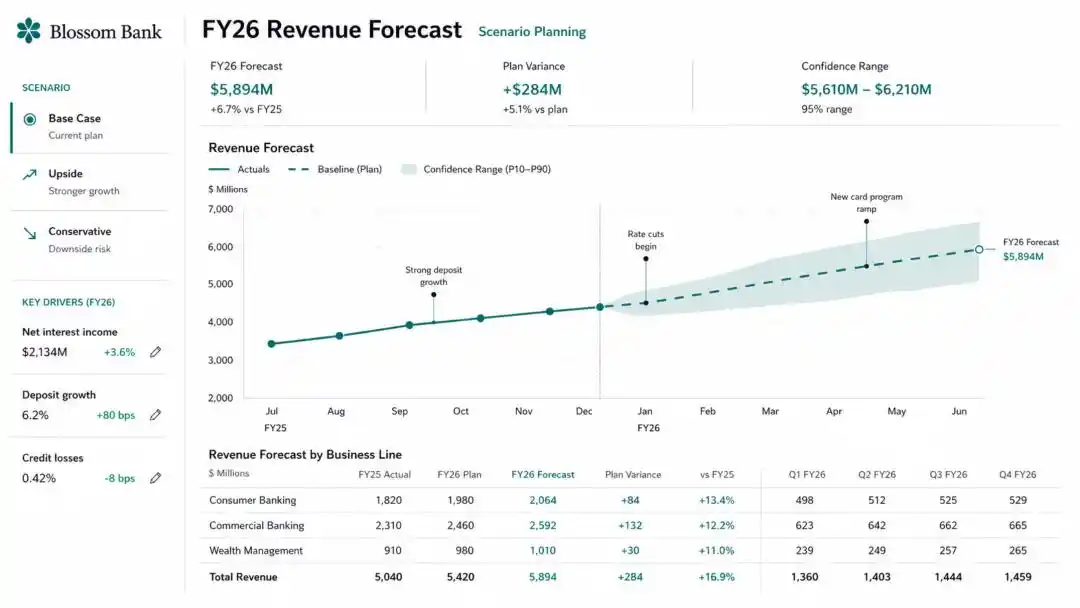
Official Sites example: An interactive revenue forecast dashboard that updates automatically when underlying data changes.
Building a shareable app with one prompt is something engineers could already do.
What stood in the way for ordinary people was the series of barriers: writing code, deployment, configuring domains. Now, AI has smoothed them all out.
What Made It Work Are These Capabilities of ChatGPT Work
On July 9th, OpenAI launched the agent ChatGPT Work, specializing in tasks that are time-consuming, multi-step, and require a final deliverable.
For complex projects, it breaks them down into smaller steps and completes them, capable of running for hours if needed.
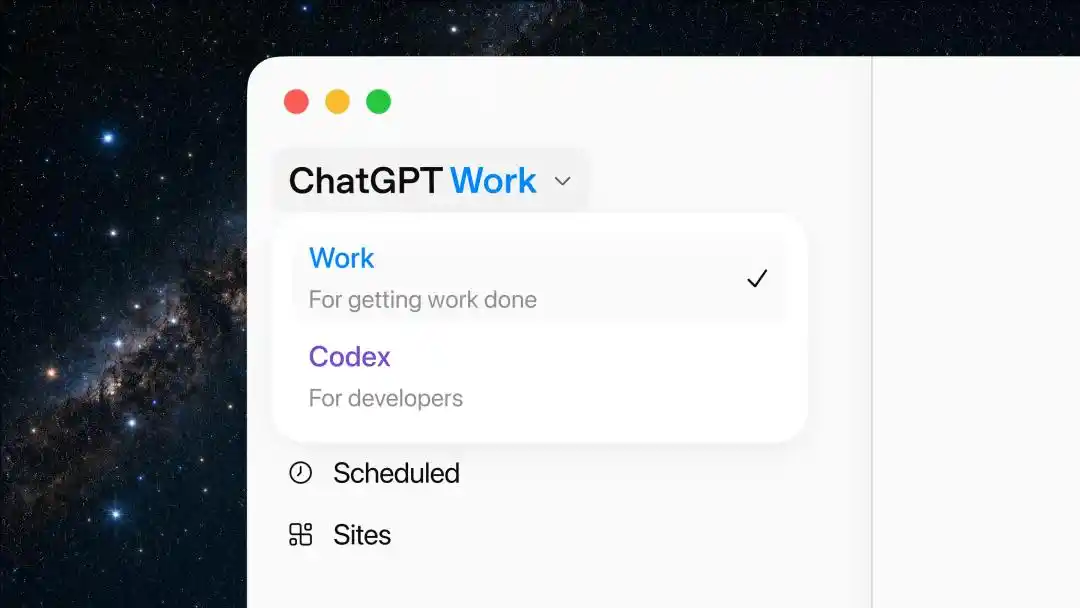
ChatGPT desktop menu, with Work listed alongside Codex, Scheduled, and Sites.
Its foundation is Codex technology, powered by the GPT-5.6 model released the same day. Several other capabilities were also updated:
Plugins connect ChatGPT to external systems like Gmail, Calendar, Google Drive, Slack. You can also use @mentions in prompts to direct it to fetch data from specified apps.
Sites is responsible for website building, providing real-time dashboards, project trackers, and interactive reports.
Complementary features include Scheduled Tasks and automatic review: Scheduled Tasks run repeatedly on a plan or trigger; automatic review checks critical actions before they happen to prevent sensitive information from being inadvertently sent out.
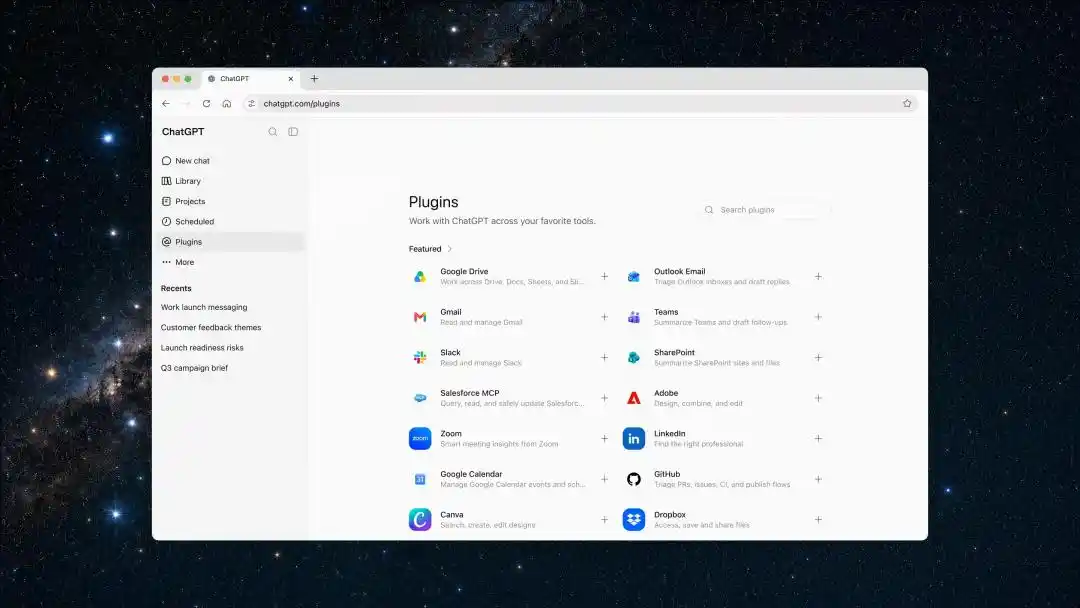
ChatGPT plugin directory, already integrated with tools like Google Drive, Gmail, Teams, Slack, Salesforce.
Codex now has over 5 million weekly users, with over 1 million of them not using it for coding at all: this product was initially an AI coding agent for developers.
OpenAI concluded that the capability fully supports a broader range of tasks.
OpenAI's internal adoption rate speaks volumes: Almost 100% of OpenAI's teams, including finance and sales, are using Work and Codex.
Throw the Most Annoying Chores to ChatGPT Work, It Handles Them All
After ChatGPT Work was launched, Graham Barlow from TechRadar threw his pile of most dreaded life chores at it.
After a week of use, the results surprised him.
For example, asking it to book a restaurant for a wedding anniversary got him three decent options—and that was the simplest task.
Planning a vacation, Graham threw in dates, budget, and family requirements. It researched destinations, compared flights and accommodations, created a cost sheet, made an itinerary, and even listed a separate checklist showing what was booked and what wasn't, updating as things progressed. It would also check existing bookings in his Gmail.
What Graham appreciated most was the transparency of the entire process: what it was doing, what sources it was referencing, every step was viewable.
Managing home renovation, it compared quotes, looked at blueprints and product specs, scheduled timelines, and tracked pending decisions.
Graham found the most useful feature to be scheduling his family's week.
Making this work relied on the aforementioned Scheduled Tasks feature.
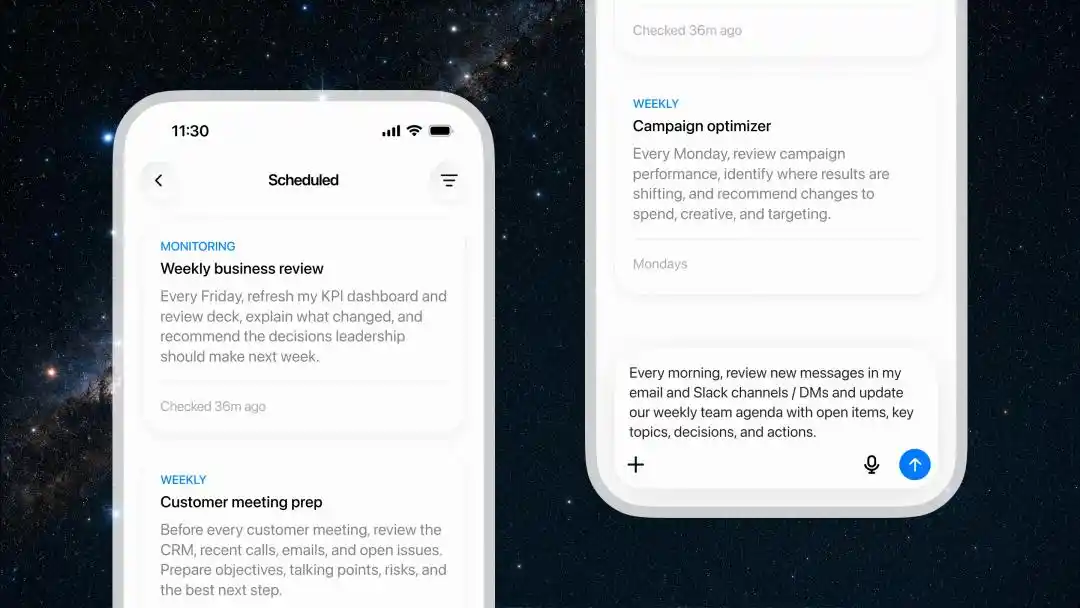
Mobile Scheduled Tasks interface, can execute repeatedly on a schedule or continuously monitor for changes.
ChatGPT had an old weakness: it couldn't automatically do things on a schedule; if you didn't ask, it wouldn't act. Now it can run repeatedly on a plan or monitor something for changes.
After connecting his calendar and email, Graham set up a scheduled task to automatically generate the family's weekly plan every Sunday night, with reminders for any changes mid-week. For example, school events for the kids are easiest to miss; as long as the school sent an email, it wouldn't be overlooked.
After testing it out, Graham's feeling was that even an ordinary personal matter could be complex enough to warrant using an agent.
He also saw a new way to use ChatGPT Work: letting it oversee a matter from start to finish, regardless of whether it's work-related or not.
The Phone Has Become the Agent's Remote Control
In the whole chain, Altman only did three things: described the goal, reviewed the plans, approved key actions.
All three were judgment calls; execution was entirely handed over to ChatGPT.
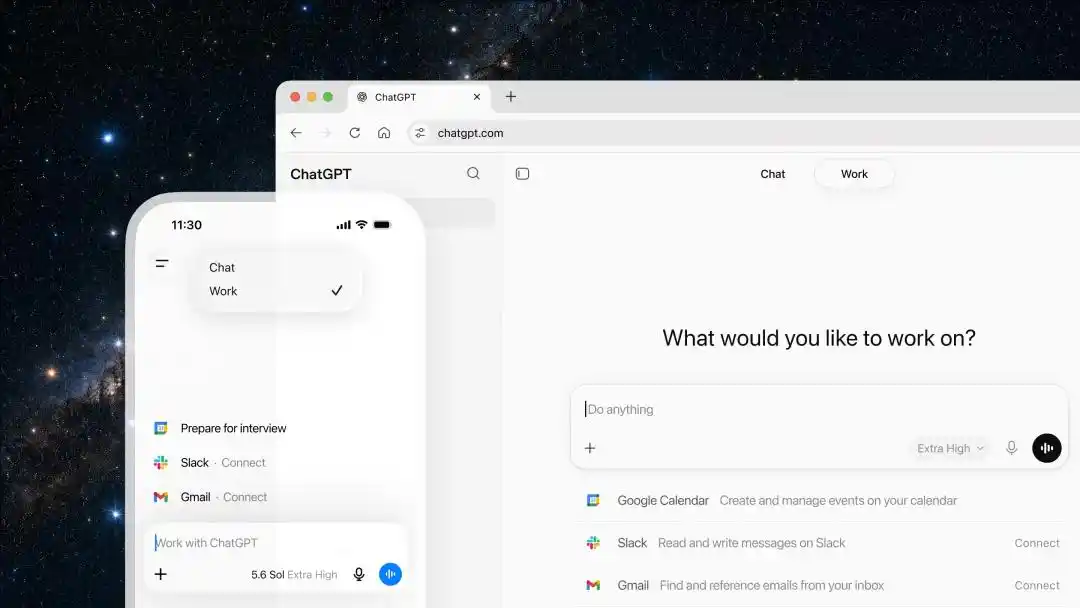
Official demo of ChatGPT Work desktop and mobile, integrated with Google Calendar, Slack, and Gmail.
So, on the execution side, where are AI's boundaries?
The first boundary is what it can read.
Altman wrote "use my entire chat history" in his instruction, but this is just his request; it doesn't mean the system can actually do that.
The official stance on Memory has always been integrating useful context from chats, files, and connected apps, not promising to read all history line by line. Users can also turn it off at any time.
As for what Work can access, when it asks you, whether it needs your approval before acting—these are also decided by you and the workspace admin. It doesn't have default access to all your accounts.
The second boundary is what it can do.
Altman had ChatGPT Work draft an email for him; he wanted a draft, which ultimately needed his review and sending.
The example email-related prompt on OpenAI's Work product page is written exactly like that: Find emails needing replies, summarize each, draft a reply, save as unsent, wait for human review. The official release also states that key actions involving connected tools require approval before execution.
Another detail worth noting: Altman sent this instruction from his phone.
The phone's role is changing; it's becoming the agent's remote control.
The web and mobile versions of Work run in the cloud, with three-end session synchronization: You start a task on the go, review drafts on the go, glance at progress between meetings, return to your desk, open the web version, and can continue pushing the same matter forward.
Barlow's judgment is: ChatGPT is starting to become a place where you can continuously advance a project at any time.
And that project might mostly have nothing to do with work.
Brockman says ChatGPT is increasingly becoming your personal AGI.
If this vision is truly to be realized, the hardest step might not be whether the model is smart enough or if there's enough computing power.
Authorization, payment, personal data... none of these points requiring human decisions have been eliminated yet.
References:
https://x.com/sama/status/2081396796174282900
https://x.com/gdb/status/2081458174662726009
https://x.com/thsottiaux/status/2081444811647963244
https://x.com/thsottiaux/status/2079731272797372425
https://t.co/zUQfWra6in
This article is from the WeChat public account "New Zhiyuan", author: ASI Apocalypse