*Note: Columns are recommended for in-depth content about Crypto, Web3, as well as related data and viewpoints. If your content is primarily brand/product introductions, even if a column is created, it will not pass review, and content heavily created using AI will also be rejected/hidden from the homepage. Soft marketing content is recommended to go through the business channel.
Column Application
Web Version
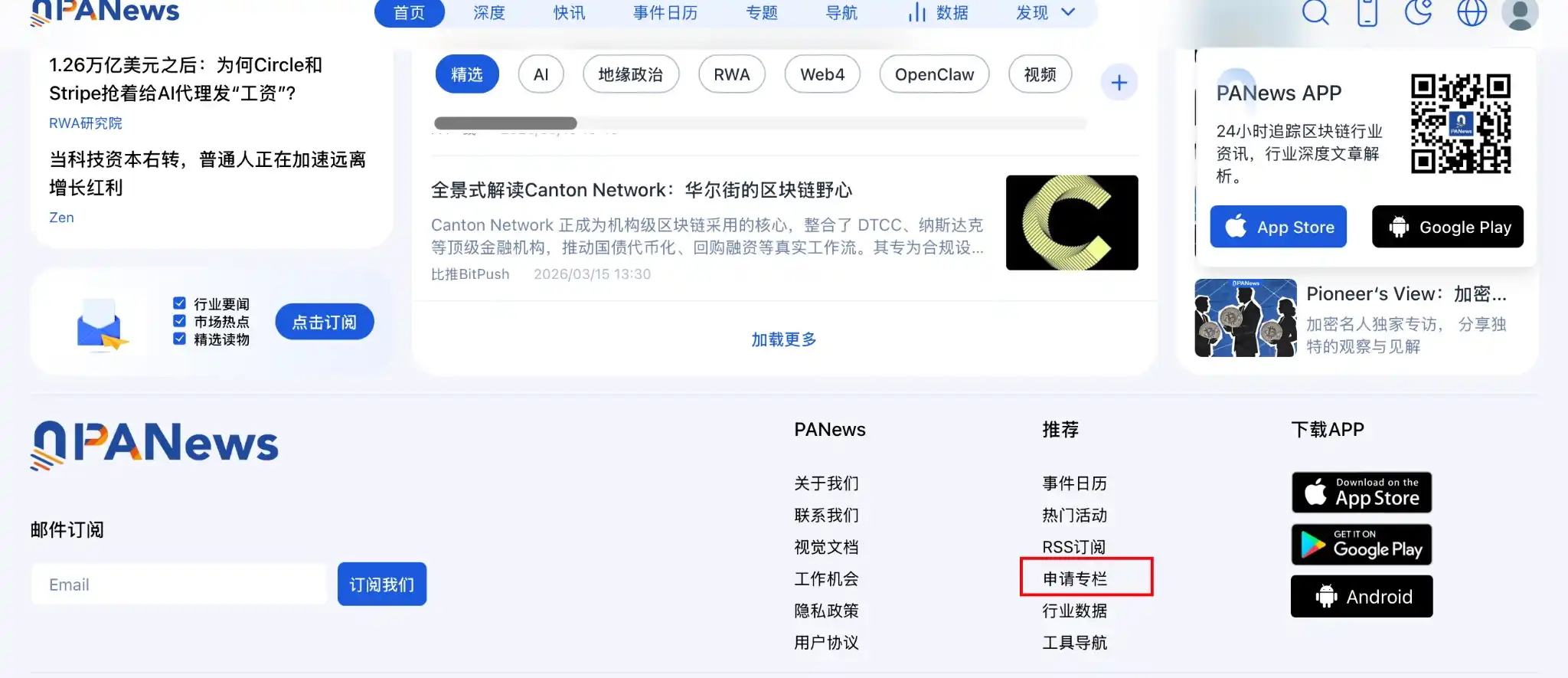
1. Go to the official website, scroll to the bottom, and click Apply for Column.
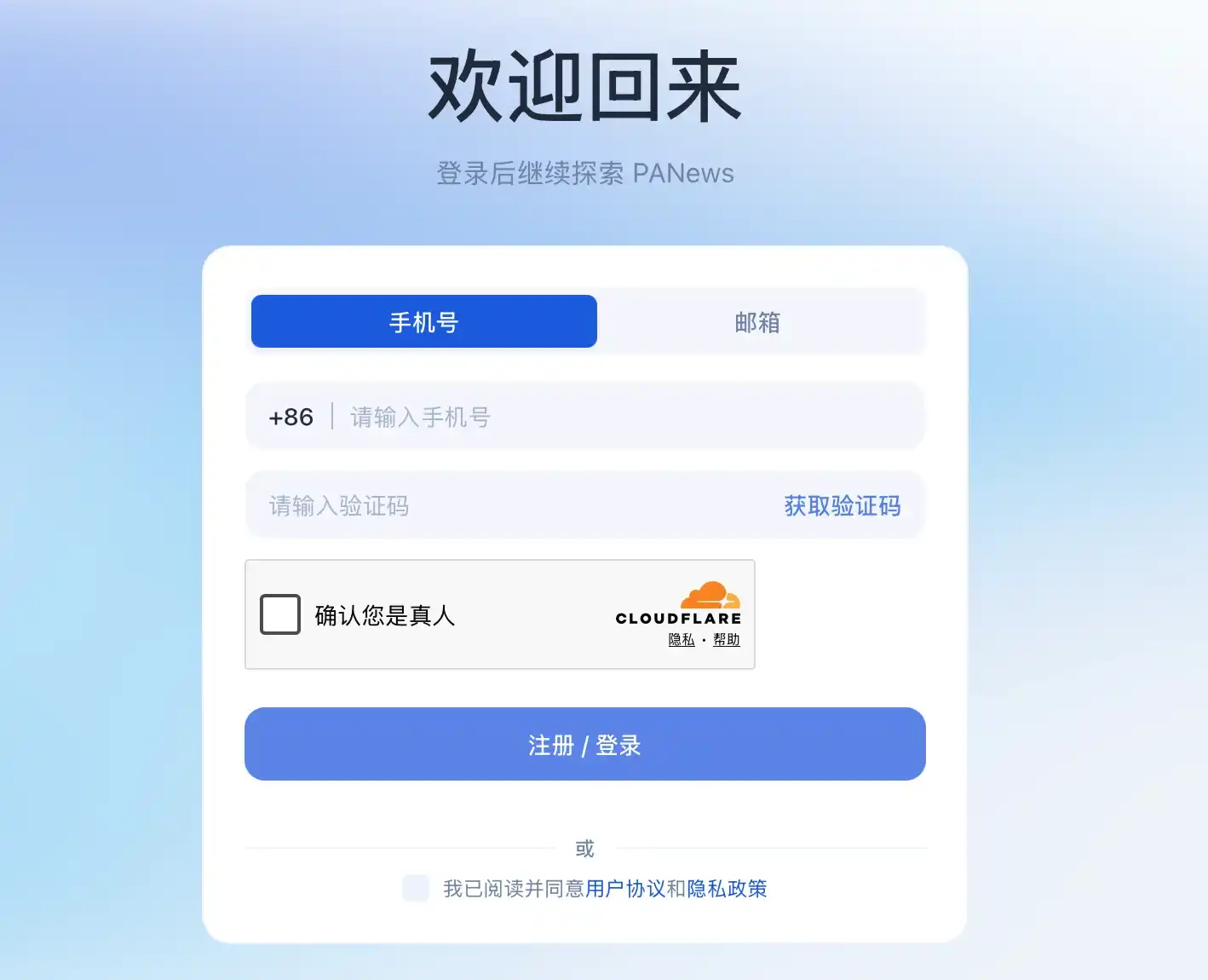
2. You can apply using a mobile phone number/email. Subsequent logins only require a verification code; no password is needed.
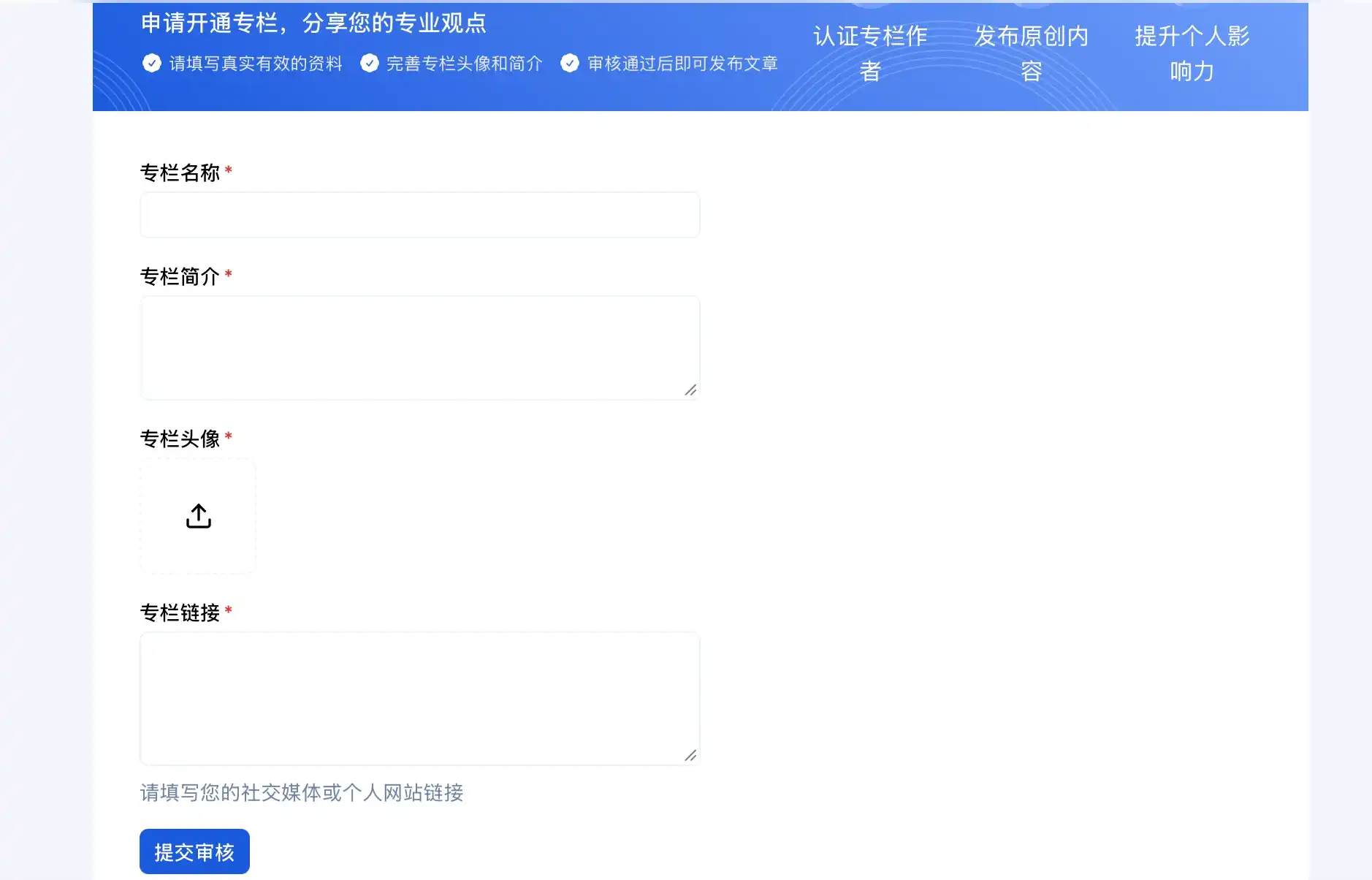
3. Fill in your Column Name, Introduction, upload a column avatar, and submit links to articles you have previously published.
*Reminder again: Columns are recommended to focus on in-depth content about Web3/Blockchain. If the content is mainly product introductions, even if a column is successfully created, reviews will not be passed later. PR-type content is recommended to go through the business channel.
Mobile App Column Application Method
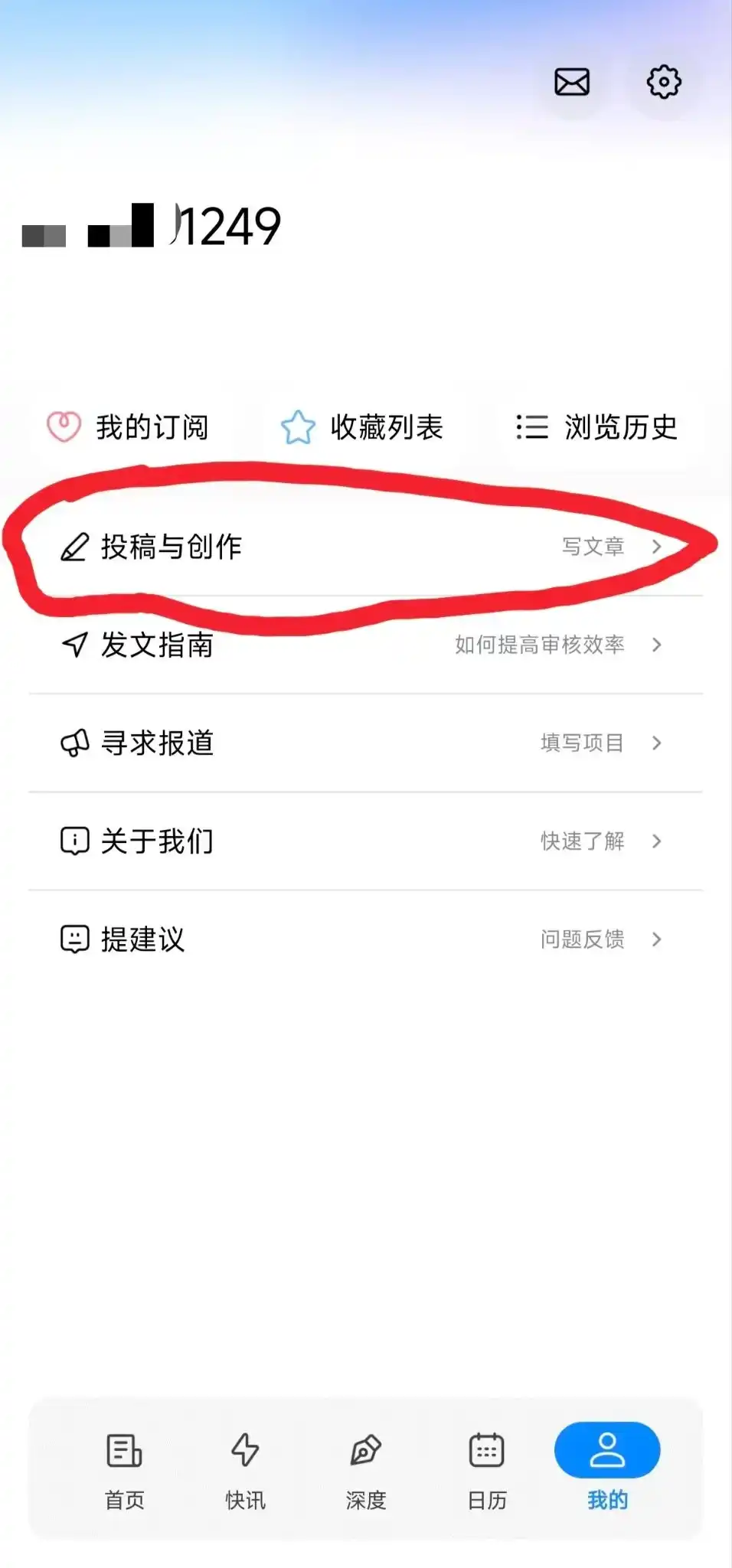
Find "My", click on "Contribute & Create", and fill in the relevant information.
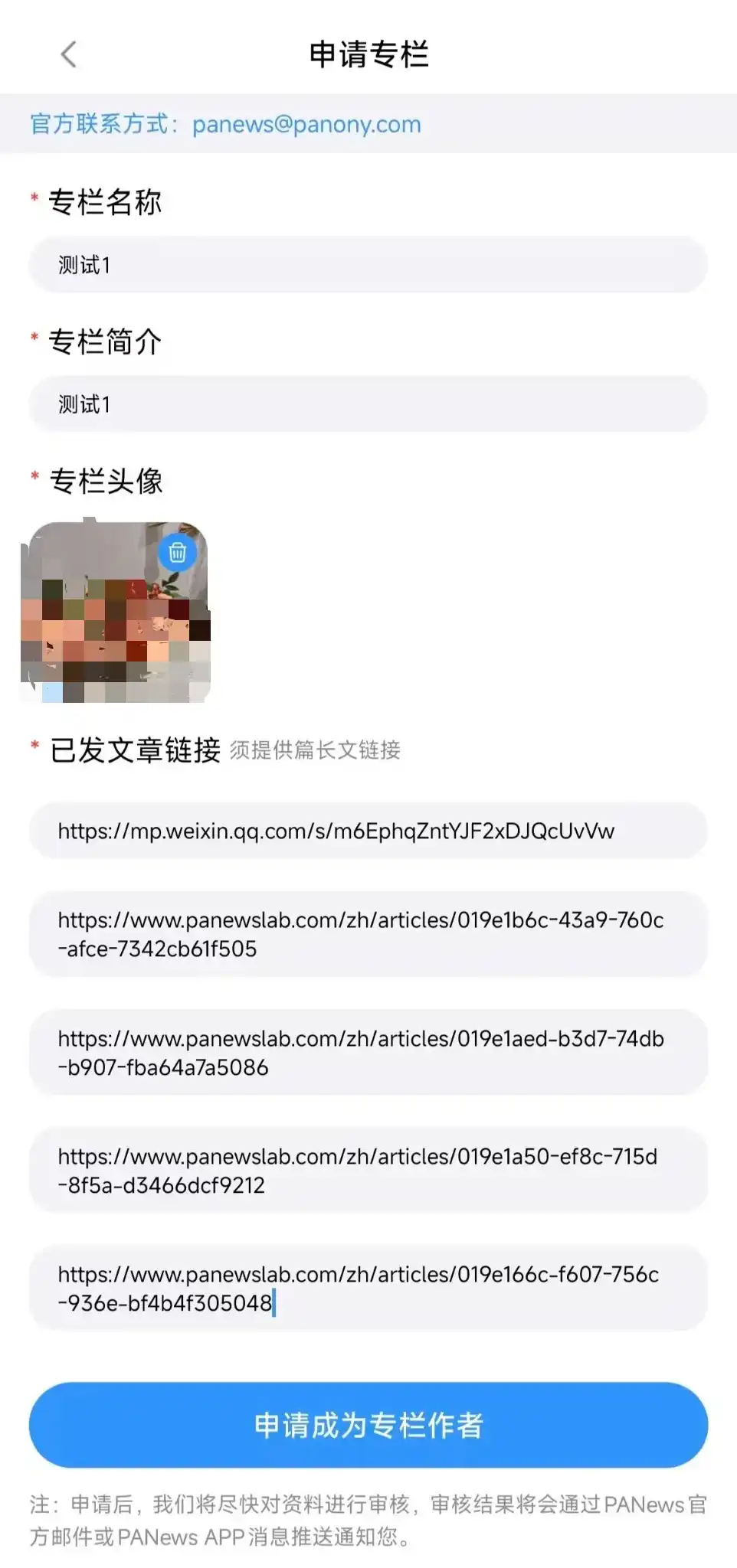
Column Author Article Creation Tutorial
1. Go to the official website, log in, and find your Personal Homepage.
https://www.panewslab.com/zh
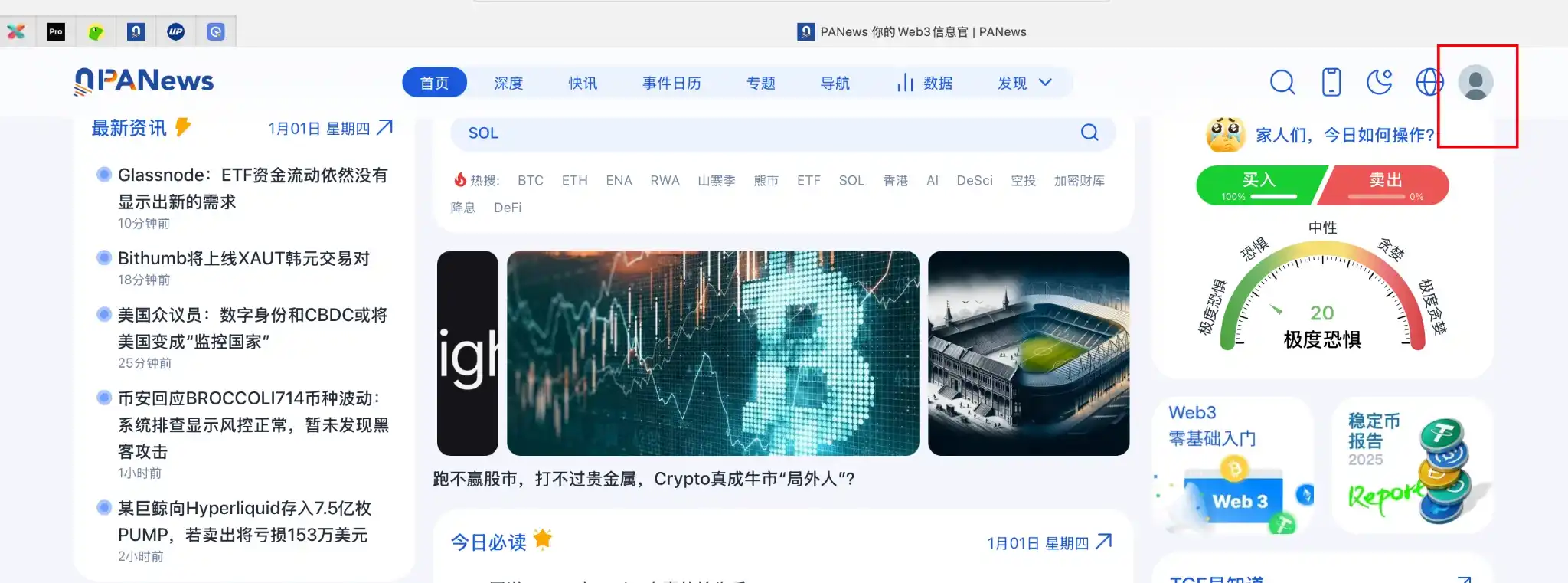
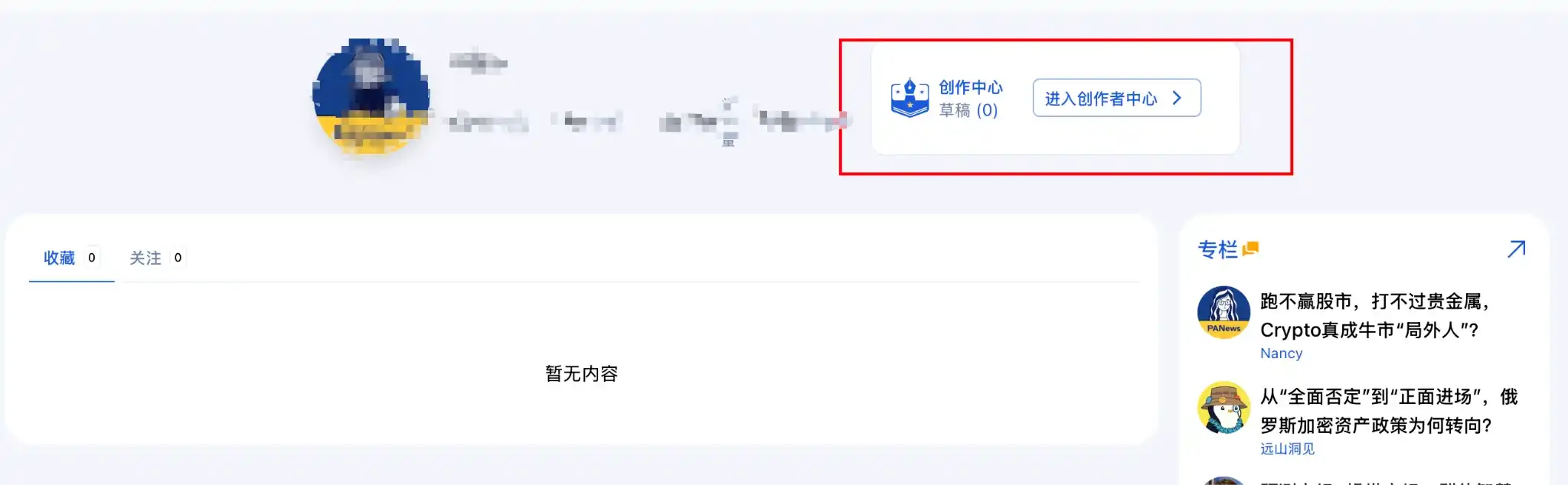
2. Enter the Creator Center.
3. Proceed with article publishing.
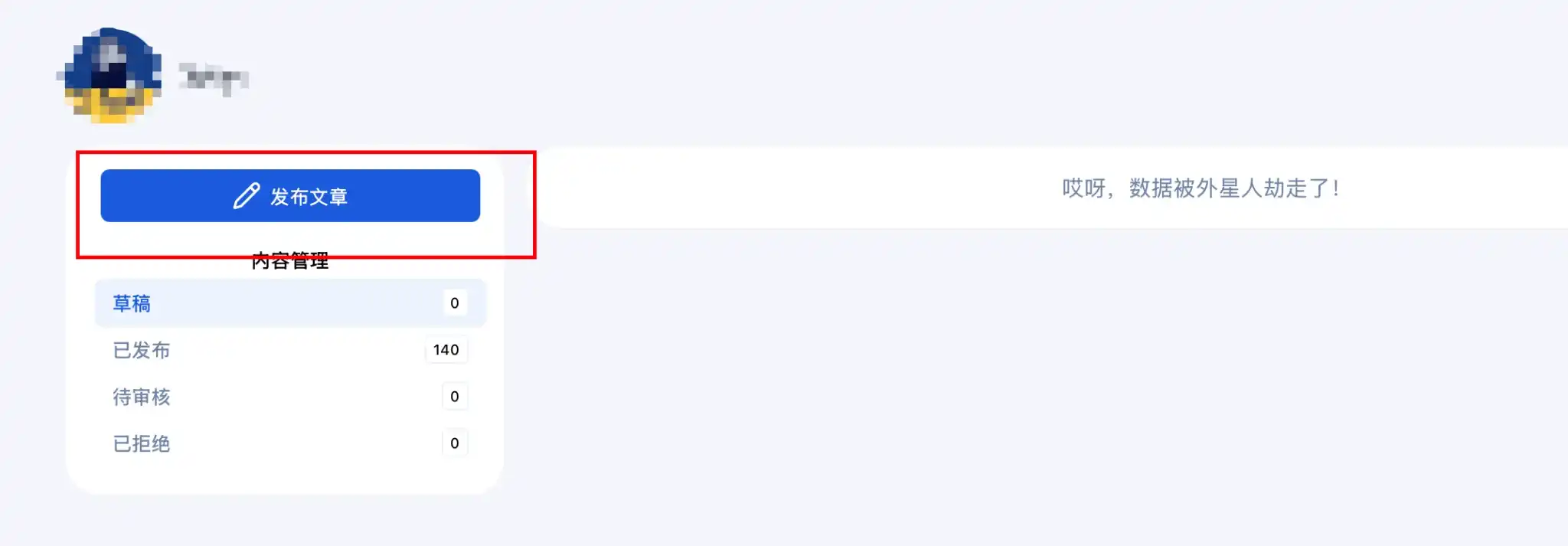
Video Upload
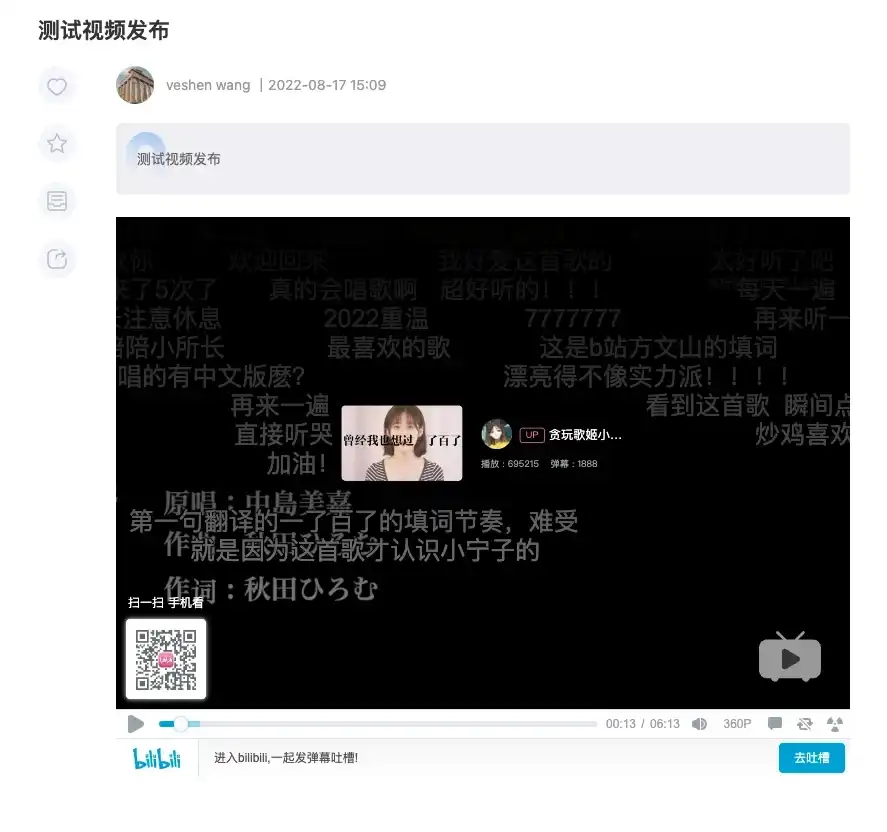
Currently, only embedding video code from third-party platforms is supported. Taking Bilibili as an example:
Open the Bilibili video you want to embed, find the share button, click on the Embed Code button in the hover layer.
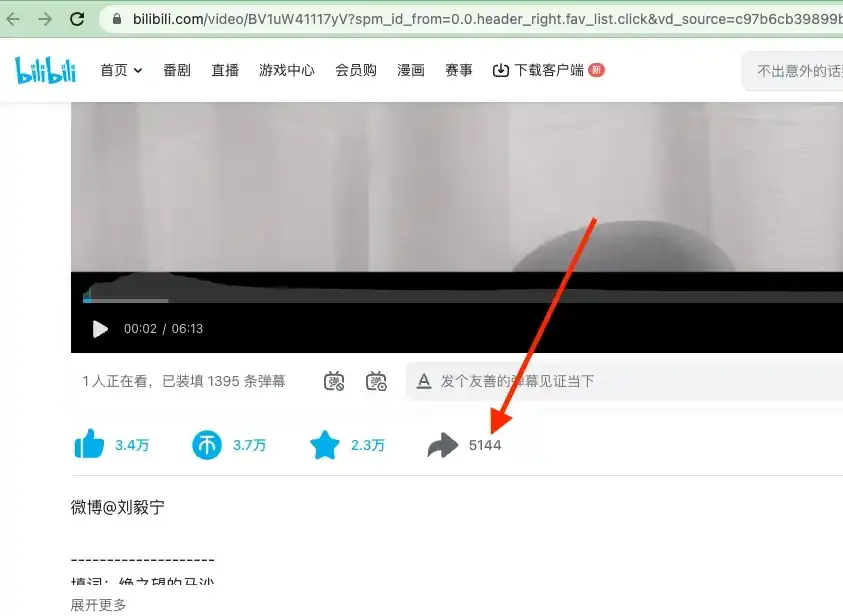
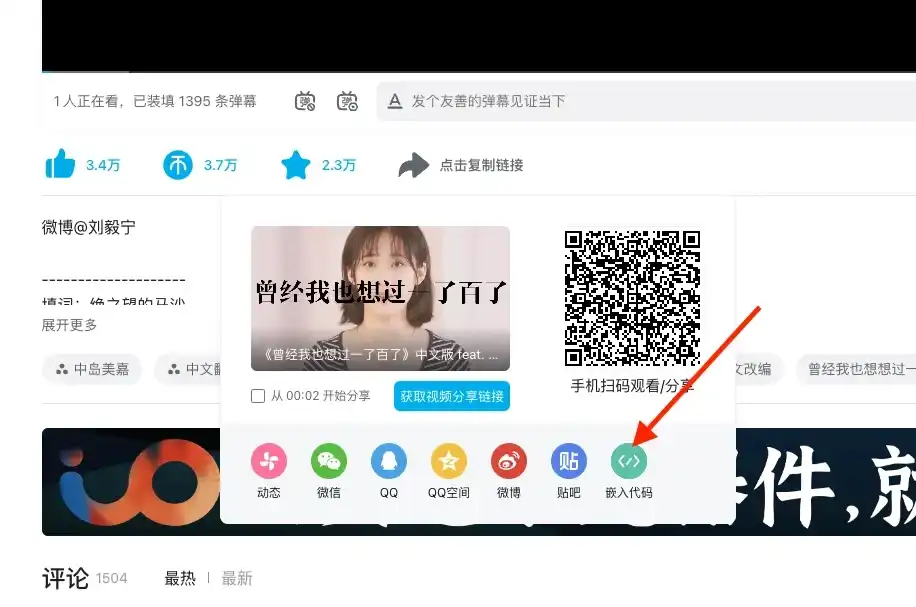
In the editor, click the Insert/Edit Media button,
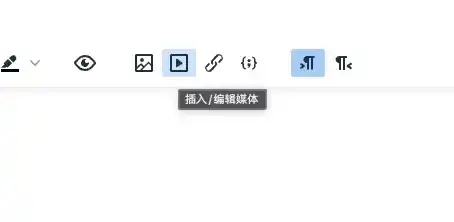
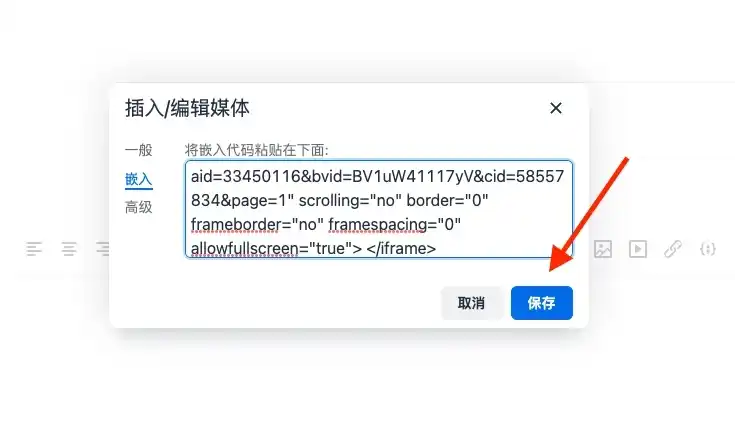
In the pop-up box, select Embed, paste the copied embed code into the input field, and click the save button.
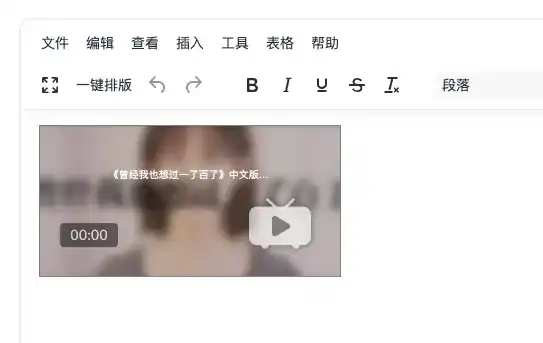
Adjusting Video Size
Select the video, click the Insert/Edit Media button.
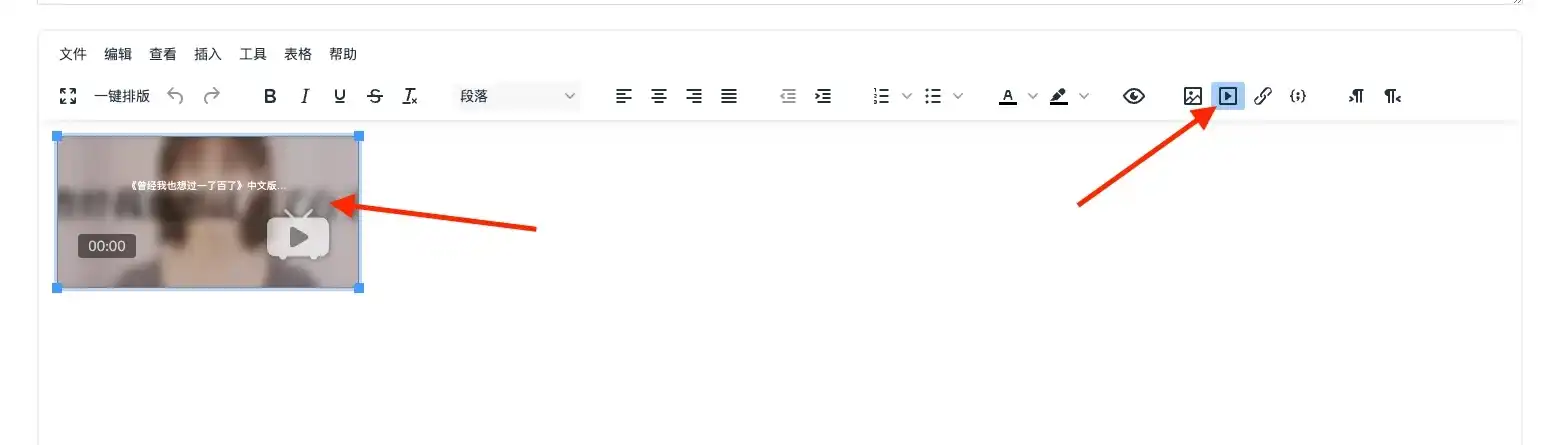
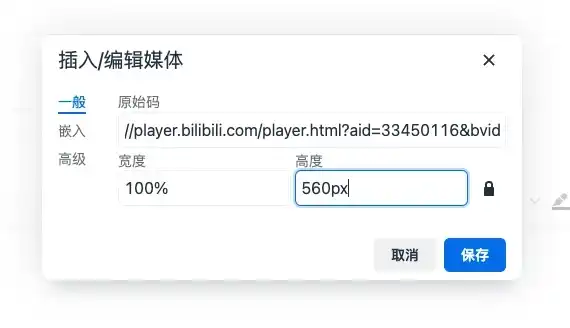
In the pop-up box, modify the width and height. It is recommended to use width 100% height 560px. Click the save button.
The video may look a bit strange in the editor after resizing, but it will display normally after publishing.
PANews Skills (Little Crayfish Publishing Tutorial)
PANews has launched the official AI Agent skill set PANews Skills, which supports AI Agents in directly querying platform content, collecting hot topics, and publishing column articles with one click.
PANews provides three major skills:
-
panews - Hotspot tracking, obtaining structured data such as daily must-read lists, popular articles, financing trends, enabling automatic daily report generation.
-
panews-creator - Content publishing, supporting column management, article publishing, image uploading, etc., allowing creators to focus on writing itself.
-
panews-web-viewer - Web page parsing, converting PANews webpage content into Markdown, facilitating summarization, translation, or secondary creation.
This skill set can be used in conjunction with tools like OpenClaw, Cursor, Claude Code, ChatGPT, Gemini, and various other AI Agent tools that support Skills. Users can utilize this tool to achieve personalized daily report generation, hotspot monitoring and push notifications, column content publishing, investment research data organization, and more.
Installation link: https://github.com/panewslab/skills
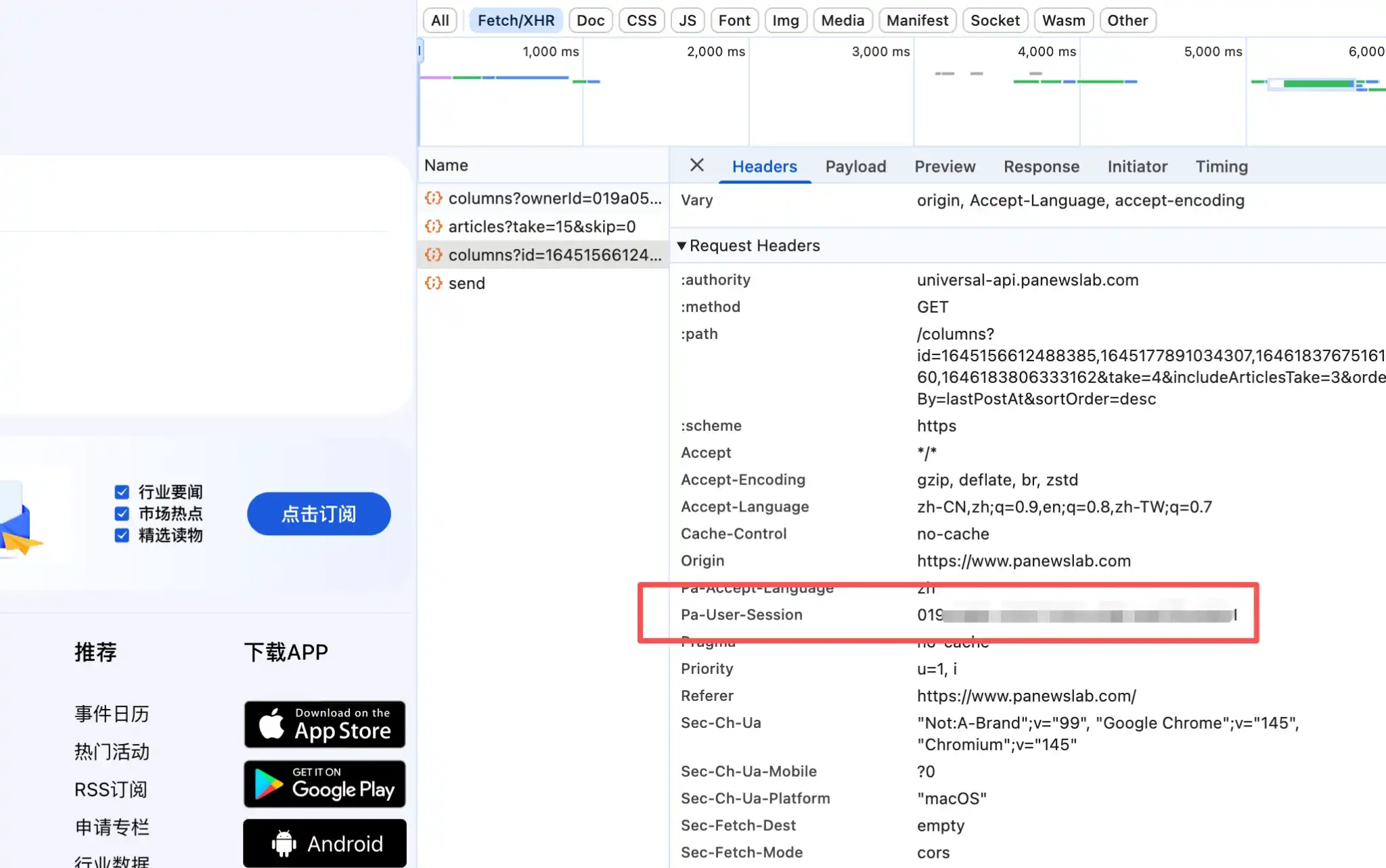
Note: Using the creator skill requires the sessionToken value, which can be obtained from the PANews website. After logging into your column account, open the browser's Developer Tools (Ctrl+Shift+I or Cmd+Option+I) -> go to the Network tab -> filter for Fetch/XHR. Then, click on any page to load, find a PANews API request. Obtain the sessionToken from the Request Headers section.