V. Repayment (Users can choose manual repayment or auto repayment.)

2025/10/09 07:19
- Getting Started
- Margin Trading Guide

Manual Repay:
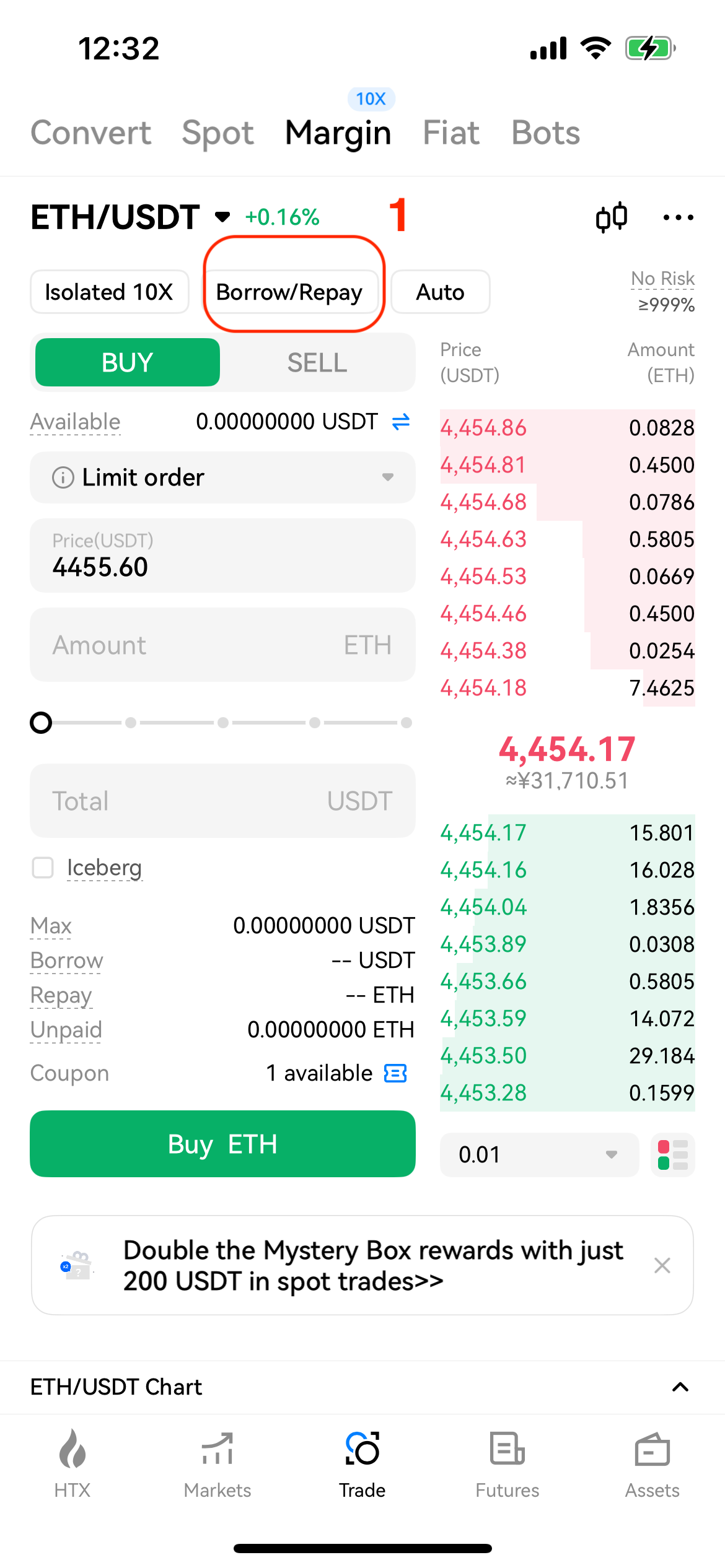
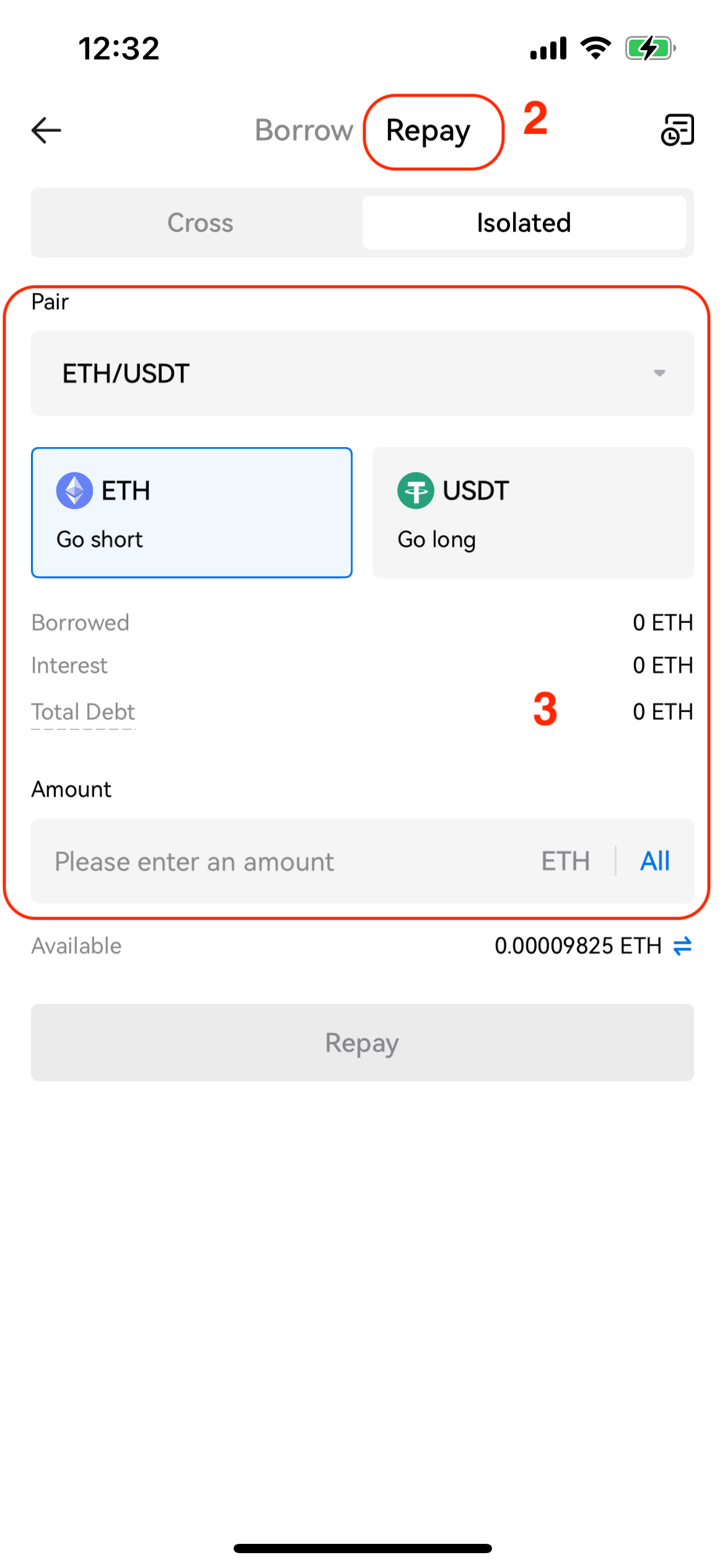
Step 1: On the margin trading page, click Repay under the Positions panel. Select the crypto you want to repay and enter the amount in the pop-up window. You can see the outstanding amount of the crypto, the interest, and the total amount to repay.
Step 2: Make sure the assets in your margin account are sufficient for repayment and tap Repay to complete. Assets in your Margin account will be automatically deducted to return the interest and outstanding.
Auto-Repay:
Step 1: On the margin trading page, click Auto-Repay, then choose the crypto/trading pair for repayment.
Step 2: Select Sell, enter the amount and price and then click Sell. Your outstanding USDT loan will be paid once the order is filled.


