How to Trade Coin-M Perpetual Futures with Trigger Orders (App)

- Guias de Perpétuos Coin-M

A trigger order is a type of order placed with a trigger price, that must be met before the order is executed, and a preset order price and size. When the trigger price is reached by the last price, a limit order will be placed into the order book based on your pre-specified settings.
I. Specification
Trigger Price: When the last price reaches the preset trigger price, the order will be triggered and the system will help place the order.
Order Price: Buy or sell at a specified price. When the last price reaches the trigger price, the order will be placed at this specified price.
Amount: The system will place the order with this amount after the trigger price is reached.
II. Examples
Assume you hold a BTCUSD perpetual long position of 1,000 conts, with an average entry price of $78,000. You believe that $75,000 is a key support level. If the price breaks this support, a significant drop may occur. To avoid heavy losses, you decide to place a trigger order to close the position.
- Method 1: Using a Trigger Order. Select Trigger Order > Set the trigger price to $75,000 > Set the order price to $74,800 > Set the order size to 1,000 conts > Tap Close Long. Once the last price drops to $75,000, the trigger order will be activated and the system will place a limit order to sell at $74,800.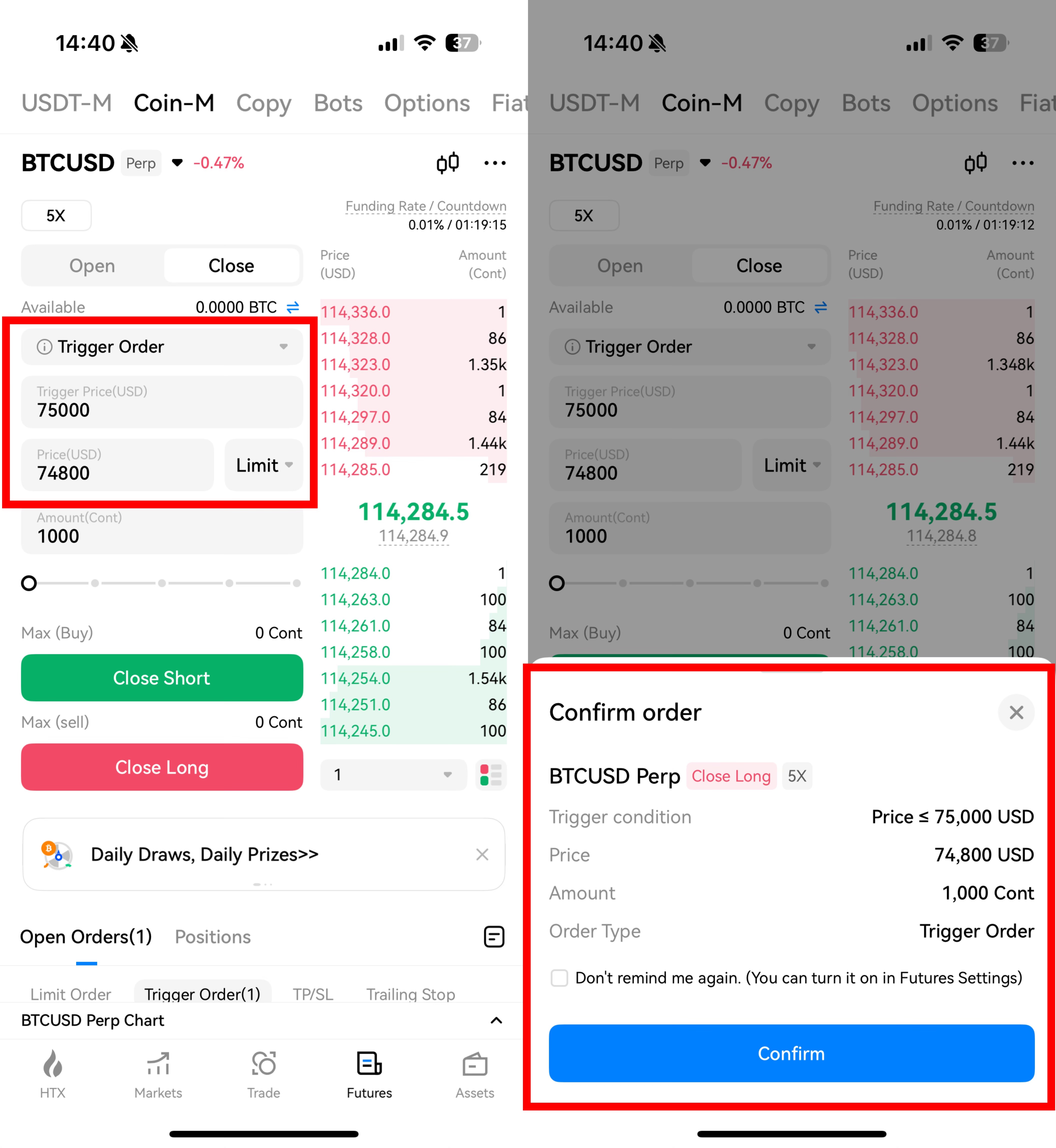
- Method 2: Using a Trigger Order with BBO. Select Trigger Order > Set the trigger price to $75,000 > Tap BBO > Select Best 5, Best 10, or Best 20 > Set the order size to 1,000 conts > Tap Close Long. Once the last price drops to $75,000, the order will be triggered and execute against the selected number of best available counterparty prices.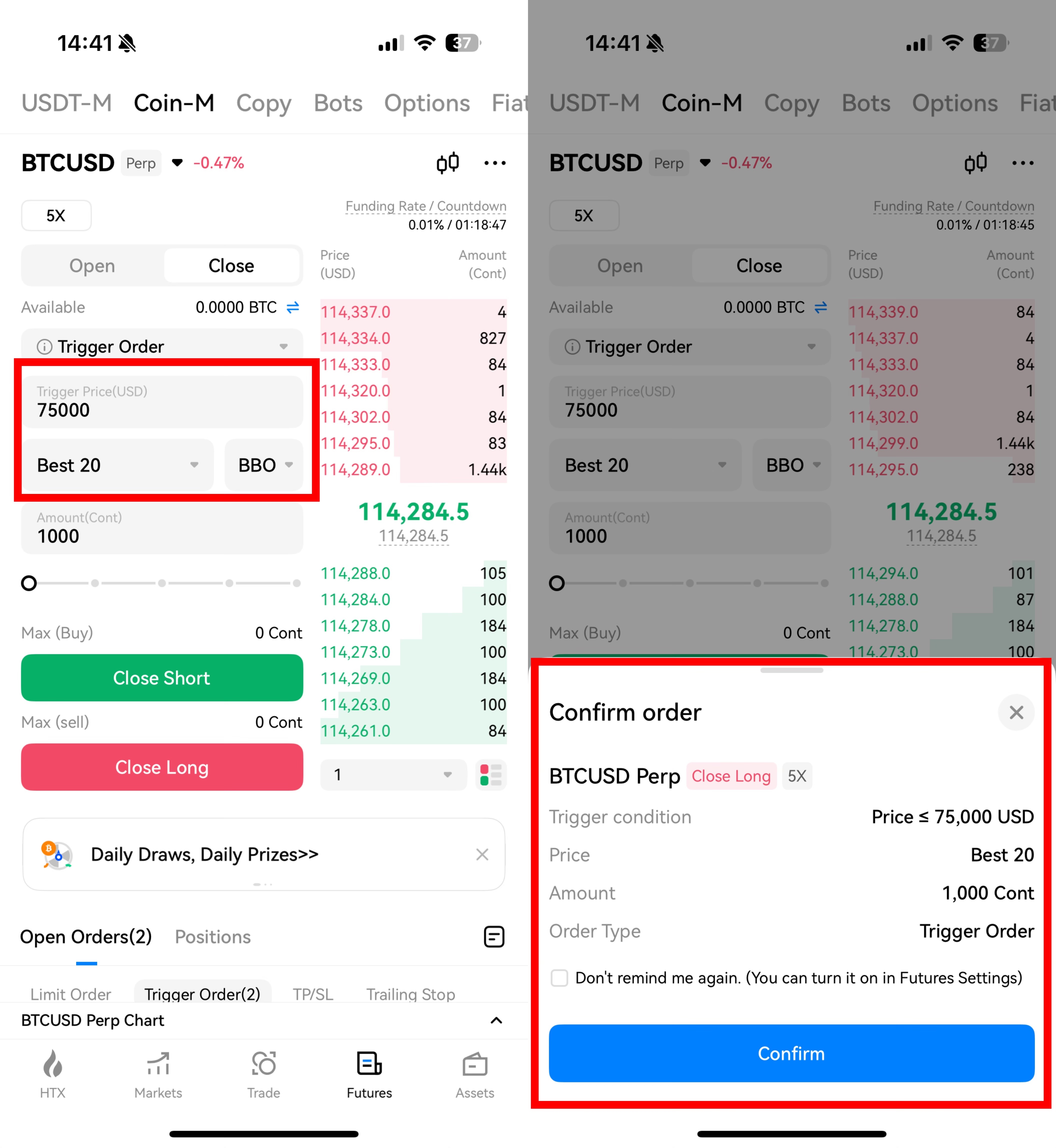
III. Check Orders
- Open Orders
After placing a trigger order, go to Open Orders > Trigger Order. You can cancel an untriggered order at any time.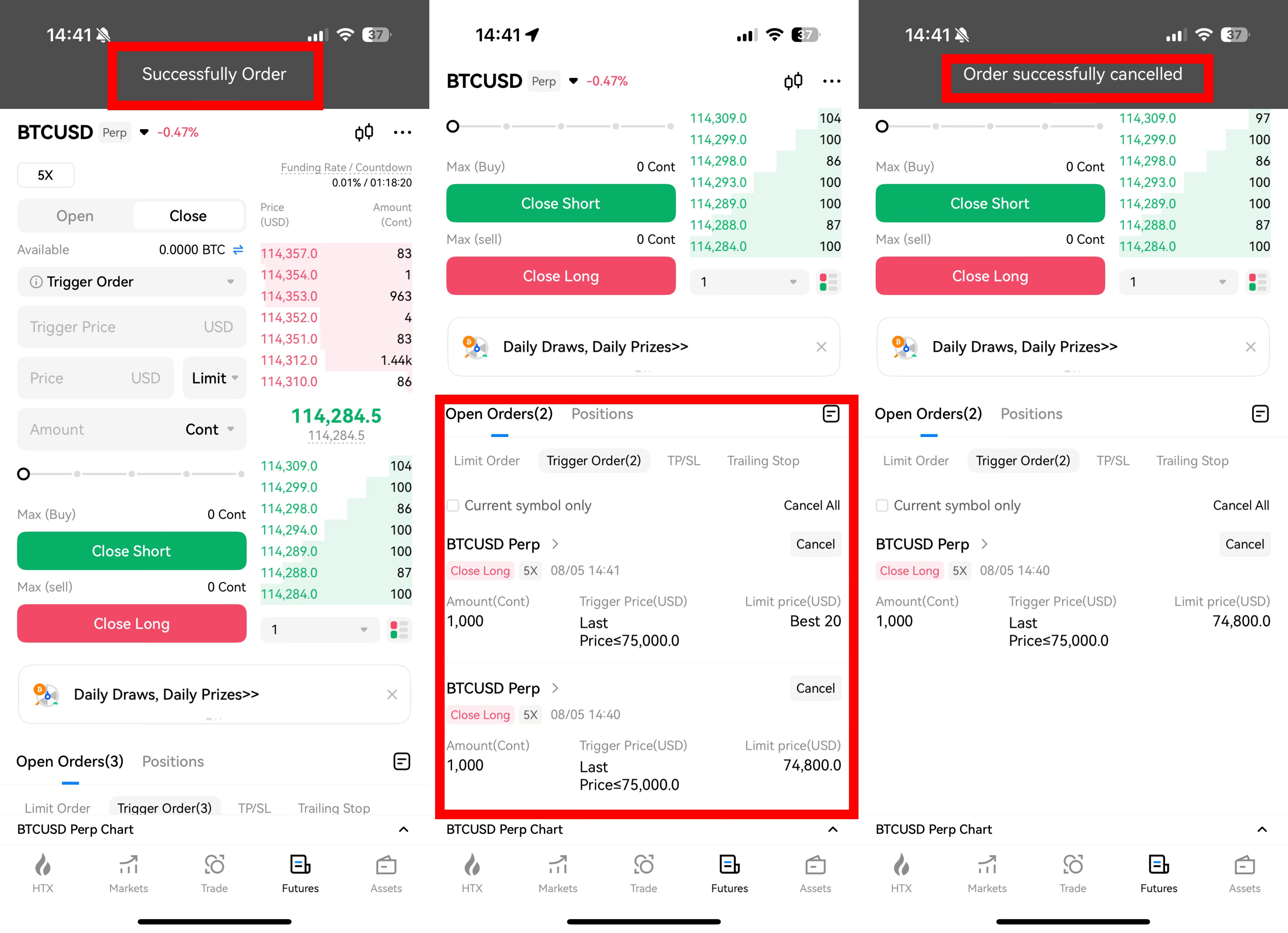
- Order History
Once a trigger order has been activated or canceled, go to Order History > Trigger Order to review the order.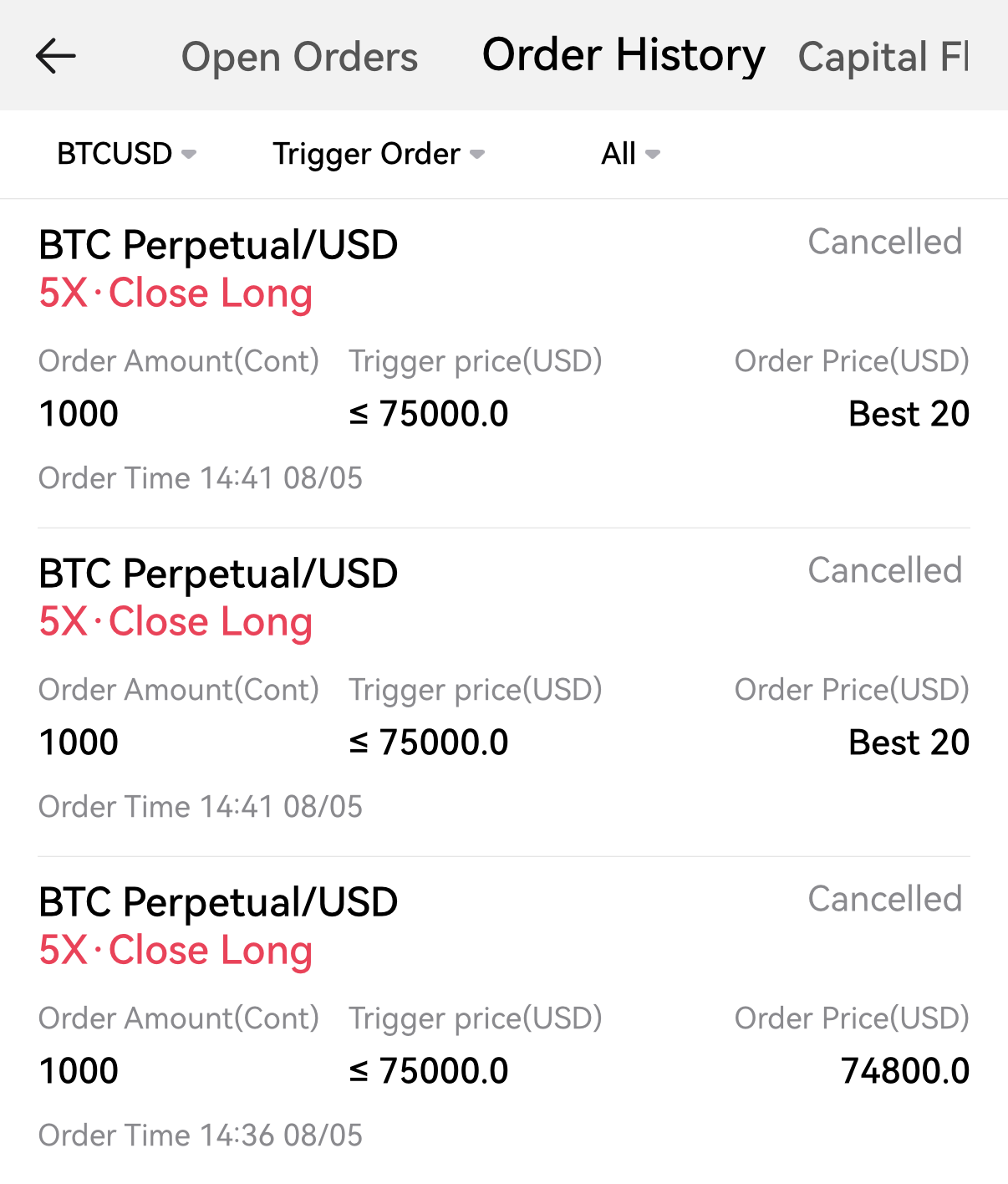
Notes:
1. Trigger orders are only available for tradable symbols.
2. Trigger order quantity must comply with the minimum and maximum limits for the specific futures symbol.
3. Before the trigger order is activated, your collateral assets or positions will not be frozen. Freezing only occurs once the trigger condition is met and the actual limit order is submitted.
4. If your available position is less than the order size when the trigger is activated, the system will place an order for the maximum available amount.
5. Trigger orders may fail to activate or fail to place an order even after being triggered due to the following reasons: market volatility, limits on order price, order size, positions, insufficient collateral, untradable symbols, and system/network issues.
6. After your trigger order is activated, the system will place a limit order based on your preset order price. If the order price exceeds the market's offerings (e.g., a buy price higher than the highest bid, or a sell price lower than the lowest ask), the trigger order will fail to be submitted.
7. A trigger order, if triggered, is essentially an ordinary limit order that is sent to the market at the preset order price and may fail to be filled based on market conditions. A sell limit order is to be filled at the best market price when the set sell price is lower than the market price; A buy limit order is filled at the best market price if the set buy price is higher than the market price. Depending on market conditions, this type of order may fail to be filled.
HTX remains committed to providing you with better products and services.


