1. What Is KYC Verification?
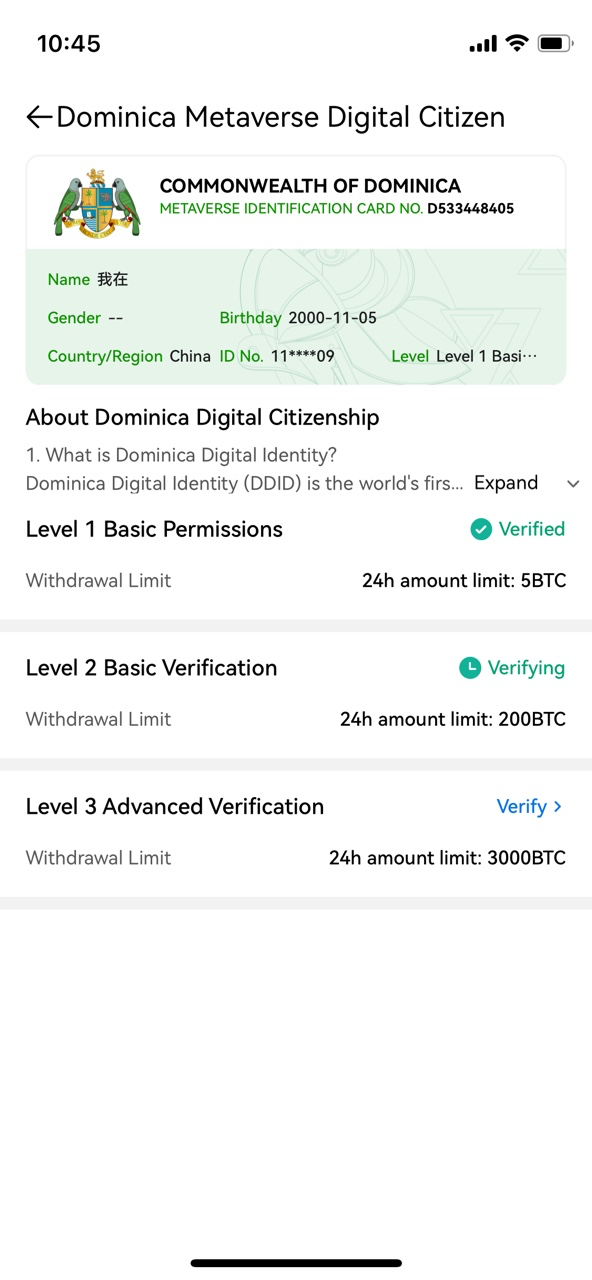
KYC (Know Your Customer) verification is a form of real-name authentication. Completing different levels of verification grants access to corresponding trading permissions. Level 1 (Basic Verification) unlocks deposit and withdrawal permissions, while Levels 2 and 3 increase your deposit, withdrawal, and crypto purchase limits. Higher verification levels also help you connect with higher-quality advertisers and access more competitive prices in fiat transactions. Follow the steps below to complete your KYC verification.
2. KYC Verification Steps
Step 1: On the HTX App homepage, tap the Profile Icon in the top-left corner and select Unverified. Follow the on-screen prompts to complete Level 1 to Level 3 verification.

Step 2: Level 1 Basic Permissions
Fill in your Nationality, ID Number, Last Name, First Name, and Date of Birth, then tap Submit.
Note: Make sure the information you provide matches your actual ID document. If your current region is not supported for verification but supports Dominican Citizenship Verification, the system will automatically prompt you to switch to that option. You may then provide consent and submit your information.

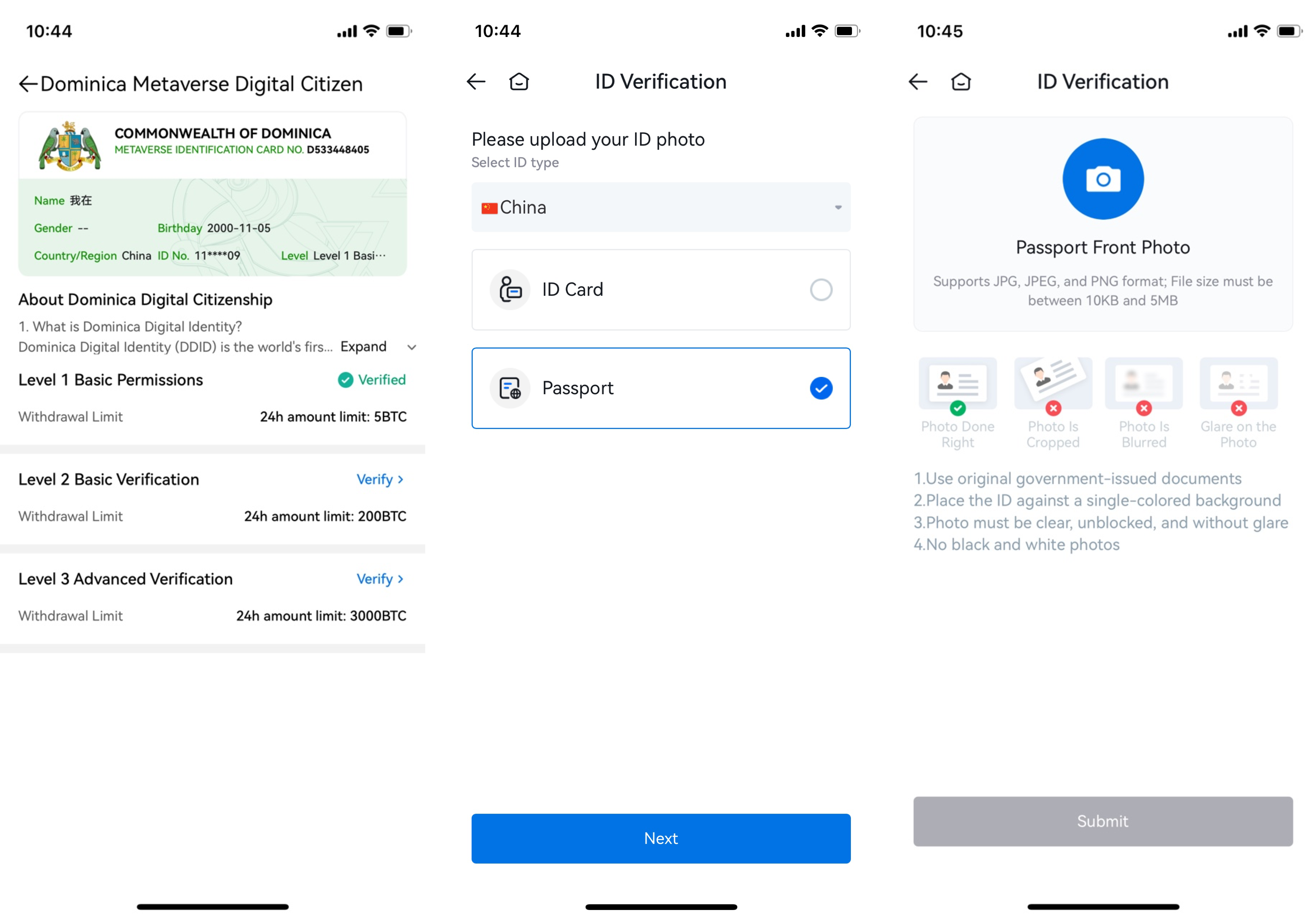
Step 3: Level 2 Primary Verification
You can proceed to Level 2 Verification after completing Level 1 Verification.
Level 2 Verification requires you to upload photos of an ID document. The platform currently accepts Passports, ID Cards, or Driver's Licenses. The types of supported documents may vary by country, so please check the submission page and select the document that is most convenient for you.
Note: When uploading ID card photos, make sure to upload the front (photo page) and back side in their respective designated areas. If the photos are uploaded incorrectly, face recognition may fail.
Step 4: Level 3 Advanced Verification
Ensure both Level 1 and Level 2 Verifications are completed before starting Level 3 Advanced Verification. Level 3 requires a face recognition process. For successful verification, make sure your environment is well-lit, your network connection is stable, and only you are present within the designated area. Position yourself close to the on-screen guide and avoid wearing hats, masks, or any other face coverings.