Radical Move by Tron (TRX) Founder Justin Sun in 2012: 'He Put All His Funds into Cryptocurrencies!' Here's Why

cryptonews.ruPublished on 2026-10-09Last updated on 2026-10-09

Abstract

Justin Sun, founder of Tron (TRX) and a prominent figure in the cryptocurrency sector, has revealed details about his personal crypto investments. In 2012, Sun made the radical decision to convert all of his personal assets into cryptocurrencies. He explained that this move was driven not by a pursuit of short-term profit, but by a desire to adapt to major technological transformations and the conditions of a new era. Sun's stated logic was a long-term bet on the fundamental shift represented by digital assets.

Justin Sun, the founder of Tron and a prominent figure in the cryptocurrency sector, shared details about his cryptocurrency investments.

At this moment, the TRX founder stated that in 2012 he converted all his assets into cryptocurrencies, explaining the logic behind this decision.

Sun stated that this decision was driven by a desire to adapt to technological transformations and the conditions of a new era, not by a pursuit of short-term profit.

Trending Cryptos

Related Questions

QWhat did Justin Sun, the founder of Tron, do with his assets in 2012 according to the article?

AHe converted all of his assets into cryptocurrencies.

QWho is the prominent figure in the cryptocurrency sector mentioned in the text?

AJustin Sun, the founder of Tron (TRX).

QWhat was Justin Sun's primary reason for converting his assets to cryptocurrency, as stated in the article?

AIt was driven by a desire to adapt to technological transformations and the conditions of a new era, not by a pursuit of short-term profit.

QWhich year is mentioned as the time when Justin Sun made his significant investment decision?

AThe year 2012.

QWhat cryptocurrency project is Justin Sun known for founding?

ATron (TRX).

Related Reads

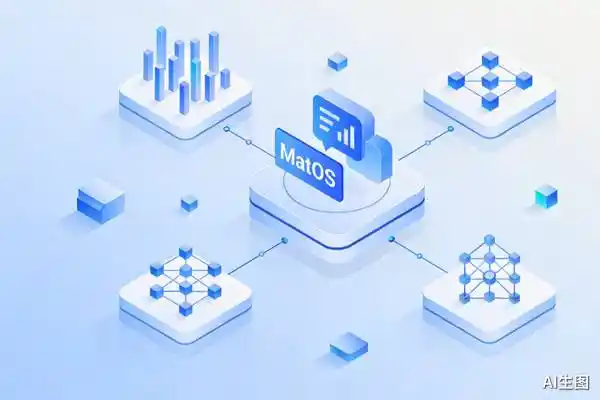
Materials Science Agent MatOS Officially Open-Sourced, Significantly Improving the Success Rate of Materials R&D Tasks

MatOS is an open-source agent operating system for materials research developed by the Beijing Zhongguancun Academy and Zhongguancun Institute of AI. It addresses key challenges in autonomous materials research: integrating new databases and software without rebuilding pipelines, maintaining state over multi-day tasks, and reusing accumulated experience across studies. MatOS organizes data, knowledge, tools, skills, roles, and workflows into six types of scientific assets connected through typed relationships, allowing both researchers and the system itself to build new capabilities on existing assets. Its stateful adaptive workflows use execution graphs with explicit steps and check conditions to keep long tasks on target, support mid-task adjustments after structural, policy, and compilation checks, and preserve snapshots independent of model sessions. An evidence-driven evolution mechanism converts user corrections, tool failures, and workflow results into candidate asset revisions, which are adopted only after structural and semantic review. The asset library currently includes 3,135 datasets, 386 skills, 104 workflows, 51 expert roles, and 48 materials computation tools. On the ResearchClawBench benchmark, MatOS scored 33.6% higher than Codex CLI on average and 80.8% higher on materials tasks; on MatTools it achieved 97.96% full-problem success. Case studies include screening 97 solid-state electrolyte candidates from over 30 million structures, alloy design with melting scores improved from 0.534 to 0.927, and developing DuoCompNet with a mean absolute error of 3.18°C. Next steps include integrating instruments and experimental workflows.

marsbit20m ago
Materials Science Agent MatOS Officially Open-Sourced, Significantly Improving the Success Rate of Materials R&D Tasks

marsbit20m ago

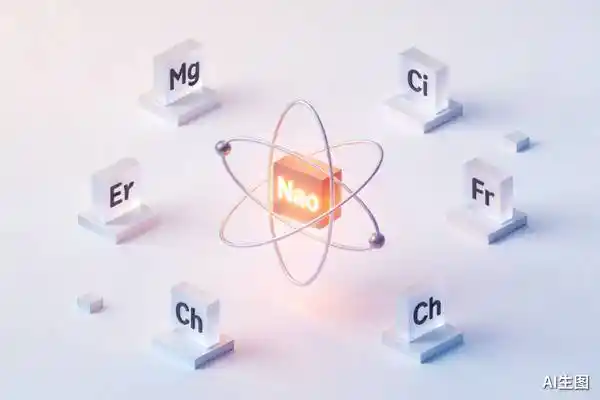
Gemini's New Model is Ready to Launch, Netizens: Going Through the Periodic Table of Elements?

Google's Gemini 4 series has adopted an element-themed naming scheme, and developers have now spotted a new model identifier, gemini-4-neon, in the Gemini web app code, alongside a matching subscription tier labeled TIER_NEON (displayed as "Gemini Ultra" but treated separately internally). Neon is element No. 10, which has amused and confused users, since Hydrogen (No. 1) was followed by Argon (18) and Carbon (6), with no obvious order. The series so far includes Gemini 4 Argon (complex software engineering, deep reasoning, cybersecurity), Gemini 4 Carbon (long-horizon agent tasks, coding, security), and Gemini 4 Hydrogen (speed and efficiency for everyday coding and agent workflows). Rumors of a Krypton model turned out to be a higher-reasoning Gemini 4 Hydrogen. Commenters joke that Google is picking elements at random, that naming is like Starbucks cup sizes, and that at this rate Google will need to discover new elements (with calls for Oganesson, No. 118). Some suggest the names do carry meaning: Argon means "lazy/inactive," fitting stable security work; Carbon is the basis of life and complex structures; Hydrogen is the lightest element, fitting speed; and Neon derives from "neos" (new). Beyond naming, Google's subscription tiers and six Gemini access points are also confusing users, with some Pro subscribers not seeing new models and accounts showing different model access.

marsbit21m ago

Gemini's New Model is Ready to Launch, Netizens: Going Through the Periodic Table of Elements?

marsbit21m ago

Trading

Spot

Hot Articles

How to Buy SUN

Welcome to HTX.com! We've made purchasing SUN (SUN) simple and convenient. Follow our step-by-step guide to embark on your crypto journey.Step 1: Create Your HTX AccountUse your email or phone number to sign up for a free account on HTX. Experience a hassle-free registration journey and unlock all features.Get My AccountStep 2: Go to Buy Crypto and Choose Your Payment MethodCredit/Debit Card: Use your Visa or Mastercard to buy SUN (SUN) instantly.Balance: Use funds from your HTX account balance to trade seamlessly.Third Parties: We've added popular payment methods such as Google Pay and Apple Pay to enhance convenience.P2P: Trade directly with other users on HTX.Over-the-Counter (OTC): We offer tailor-made services and competitive exchange rates for traders.Step 3: Store Your SUN (SUN)After purchasing your SUN (SUN), store it in your HTX account. Alternatively, you can send it elsewhere via blockchain transfer or use it to trade other cryptocurrencies.Step 4: Trade SUN (SUN)Easily trade SUN (SUN) on HTX's spot market. Simply access your account, select your trading pair, execute your trades, and monitor in real-time. We offer a user-friendly experience for both beginners and seasoned traders.

11.2k Total ViewsPublished 2024.03.29Updated 2026.06.02

How to Buy SUN

Discussions

Welcome to the HTX Community. Here, you can stay informed about the latest platform developments and gain access to professional market insights. Users' opinions on the price of SUN (SUN) are presented below.

活动图片