Below are the Claude code usage tips that I've often lamented not knowing earlier over the past six months.
They have saved me a massive amount of time, allowing me to enter a state of smooth flow while coding and writing content.
The article is divided into three parts:
1. Three Ways to Launch
2. Usage Tips While Running
3. Using Companion Software to Solve Human-Machine Collaboration Efficiency Issues
All of this is about: allowing you to focus more on programming and other activities at hand.
I wish someone had sent me this guide a few months ago, so I could have taken fewer detours and started smoothly:
1. Save this guide, spend 30 minutes this weekend to master Claude code techniques.
2. Send it to anyone who tells you "I think Claude code is difficult, but I've never tried it".
Alright, first let's start with the simplest launch (you read that right, even launching has its tricks)
Three Ways to Launch Claude
Simple Launch
Launching Claude is a very simple thing, simply in the command line.
But for friends who don't like command-line tools, Claude code actually has a visual interface.
How to do it?
Go to this website: https://claude.com/download, under Claude Desktop, follow the steps below and you'll get a visual Claude.
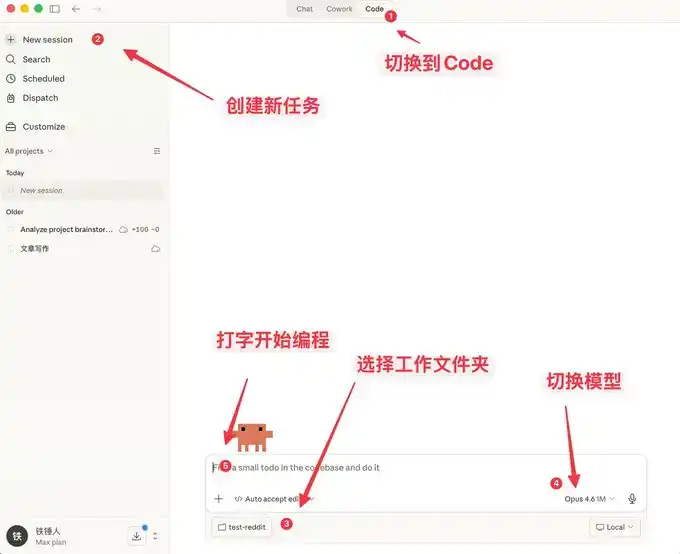
Here you can not only chat, but it also comes with many features similar to OpenClaw.
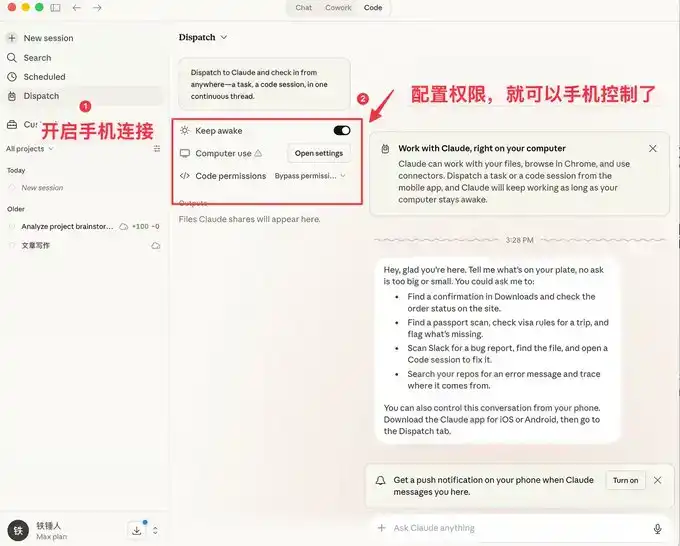
The visual interface is easier for ordinary people to use, but programmers prefer the command-line launch method.
Below I'll introduce a few commands to speed up launching.
Command Line Launch
Launch with Specific History
During our use of Claude code, we often encounter situations that require restarting. Every time we restart, we need to restore the previous conversation context:
I used to always use:
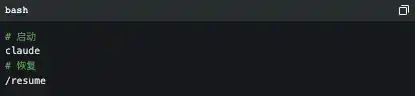
But the official actually provides some pretty good launch commands:
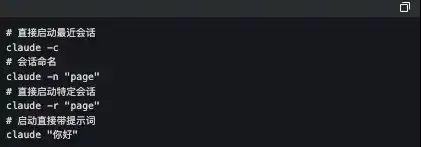
The one I use frequently here is `claude -c`, a short command that has saved me a lot of life.
-p Launch in Automated Mode
Claude Code can be launched without a UI, simply use the following command:

It's worth noting that if you want to use a local subscription Token to automate tasks, this is currently the only way to do it.
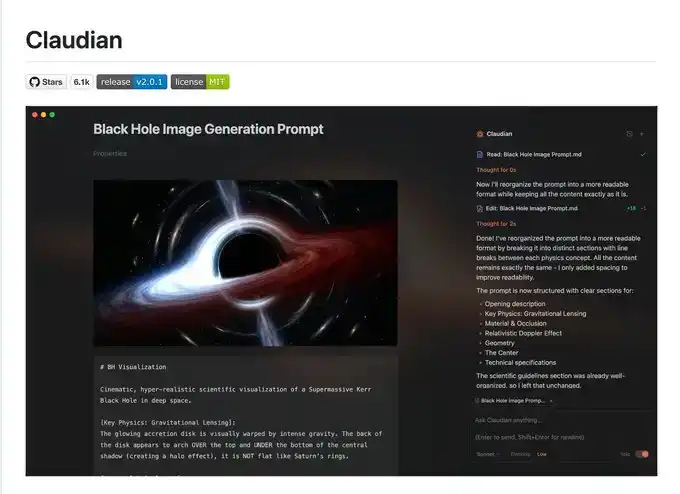
The famous Obsidian + Claude Code tool below made its own SDK to use the local subscription Token this way.
I admit what I said earlier might be a bit complicated, let's talk about a few simple commands to use during operation.
3 Must-Know Small Tips While Using Claude code
Elegantly Terminate and Rollback Tasks
When first using claude code, everyone still likes to use Ctrl+C to close the current conversation, only to find it closes Claude entirely. The correct way is to press the Esc key once, which will interrupt the conversation immediately, preventing things from getting worse.
If Claude suddenly goes crazy, we can press Esc+Esc twice, then a list will pop up:
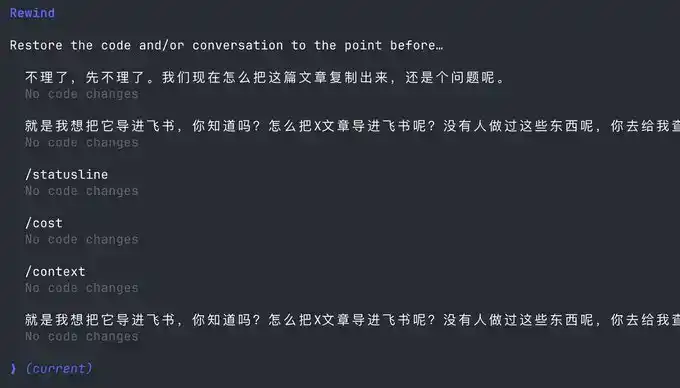
You can use this function to return to any checkpoint, avoiding Claude code messing up the code.
Execute Commands Without Leaving Claude
Sometimes we want to run a test command ourselves, but to not interrupt the current Claude, we have to open another command window.
Actually, we can use the ! syntax:

Context Management
As the conversation continues, the more chat history we accumulate, the more tokens are consumed per interaction, and Claude code will run slower and slower.
You have two choices, open a new window or use the /clear command
A simple command to clean up useless context is like closing 20 chrome tabs at once.
But what if I don't want to clear this context? Use /compact to compress it.
It's like giving claude a Red Bull to wake up and refresh.
I hope the above small tips help you use Claude code more smoothly.
But this is far from enough. Since Claude code is a command-line tool, no matter how many commands you learn, it's a mental burden.
Fortunately, the community has produced quite a bit of companion software to solve the following pain points:
1. Lack of mature prompt methodology, low programming efficiency
2. Slow typing speed leads to low prompt input efficiency
3. During multitasking, humans are fragmented and unable to increase productivity
If any of the above is your pain point, please read on.
Using Companion Software to Solve Human-Machine Collaboration Problems
Now, we are slowly discovering that humans are starting to跟不上 (cannot keep up with) the speed of machines. To address this, the community has produced a series of software.
First, we need a mature programming methodology:
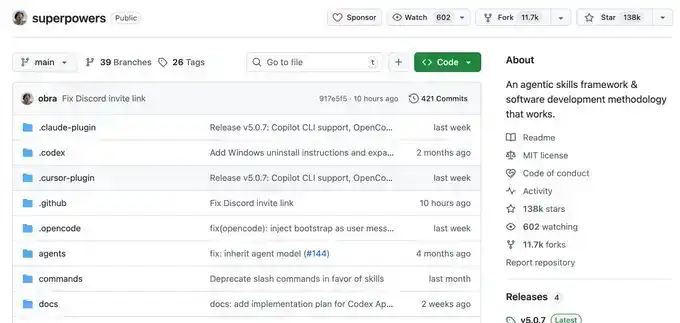
Superpowers
Ordinary people have no method when Vibecoding, they just do whatever comes to mind. This Skills is a programming workflow summarized by an experienced programmer.
He packaged top software engineering best practices into one-click Skills. From requirement梳理 (sorting), Spec confirmation, detailed planning, to TDD test-driven + automatic Code Review, the entire process enforces a structured workflow, allowing AI to output high-quality, maintainable code like a mature engineering team, significantly improving the one-time success rate, so you no longer have to repeatedly put out fires.
This project already has 138k Stars, you can go check it out for details, I won't elaborate here.
Once you have a mature programming Skills, you will find that it requires frequent information input, and then you discover that typing speed becomes your efficiency bottleneck.
You wonder, is there any software that can quietly convert speech to text in the office, with particularly accurate Chinese and English recognition?
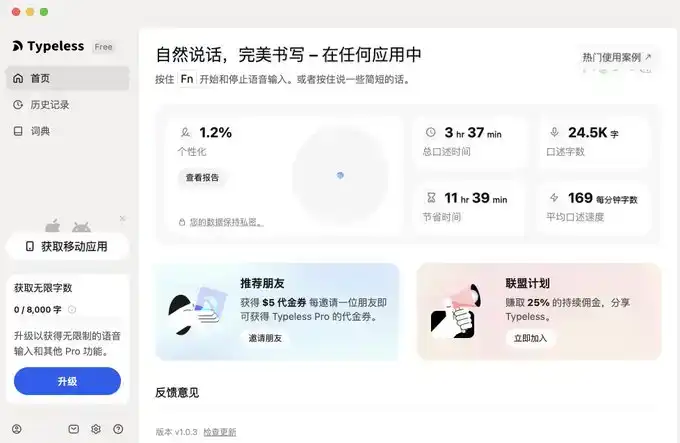
Yes, yes, and there are many, but I only recommend two, typeless and Douban Input Method.
Voice Input Software
The advantage of Douban Input Method is that it's fast, has decent Chinese and English recognition, and most importantly, it's free. It's a bit like the Android system, I use it too.
But typeless, aside from needing payment, doesn't have many shortcomings, and you can try it.
I'll provide links for both below.
typeless (I recommend, affiliate link): https://www.typeless.com/?via=lxfater
Douban Input Method is still in the testing phase, you can search for the installation package.
Once you start voice input, you can provide more context to Claude code, and the one-time success rate will get higher and higher. At this point, the efficiency limitation becomes the running time of Claude code.
We can use multiple Claude code instances simultaneously. At this time, our bottleneck becomes the human problem of losing context when switching between multiple tasks.
Solve Your Attention Switching Problem
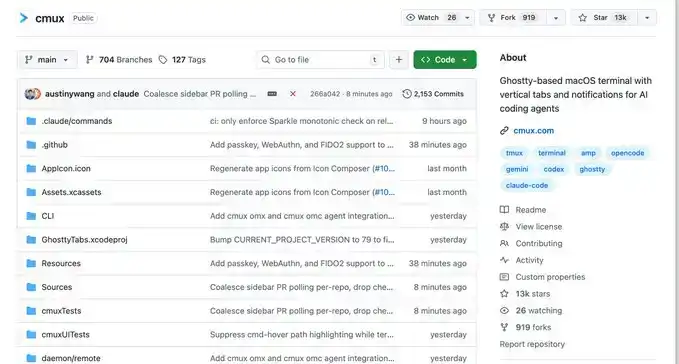
First, I recommend a software called Cmux:
It's a macOS native terminal built based on Ghostty, specifically designed for running multiple coding agents simultaneously: vertical tabs + smart sidebar, flexible split-screen, smart notification highlighting, built-in browser split-screen + Socket API.
This is an open-source project: https://github.com/manaflow-ai/cmux
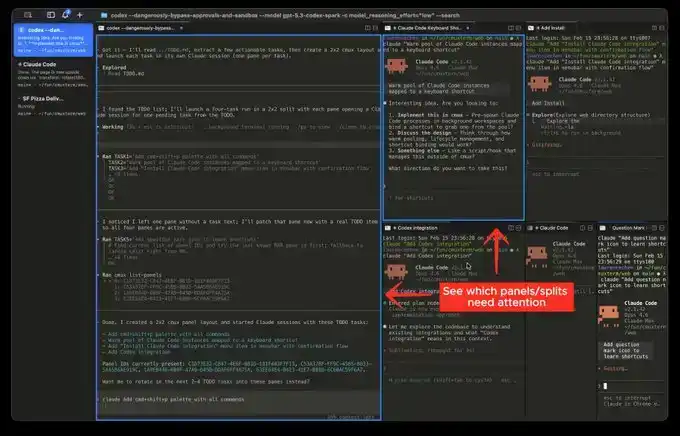
My favorite is the split-screen function, but once you split the screen, you won't know which window completed the task.
Fortunately, this software will directly highlight a certain terminal area, helping you switch to the corresponding window in time.
But the next software I'm about to介绍 (introduce) will make this switching incredibly smooth:
This is a relatively popular product recently, called Vibe Island
The UI is beautiful, right? But the most powerful aspect of this product is its support for switching between many different tools.
And each switch will automatically唤醒 (wake up) and focus the window of the APP you are in, and you can input directly.
Theoretically, as long as you switch fast enough and open enough windows, it will continuously push the windows that need processing in front of you. You'll feel like you're handling an assembly line.
Finally
I hope this content is helpful to you. This is quite beginner-friendly, actually common knowledge for programmers.
But I still hope it can help you. If you feel this content was helpful to you!