Futures Copy Trading Guide for Lead Traders (Web)

- Guide per il copy trading

HTX Futures Copy Trading offers experienced traders a platform to share strategies and monetize value. By sharing your trading strategy, you not only help other users, but also earn a considerable profit share, creating a win‑win outcome.
- How to Apply to Become a Lead Trader
1) Visit the HTX official website and hover your mouse over the top navigation bar’s “Futures” section.
2) In the dropdown menu, click to enter the “Copy Trading” page.

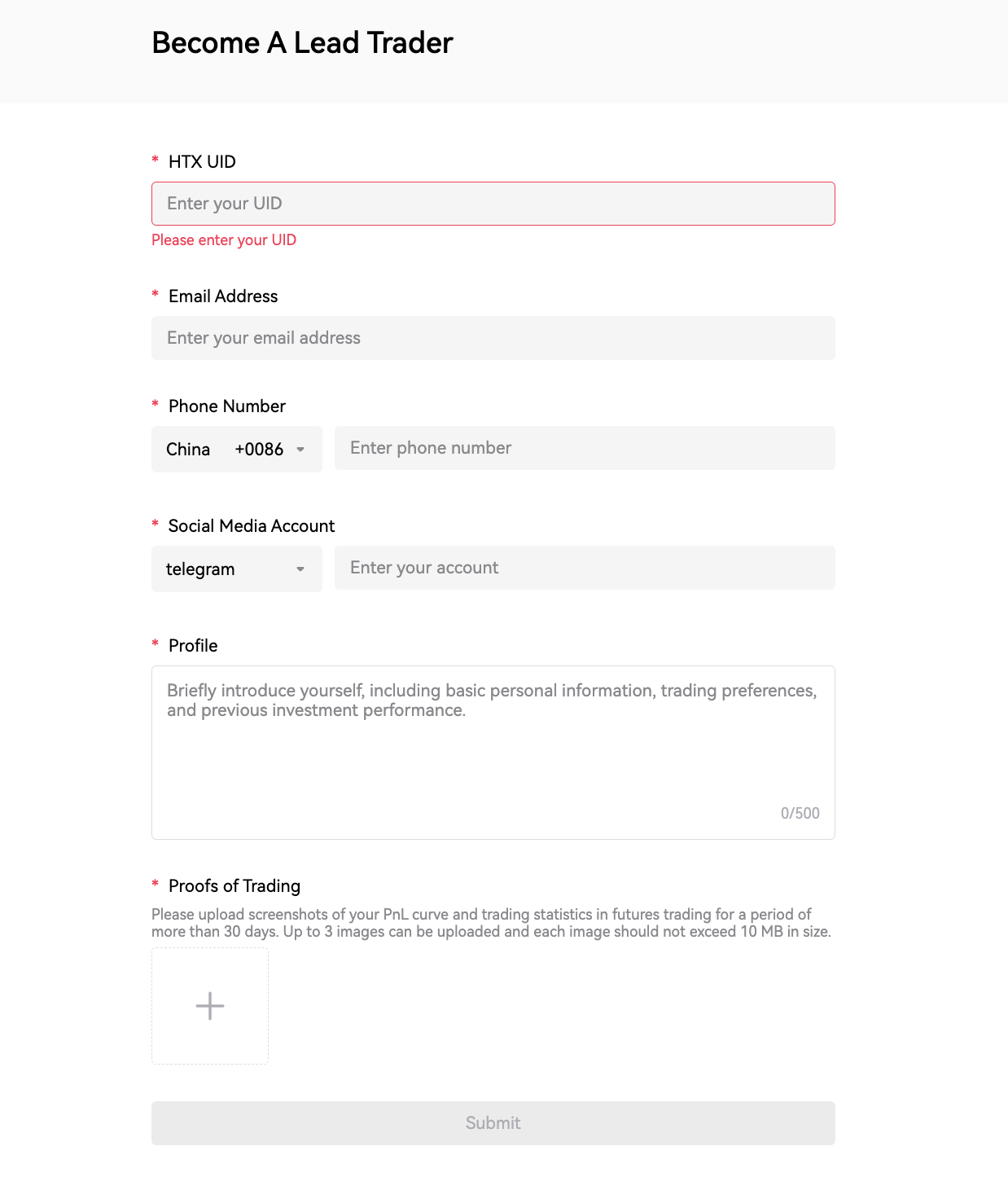
3) Click the “Become a Trader” button, complete the form as required, and then submit it.

Notes:
- Applications can be submitted whether you are logged in or not.
- Once an application has been submitted and is under review, the form cannot be resubmitted.
- Your personal profile will be displayed directly as your "Trading Bio"; please ensure the content is compliant — any form of user acquisition through private channels or the use of prohibited terms is strictly prohibited and may result in account suspension.
- Please upload a screenshot of your futures PnL curve or trading statistics covering at least 30 days. Up to 3 images can be uploaded and each image should not exceed 10 MB in size.
- How to Set Profit Sharing and Enable Trader Mode
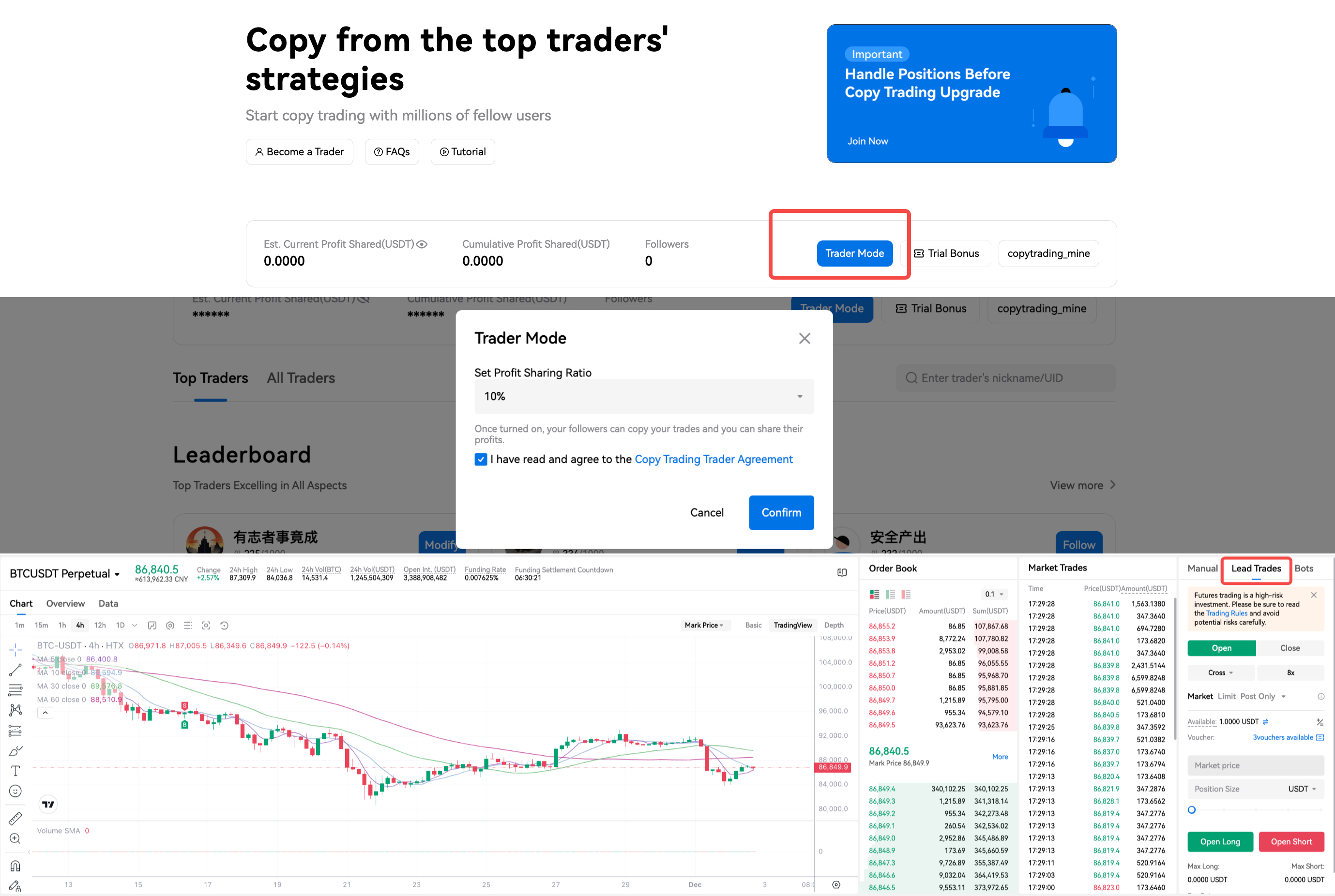
- Click “Trader Mode” on the Copy Trading homepage.
- Set a profit sharing ratio. You may select one from 10%, 15%, 20%, and 25%.
- Please check the box "I have read and agree to the Copy Trading Trader Agreement."
- Click the “Confirm” button, and you will be redirected to the Copy Trading page to begin.
- How to Modify Copy Trading Settings
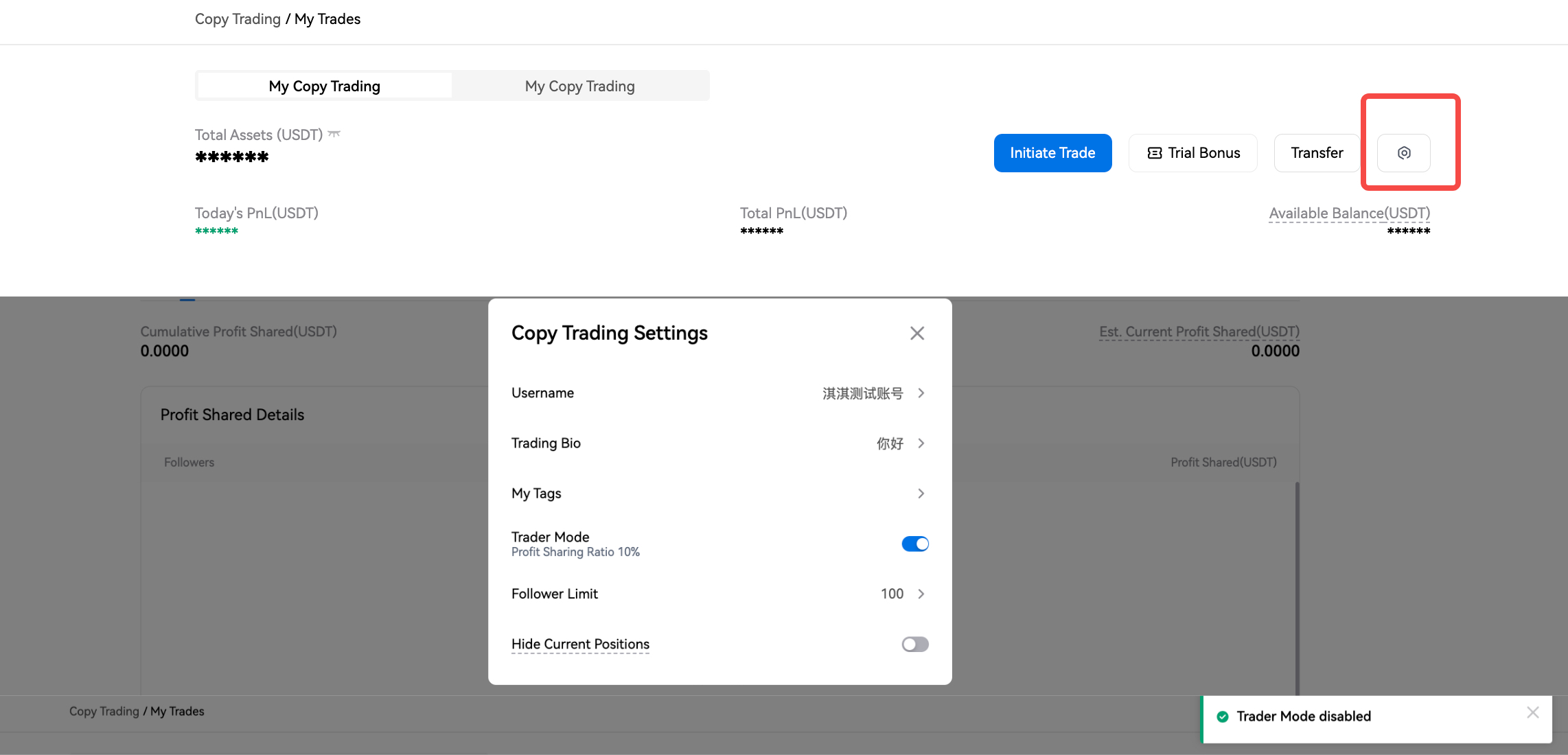
- Enter the “Me” page of Copy Trading and click the settings icon.
- In the “Copy Trading Settings” popup window, you may freely modify your trading settings.

- How to Access the "Lead Trades" Page
On the “Copy Trading” page, click the “Lead Trades” button to enter.

- How to Transfer Funds
- On the “Lead Trades” page, click the transfer icon.
- In the popup window, enter the amount of funds you want to transfer.
- Click “Transfer”. Upon successful completion, the funds will be credited immediately.
Please note only lead traders with their Futures Leading account balance > 10 USDT can be found and followed.

- How to Redeem and Use the Trial Bonus Coupon
- On the “Lead Trades” page, you will see the total number of currently available coupons in the middle. Click the coupon icon to see all coupons in detail.
- From the list select the coupon you want to use and click the “Confirm” button at the bottom.
- A “Redeemed” prompt will pop up, along with a detailed explanation of the available balance.

- Look Up Announcements in Support
On the copy trading home page, click “FAQs” to enter the Support page, where you can look up all the announcements and guides related to copy trading.

- How to Turn Off Trader Mode
- Enter the “Me” page of Copy Trading and click the settings icon.
- In the “Copy Trading Settings” popup window, disable the “Trader Mode”.
- In the confirmation popup, click “Confirm”.
- The page will display "Turned off successfully". Your trader mode is now disabled.
- How to View Profit Share
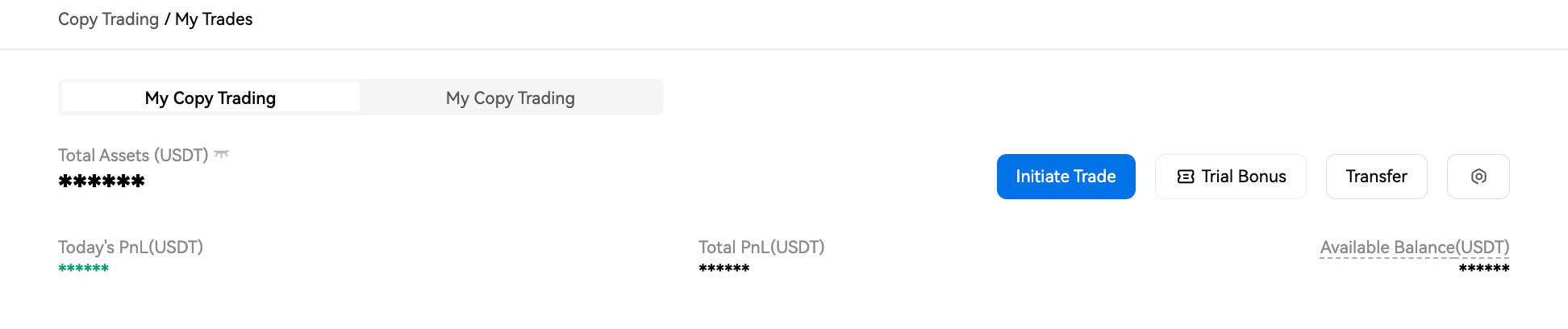
1) Navigate to the “Copy Trading” page or the “Me” page to view the relevant data.
2) About Data Indicators:
Note: To ensure your asset security and trading accuracy, each data update may take approximately 5 minutes to refresh to the latest data.
Cumulative Profit Shared: The amount of profit that has been settled and distributed to a lead trader's account.
Last Profit Shared: The profit share during the previous settlement cycle, including both regular and special settlements.
Est. Current Profit Shared: The amount of profit shared that the lead trader anticipates receiving in the upcoming settlement period.
Followers: The number of followers currently copying the trader.
3) For detailed profit-sharing rules, please refer to the announcement HTX Futures Copy Trading Profit Sharing Rules.

- "Lead Trades" Page Data Explained
- Total Assets: The account's total equity (including static equity and unrealized P&L).
- Today's PnL: Current account's assets - Starting assets at 00:00 - Amount transferred in + Amount transferred out.
- Total PnL: The cumulative realized profit and loss.
- Available Balance: The margin balance available for opening positions (including trial bonus).
- Investment: The maximum principal amount that a single follower may allocate when copying a given Lead Trader’s open position.
- Performance Page Data Explained
Note: Data is updated every 15 minutes.
- Today's PnL: Current account's assets - Starting assets at 00:00 - Amount transferred in + Amount transferred out.
- Total PnL: The cumulative realized profit and loss.
- Available Balance: The margin balance available for opening positions (including trial bonus).
- Followers’ PnL: The total profits from all followers’ profitable orders.
- Total PnL% = PnL% in the current calculation period + Carryover PnL% (the previous PnL% at the time of transfer).
For more detailed calculation, please refer to the official announcement New Rules Explanation for HTX Copy Trading Profits.
- Win Rate: (Quantity of the profitable closed orders / Quantity of the closed orders) * 100%.
- Maximum Drawdown: The maximum loss of the lead trader.
Drawdown Rate: (Historical highest PnL% - Current PnL%) / (Historical highest PnL% + 1).
- AUM: The total futures margin of the lead trader and their followers.
- Followers: The number of followers currently copying this trader.
- Cum. Followers: The cumulative number of followers of this trader.
- Total Trades: The total number of orders placed by this trader to open positions.
- Days Joined: The number of days since the user first became a lead trader.
- Avg. Profit: Total profits of profitable orders / Number of profitable orders.
- Avg. Loss: Total losses of unprofitable orders / Number of unprofitable orders.
- P/L Ratio: The ratio of average profit to average loss.
- Avg Holding Time: Cumulative holding time / Number of fully closed positions.
- Trade Frequency (weekly): Total order count / Number of weeks joined (days joined / 7).
- Preferred Pairs: The futures trading pair with the highest number of trades.
- Last Traded at: The time of the last order executed.

- My Followers Page Data Explained
On this page you will see a list of all your followers, sorted by their total contribution to your profit share from the highest to the lowest.


