Just now, OpenAI has turned Codex upside down!
Yesterday you were still using Codex to write code.
Today it can already view your screen, click your mouse, remember your preferences from last week, and schedule its own tasks.
Multiple AI Agents work for you in the background simultaneously, without affecting your mouse and keyboard at all.
Codex's "Secret Sauce": It can use apps directly in the background without taking over your entire computer.
From today, this tool used weekly by 3 million developers is no longer just a programming Agent.
You Do Your Work, It Runs Xcode in the Background
Now, Codex has its own cursor, which does not interfere with your mouse.
You write documents while it runs Xcode to test an App next to you, both happening at the same time.

This feature has significant origins; its lead, Ari Weinstein, is the co-creator of Apple Shortcuts, whose team was acquired by OpenAI last fall.
To understand what it can do, just watch a demo.
First, the user gives the command: "Run this Tic-Tac-Toe App in Xcode, play a game to test it yourself, and fix any bugs you find."
Then, Codex opens Xcode by itself, starts the iOS simulator, and begins playing with its own cursor.
During testing, it discovers a logic bug—after a human move, the computer draws two O's simultaneously.
After some thought, Codex decisively switches back to the code interface and locates the position of the bug.
After modifying the Swift code, it immediately recompiles and performs a second round of complete testing for verification.
In less than a minute. Run → Test → Find bug → Fix → Regression verification, the entire Debug closed loop, all in one go.

Currently, Computer Use only supports macOS; users in the EU and UK cannot use it for now.
The Windows version can pull information from other apps into Codex but does not yet support background cursor-level control.
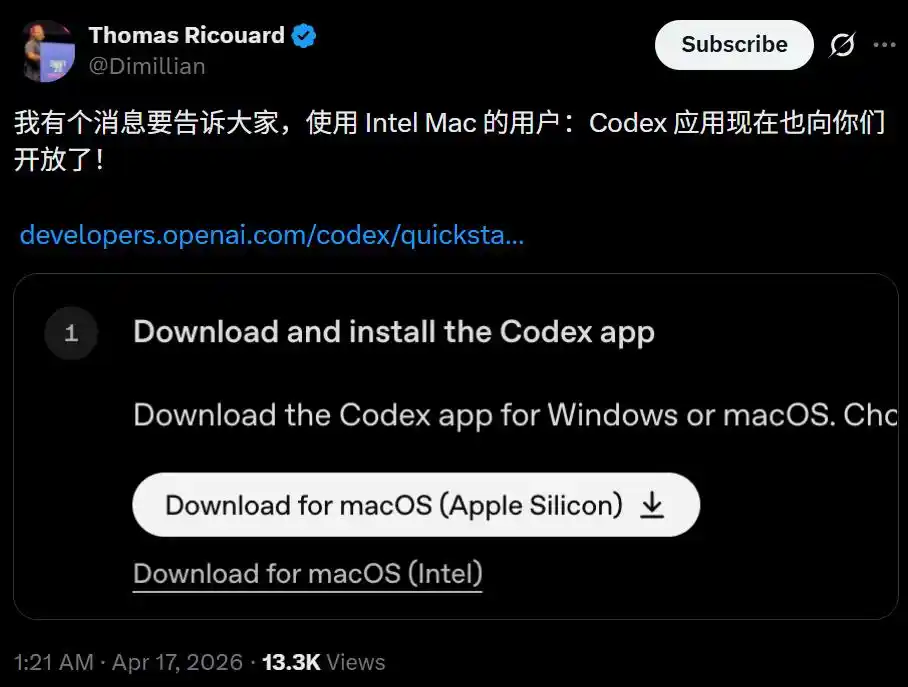
In this update, Codex gains support for Intel Macs for the first time.
Click to Modify, No More Code Hunting for Front-End Debugging
The Codex client now has a built-in browser,底层 powered by OpenAI's own Atlas engine.
In practical terms,以前 front-end developers adjusting UI had to jump back and forth between code and the browser. Now you can operate on the rendered webpage.
Click the main title, leave a comment "Reduce font size and shorten the slogan"; click the top left corner, "Add a logo";发现 the chart's X-axis legend is out of bounds, click the error spot, write "Fix the out-of-bounds issue".
Codex understands visual and spatial context,修改 code in the background instantly, and the page refreshes in real-time.
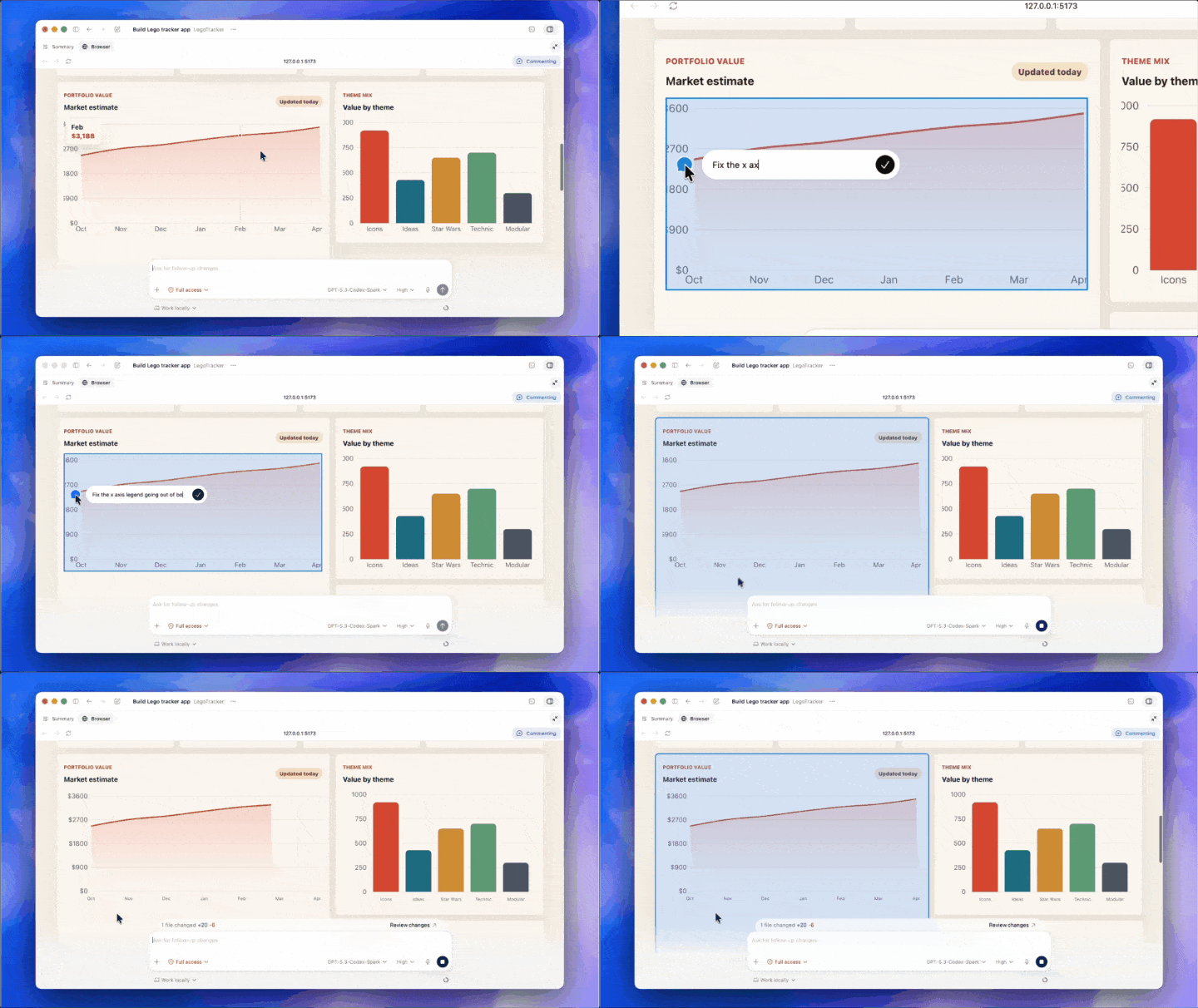
OpenAI used a web application called Brickfolio, a Lego set tracker, for the demo.
Codex wrote the code from scratch, configured the environment, started the local server, and opened the rendered page in the built-in browser. The whole process took just seconds.
Then came the WYSIWYG (What You See Is What You Get) modification experience. It feels like reviewing a design mockup; you just annotate the problems, and all underlying iterations are handled by the AI.
In other words, the user只需 clicks and marks here and there on the page, and Codex changes the code in the background, producing results in real-time on the front end.

The built-in browser is currently limited to localhost preview. OpenAI stated that future expansions will include full browser control capabilities.
Over 90 Plugins Launched, The Entire Toolchain Welded into Codex
On the plugin front, OpenAI launched over 90 in one go.
Atlassian Rovo manages JIRA, CircleCI handles CI/CD, GitLab Issues tracks requirements, Microsoft Suite processes documents, Neon by Databricks operates databases—covering almost all tools a development team uses daily.
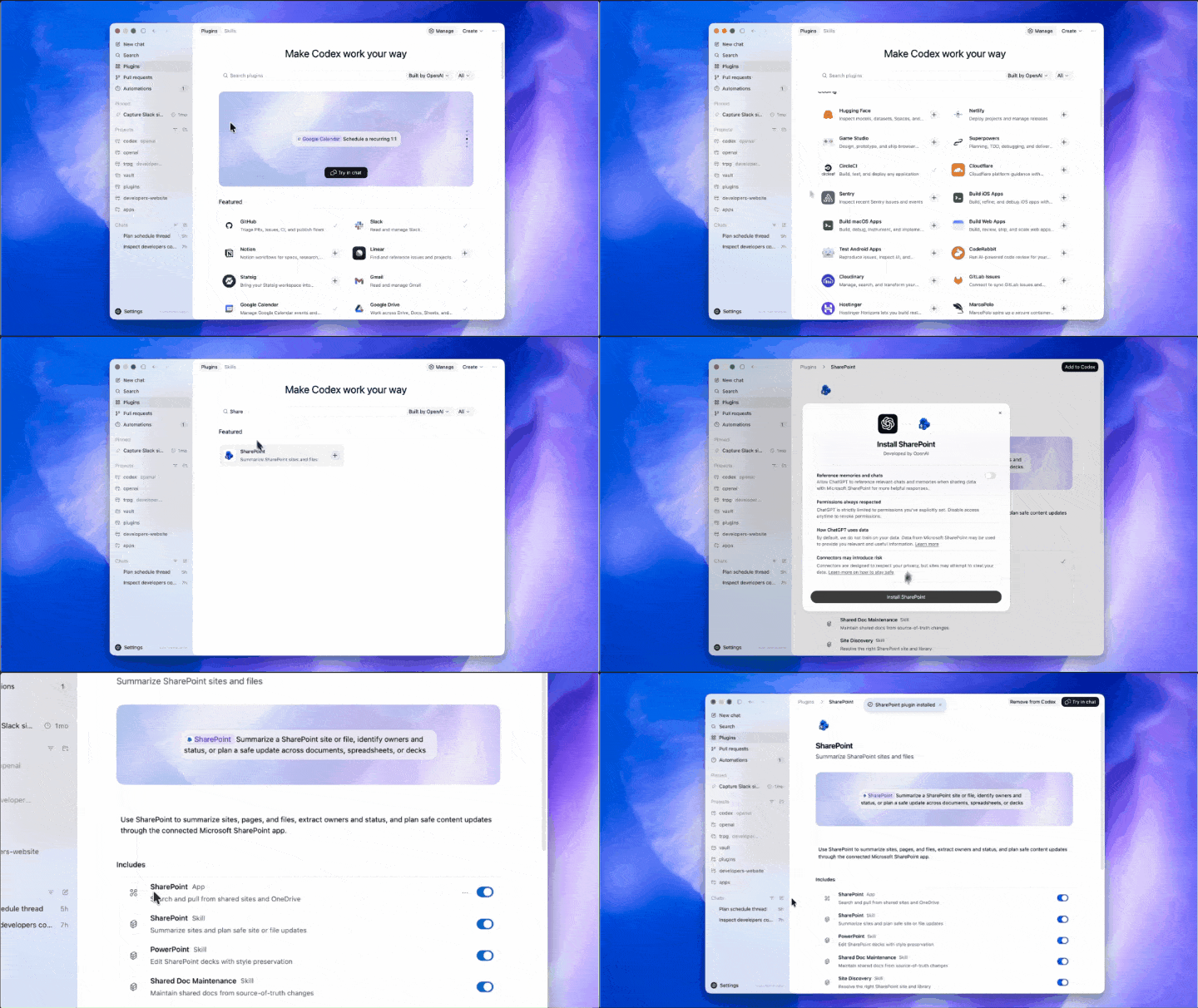
Usage is simple: just @ the plugin name in the input box.
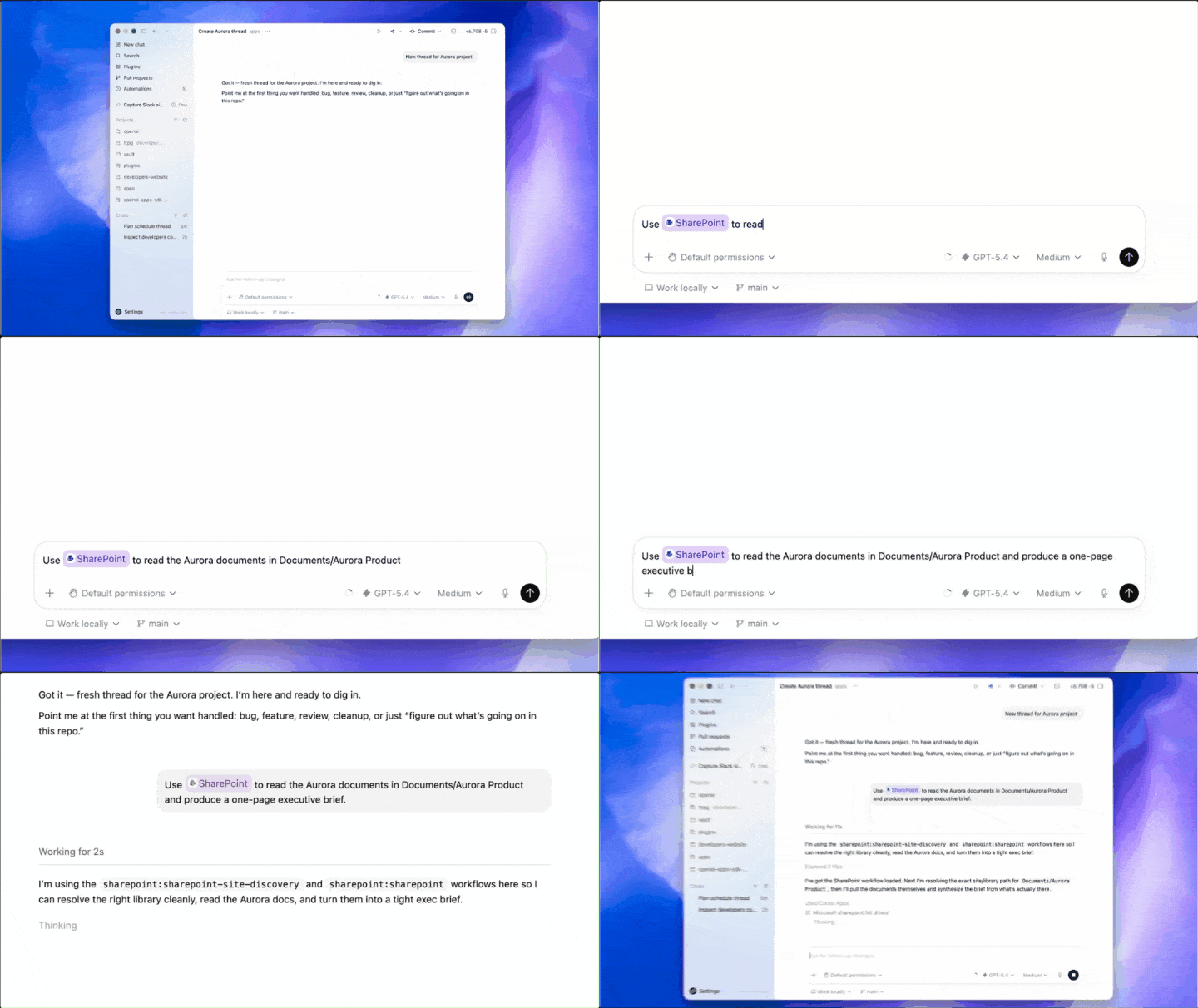
For example, @SharePoint, ask Codex to read documents in the product catalog and generate an executive brief. It automatically searches the file tree, parses documents, and extracts core information, saving you from searching through various cloud drives.
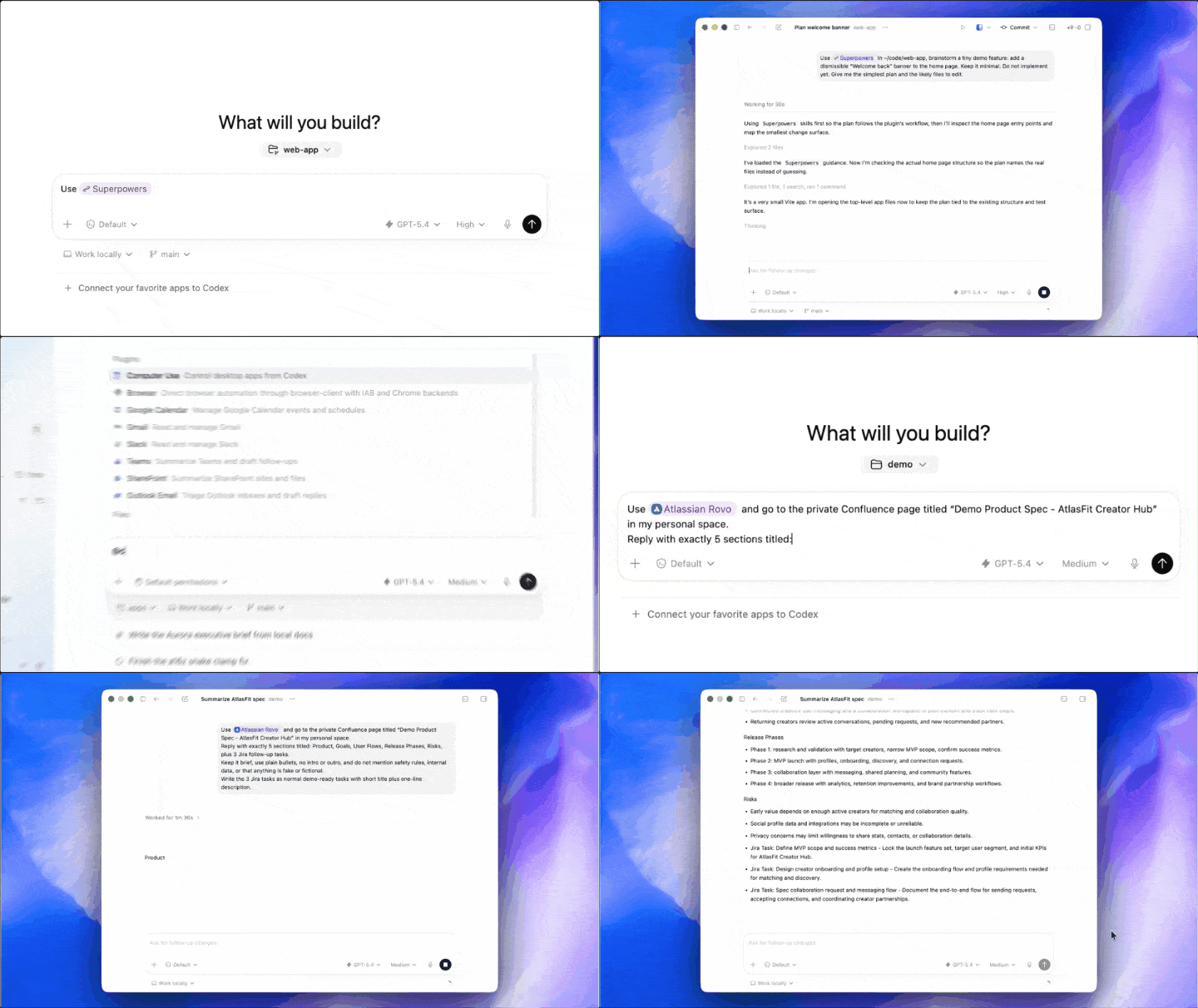
Another example: @Superpowers, ask Codex to conceptualize a feature plan within the local code directory. It will traverse your file structure, read code and CSS, and provide a set of implementation suggestions that fit the current project architecture.
@CircleCI can help diagnose branch build failures; @Atlassian Rovo can read product specifications on Confluence, output summaries in format, and even convert feature points into standard JIRA tasks.
From upstream requirements to local coding, to CI/CD and task management, plugins串起来了 the entire chain.
AI Starts Scheduling Itself
Even more noteworthy is the new "Heartbeat" mechanism.
Now Codex can schedule future work for itself, automatically waking up at the set time to continue working, even across days or weeks. Moreover, it can reuse previous conversation threads, so the context accumulated last time is not lost.
For example, a user can ask Codex to check Slack, Gmail, Google Calendar, and Notion. It pulls relevant information from these four channels and throws out a prioritized to-do list.
The user adds, "Can you keep an eye on this for me?"
Codex immediately sets itself an hourly automatic patrol schedule, proactively reports on key points requiring decisions, and even asks, "Do you need me to draft a reply for you?"

This is no longer just a tool; it's a junior employee who doesn't sleep.
Coupled with the natively built-in image generation capability of gpt-image-1.5, product concept maps, front-end designs, and visual prototypes can all be completed in one go within the same workflow.
Daily Needs Filled in One Go
Besides these major features, there are also a batch of experience-level upgrades.
First, the memory function is available in preview; Codex can remember your preferences and corrected points, so you don't have to explain from scratch the next time you start a chat.
Second, GitHub code review comments can now also be processed in Codex.
Support for opening multiple terminal tabs simultaneously is here, and the ability to connect to remote development machines via SSH is also in internal testing. There's also a new summary panel to help you keep an eye on the Agent's work plans, information sources, and output files at any time.
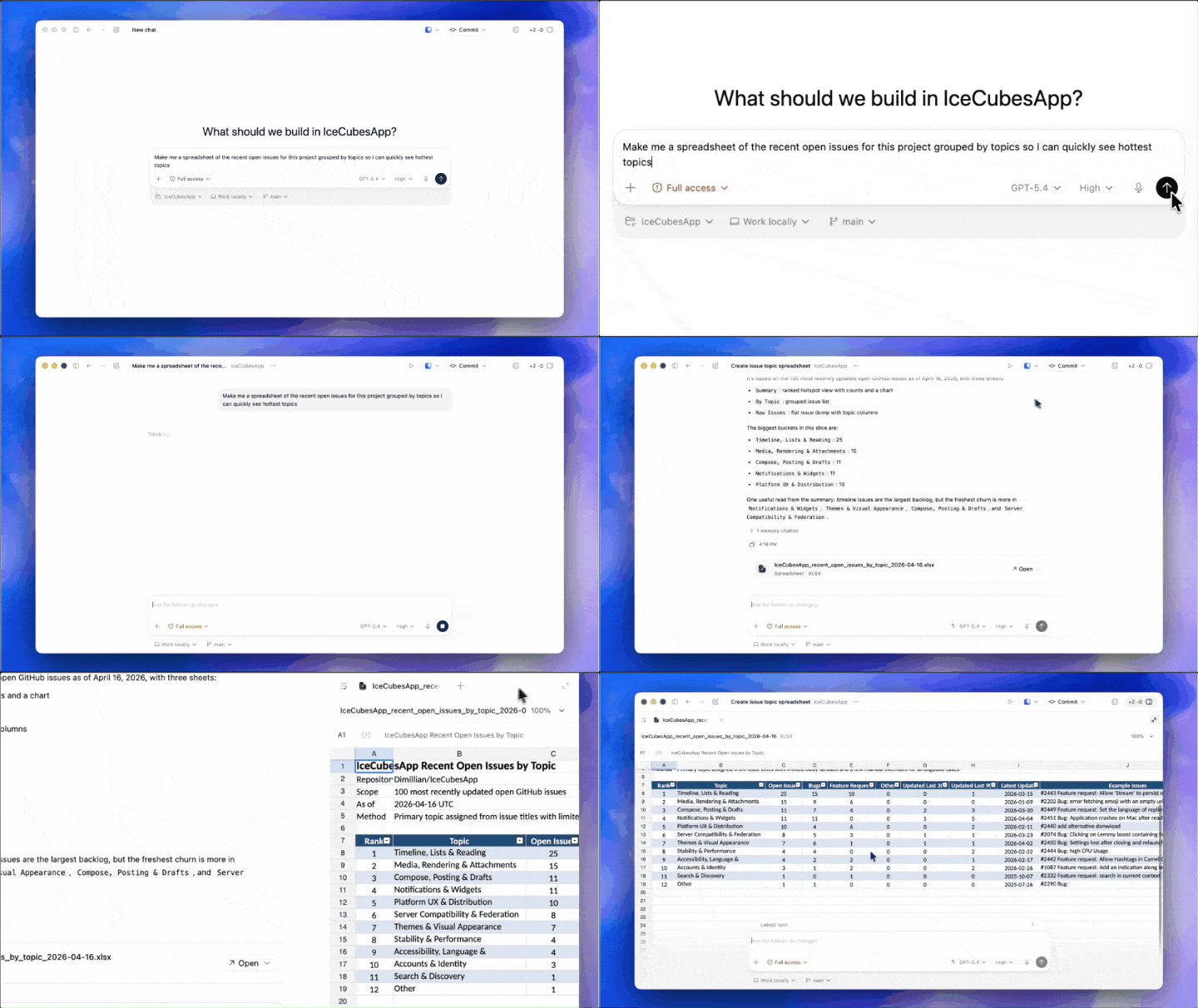
In the demo, the user asked Codex to organize the recent open issues of the current project and generate a table grouped by theme.
Codex then pulled the code repository context in the background and, after a few minutes, threw out a core summary listing the project's current biggest pain points.
Click to generate an Excel file—no need to switch to external software; a complete spreadsheet preview can be opened right in the sidebar.
The same goes for PDFs and PPTs, all handled within the Codex window.
The First Piece of the Super App Puzzle
Looking back at the timeline, you can feel OpenAI's pace.
March 19: Foreign media reported that OpenAI plans to merge ChatGPT, Codex, and the Atlas browser into a desktop "Super App".
March 31: OpenAI secured $122 billion in funding, with a valuation of $852 billion, led by Amazon, NVIDIA, and SoftBank. The funding documents clearly stated that the capital would be used for the development and deployment of the Super App.
April 16: This wave of Codex updates landed.
Another telling data point: over 80% of OpenAI's internal employees are already using Codex, and not just engineers.
Writing weekly reports, organizing feedback, drafting product requirement documents, reviewing contracts, sending security training reminders—they use it for everything.
50% of Codex users are already using it for non-coding tasks.
This isn't a programming tool adding features. This is a Super App using the shell of a programming tool for a cold start.
If You Can't Beat Them, Infiltrate: Made an Official Plugin for Anthropic
Even more interestingly, OpenAI also made an official plugin for Claude Code, actively embedding Codex into the competitor's ecosystem.
It somewhat has the vibe of, rather than waiting for developers to switch camps, better to infiltrate their workflow first.
Currently, Codex emphasizes background execution, multi-Agent parallelism, and unattended operation; Claude Code's advantages lie in long-context reasoning and deep code understanding. More and more teams are choosing to use both.
However, what OpenAI wants is clearly not just a share of the pie.
$122 billion is bet on something far greater than a programming tool.
Reference: https://openai.com/index/codex-for-almost-everything/
This article is from the WeChat public account "新智元" (New Wisdom Yuan), edited: Hao Kun (Very Sleepy)