II. Fund Transfer

- Getting Started
- Margin Trading Guide

On the margin trading page, click Transfer, then you can transfer assets from other accounts to the margin account as collateral for loans.
If you choose Cross Margin Trading, funds will be transferred from other accounts to your Cross Margin account.
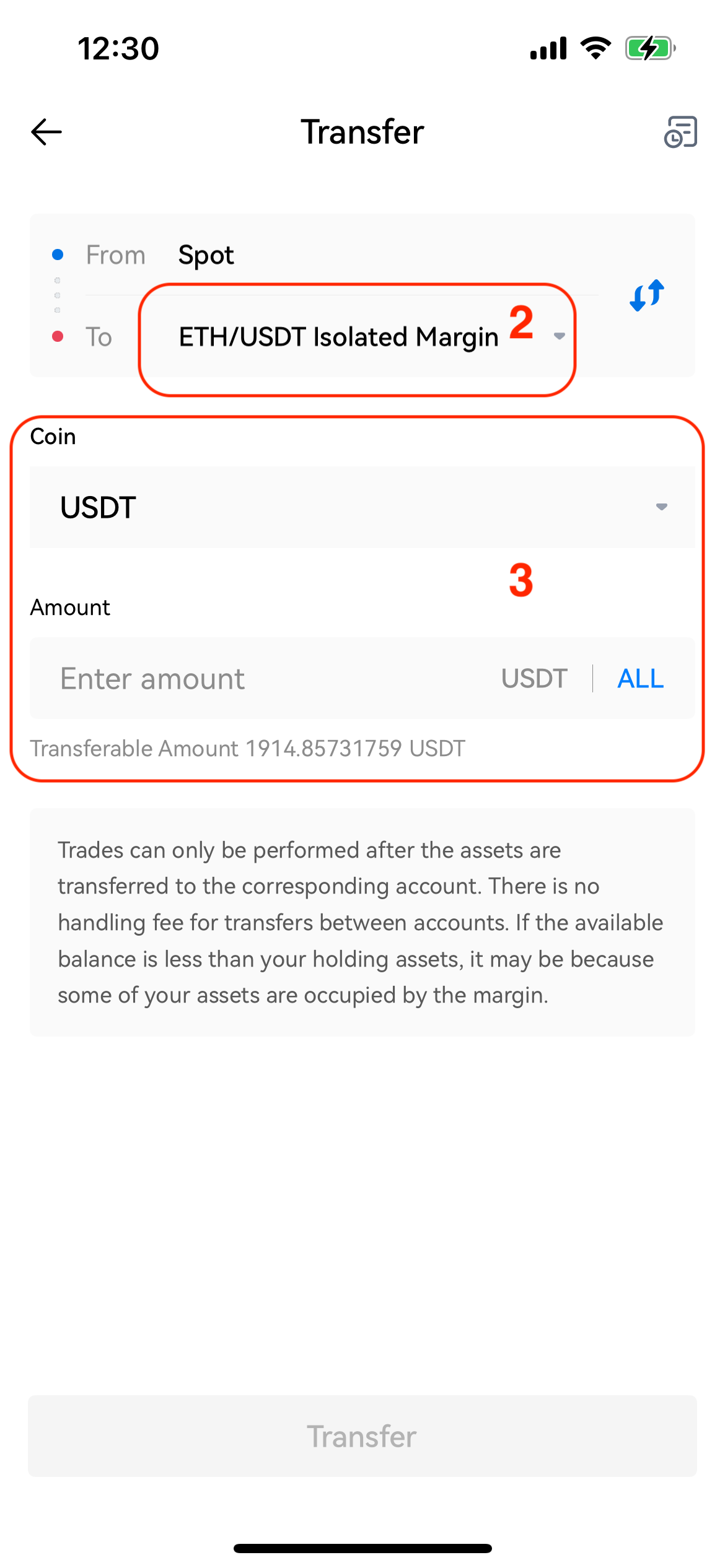
If you choose Isolated Margin Trading, funds will be transferred from your spot account to your Isolated Margin account.
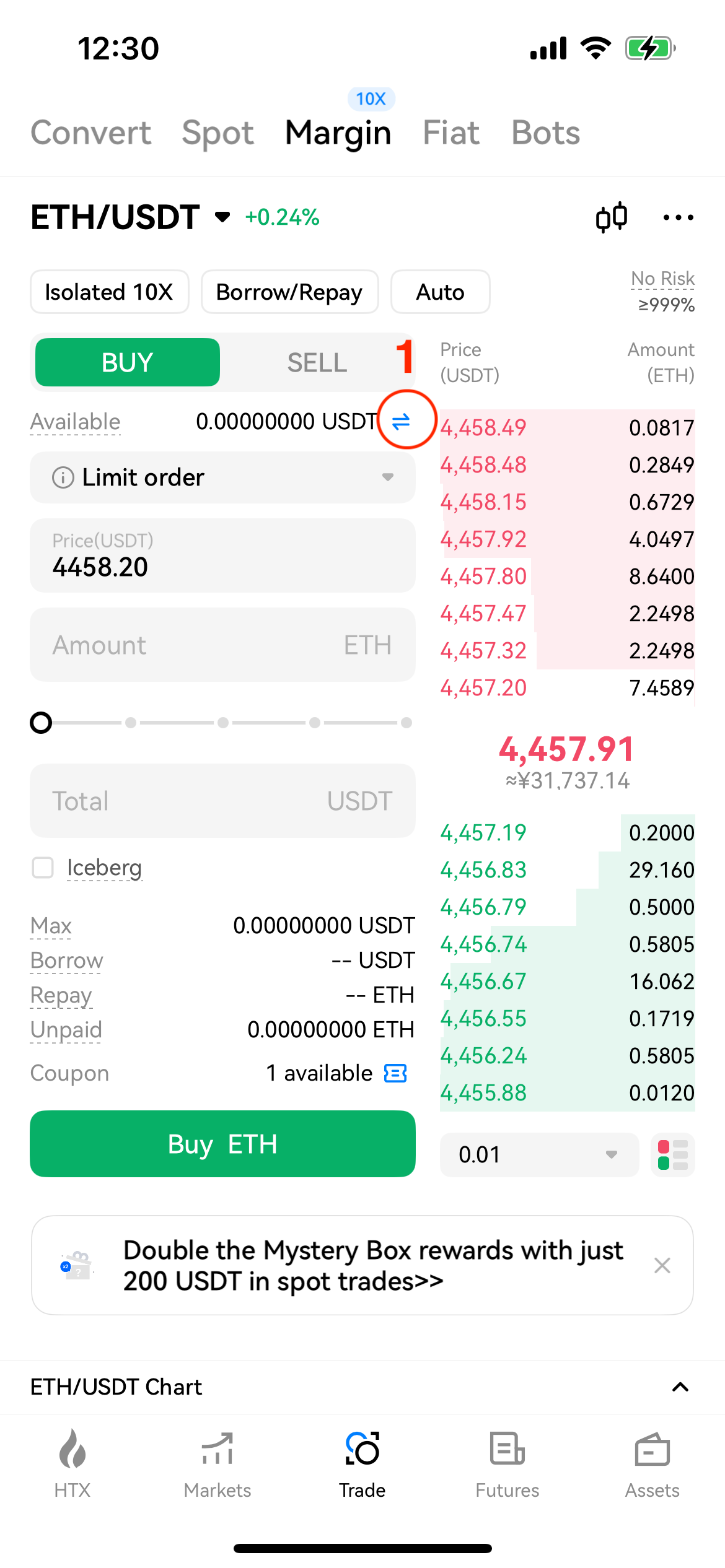
Select the crypto you wish to transfer and enter the amount. After verification, tap Confirm to finalize the transfer of funds to be used as collateral.
Once completed, assets transferred to the Cross Margin account will be fully visible in your overall account balance. Assets transferred to the Isolated Margin account will appear under the respective trading pair accounts.
Q5: Why can't I see the assets after successfully transferring them to my Isolated Margin account?
A5: For isolated margin, you must specify a trading pair (e.g., BTC/USDT) when transferring funds. Once the transfer is completed, you can view your position in the Isolated Margin account for that pair.


