You may view your deposit status by logging on to your account via https://www.huobi.com/en-us/login/?backUrl=/en-us/.
Step 1) Go to https://www.huobi.com/en-us and login to your account.
Step 2) Click “Balance” for a drop-down menu, select “Deposit & Withdrawal”

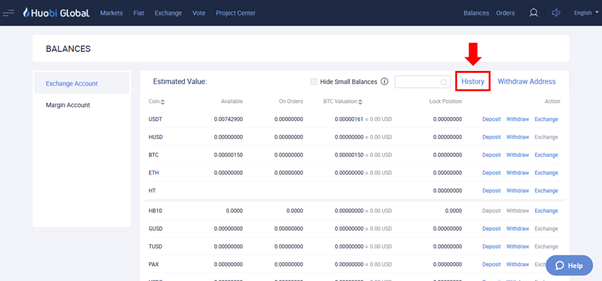
Step 3) Click “History”
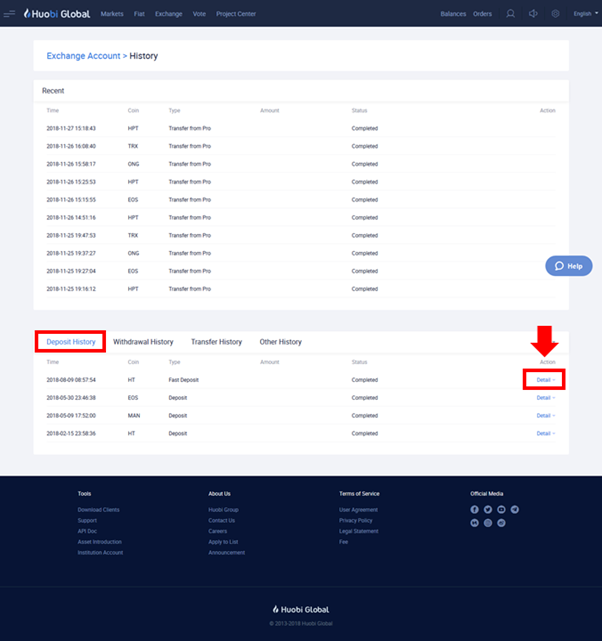
Step 4) Check status. Click “Details” to expand the section for more information such as the TxID.
It may take a while for the information to appear. Please note that every blockchain transaction requires a specific number of confirmed blocks before full access is granted to your asset. This is a fundamental and standard practice across the Blockchain industry.
Examples of confirmations required:
· Bitcoin – 6 confirmations
· Ethereum – 30 confirmations